Hacker News new | ask | show | jobs
by ChadNauseam 18 days ago
AVIF is for sure my favorite image format right now. No other format has the quadfecta of lossless, HDR, transparency, browser support. Plus as you said, for very compressed images it looks amazing. It blows my mind how small AVIF files can be. Also, unlike HEIC and Ultra HDR JPEG, it actually supports HDR natively as part of the file format rather than doing the hacky sidecar gain map trick. I know it doesn't matter to everyone, but I just love HDR and AVIF is the only format that I feel like really takes it seriously.
3 comments

I really don't.

1. Lossless AVIF is a joke often beaten by WebP and even PNG. Even worse for grayscale.

2. Chroma subsampling remains a bad idea for still images unless the resolution is high enough to hide the artifacts.

3. Tooling is the worst part, AV1 encoders are basically focused 99% on video and leave a measly 1% to image; unlike JXL, of course. SVT-AV1 still doesn't do YUV444 and libaom was unusable. Fortunately, the unpaid enthusiasts were here: https://giannirosato.com/blog/post/the-multimedia-renaissanc... (and more recently https://giannirosato.com/blog/post/oavif/)

I don't see AVIF being used for lossless, which is the largest reason I'd prefer JXL to win: one codec to rule them all sure is an alluring future.

> 2. Chroma subsampling remains a bad idea for still images unless the resolution is high enough to hide the artifacts.

Hmm, I don't think so. I think at a fixed file size, chroma subsampling usually allows you to have fewer noticeable artifacts. Humans are so much more sensitive to luma that it doesn't make sense to treat it equally to chroma with respect to lossy compression. That said, if you don't like it, AVIF supports 4:4:4 just fine.

In my tests, AVIF beats PNG easily for lossless compression of actual photographs (for things like charts and screenshots, PNG wins of course). And for lossy, it's much smaller than jpeg and supports HDR unlike WebP. So if you need HDR and are doing lossy compression on the web, it's your best option as far as I know.

> Hmm, I don't think so. I think at a fixed file size, chroma subsampling usually allows you to have fewer noticeable artifacts

At low bpp, certainly. Though "certainly" is to be quantified since chroma is quite cheap in AV1, thanks to CfL.

> Humans are so much more sensitive to luma that it doesn't make sense to treat it equally to chroma with respect to lossy compression

The problem is that this is completely dependent on material. Sharp and/or bright red is too common a killer sample (cf https://gitlab.com/AOMediaCodec/SVT-AV1/-/work_items/2211). Make sense for video where you'll have a hard time seeing it, but for still pictures it's too problematic to apply indiscriminately unless you're encoding at potato quality anyway.

> That said, if you don't like it, AVIF supports 4:4:4 just fine.

I know, but libaom is basically a reference codec, SVT-AV1 is the only "real" one we got and it doesn't =(

> In my tests, AVIF beats PNG easily for lossless compression of actual photographs

You're right, I wrongly put photographs aside where AVIF certainly is better. It did "okay" in my tests (NB: ImageMagick doesn't do "lossless" RGB AVIF even with `-quality 100` unless you add `-define heic:chroma=444 -define heic:cicp=1/13/0/1`; you can verify with `magick compare -metric AE ref.png out.avif /dev/null`).

> And for lossy, it's much smaller than jpeg

At decent quality, is it that much better than jpegli (https://opensource.googleblog.com/2024/04/introducing-jpegli...) or even mozjpeg ? If we add FGS to the equation, AVIF has the potential to be much better, though.

Some followup tests for lossless photo encoding

  $ real_time() { command time -p sh -c '{ "$@"; } 2>&3 >&2' argv0 "$@" 3>&2 2>&1 | sed -n 's#^real ##p'; }
  $ magick identify DSC00191.ppm
  DSC00191.ppm PPM 5492x3672 5492x3672+0+0 8-bit sRGB 57.6972MiB 0.090u 0:00.042
  $ for s in 0 3 6; do real_time magick DSC00191.ppm -quality 100 -define heic:chroma=444 -define heic:cicp=1/13/0/1 -define heic:speed=$s DSC00191_s$s.avif; done
  76.71
  12.80
  1.73
  $ real_time magick DSC00191.ppm -quality 0 DSC00191.jp2
  3.315
  $ real_time sh -c 'magick "$1" -define png:compression-level=0 "$2" && oxipng -q -o2 -s "$2"' argv0 DSC00191.{ppm,png}
  7.746
  $ for e in 3 6 9; do real_time magick DSC00191.ppm -quality 100 -define jxl:effort=$e DSC00191_e$e.jxl; done
  0.53
  1.33
  7.71
  $ for m in 0 3 6; do real_time magick DSC00191.ppm -quality 100 -define webp:lossless=true -define webp:method=$m DSC00191_m$m.webp; done
  5.86
  10.41
  46.03
  $ du -k DSC00191* | sort -n
  20068   DSC00191_e9.jxl
  20608   DSC00191_e6.jxl
  21324   DSC00191_m6.webp
  21340   DSC00191_m3.webp
  21772   DSC00191_e3.jxl
  23744   DSC00191.jp2
  23848   DSC00191_s0.avif
  23896   DSC00191_s3.avif
  24212   DSC00191_s6.avif
  24556   DSC00191.png
  26428   DSC00191_m0.webp
  59084   DSC00191.ppm
Not fabulous, really. If you've got a YUV source, everything changes, of course.
Damn, I didn't realize jxl was so great. I agree, AVIF lossless isn't competitive with it at all.
> At decent quality, is it that much better than jpegli

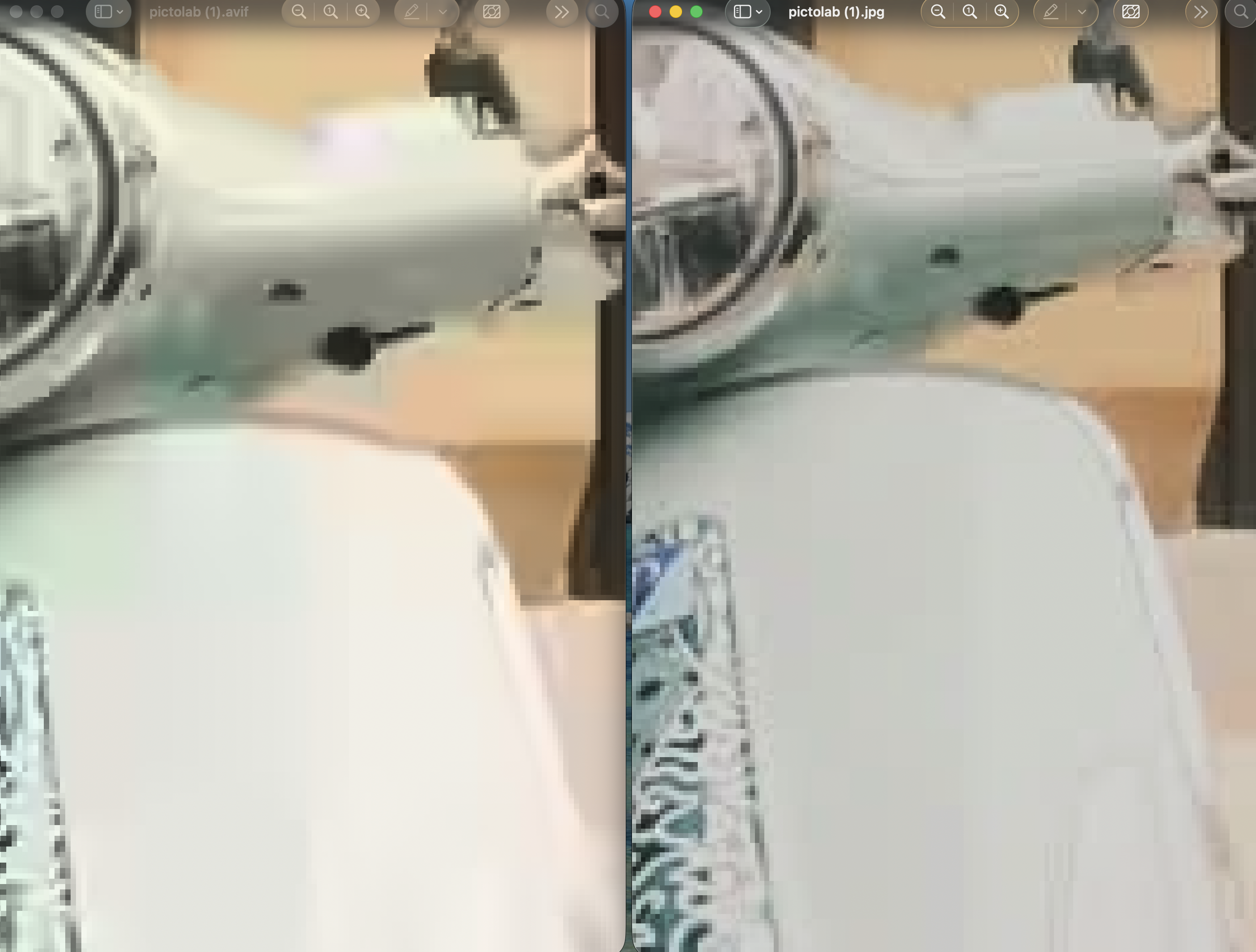
I was curious so I gave it a try and switched my photo editing site [0] to jpegli. Here's a comparison between a 29kb avif file (left) and a 146kb jpeg file (right), as produced by my site: https://files.catbox.moe/wdo9gf.png . The avif looks much better to my eye, and is of cource much smaller

[0]: https://pictolab.io

>but I just love HDR and AVIF is the only format that I feel like really takes it seriously.

JPEG XL would like a word.

He would like a word, but browsers said no?
Firefox is getting the flag to turn it on in the next release, chromium just added it back now there is a rust decoder. The wheels are turning again. Browser support for jpeg xl is very much in progress again.
And it is already present in Safari (and more generally in iOS and macOS, as part of the standard OS graphics library):

* https://developer.apple.com/documentation/avfoundation/avvid...

* https://petapixel.com/2024/09/18/why-apple-uses-jpeg-xl-in-t...

Do you think advanced users should consider AVIF/AVIF2 along JPEGXL for long term pictures archival ?

Which kind of encode settings do you suggest for conversion from high resolution RAWs or JPEGs ?

For long term archival, JXL is better, the only issue with it is browser and device support
Long term archival is often also about long term support and there just going with the most popular/supported ones might be a safer bet, eg in the extreme case if I wanted to save some digital photos in a time capsule I would likely choose PNG and JPEG
I have been using JXL for all my personal photos. My photo server Immich will just transcode a JPEG to display on devices which don't natively support JXL.
Depends on if you want lossy or lossless.