The original TextMate isn't on the App Store and I'd have to think the number of people who go into the Security settings and disallow running of non-App Store signed binaries is vanishingly small.
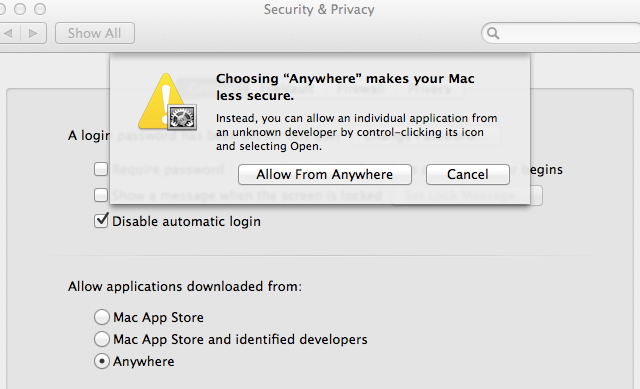
That setting only changes the ability to launch an app right after download by double clicking it. It doesn't actually prevent the program from running, you just have to take more steps to launch it the first time.
However TM is being kept out of the app store for other reasons, such as it's ability to prompt for an administrator password to allow writing to protected files.
Yeah, this is not true. There is a separate setting which controls a pop-up confirming whether or not you want to run an app that you downloaded, the first time you attempt to run it. The setting referred to here actually BLOCKS the running of new non-app-store (or, by default, non-signed) applications.
Apparently, you can alt-click and select open, but my gut tells me that this was an oversight and will not last long. This feature was touted as a potential way to protect children, and if overriding it doesn't even require entering a password it fails at that pretty badly.
Now you can run the application no matter what the Gatekeeper setting is set to. No need to be paranoid. Gatekeeper isn't meant to lock down the Mac against yourself. It is a security feature only.
TextMate 2 could still be distributed outside the Mac App Store, as a signed binary (with a certificate issued by Apple), and regular users wouldn’t need to change the default settings to run it.
You only need to change settings (or right-click and hit Open) if you are running unsigned binaries.
It might make sense if you were setting the computer up for a non-technical user that might install trojans. It also might be the default in the future.
However TM is being kept out of the app store for other reasons, such as it's ability to prompt for an administrator password to allow writing to protected files.