Hacker News new | ask | show | jobs
by ChiperSoft 5057 days ago
That setting only changes the ability to launch an app right after download by double clicking it. It doesn't actually prevent the program from running, you just have to take more steps to launch it the first time.

However TM is being kept out of the app store for other reasons, such as it's ability to prompt for an administrator password to allow writing to protected files.

1 comments

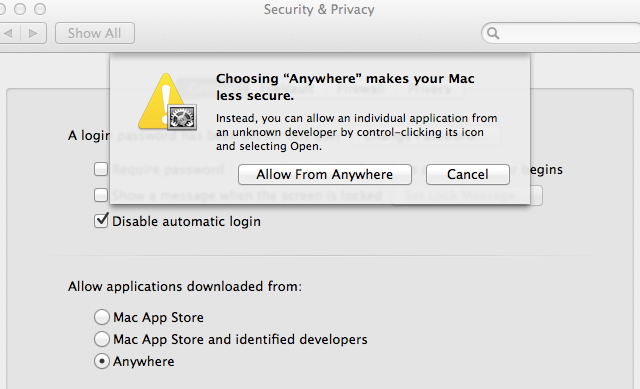
Yeah, this is not true. There is a separate setting which controls a pop-up confirming whether or not you want to run an app that you downloaded, the first time you attempt to run it. The setting referred to here actually BLOCKS the running of new non-app-store (or, by default, non-signed) applications.

http://imgur.com/7bduA

Apparently, you can alt-click and select open, but my gut tells me that this was an oversight and will not last long. This feature was touted as a potential way to protect children, and if overriding it doesn't even require entering a password it fails at that pretty badly.

Control-Click. I don't think it is an oversight, because "Manual Override" is touted officially as a feature:

http://www.apple.com/osx/whats-new/features.html#gatekeeper

And even explicitly mentioned in a system dialogue:

http://cdn.arstechnica.net/wp-content/uploads/2012/07/gateke...

I am still not on Mountain Lion, so I don't know if you need to enter a password (which children shouldn't have) or right clicking is enough?

You can always just execute the command:

xattr -d com.apple.quarantine myTrojan.app

Now you can run the application no matter what the Gatekeeper setting is set to. No need to be paranoid. Gatekeeper isn't meant to lock down the Mac against yourself. It is a security feature only.