|
I like this. Is a "friendlier" way to browse data. Said that, I have to add: Exploring large datasets requires a COMPLETELY different mindset. When your data starts growing, it's impossible to keep it all in a visual format (for 2 reasons[0]) and you have to start thinking analytically. You have to start looking at the statistical values of your data to understand what's its shape. That's why the `.describe()` and `.info()` methods in Pandas are so useful. After many years doing this, I can "see" the shape of my data just by looking at the statistical information about it (mean, median, std, min, max, etc). After some time you don't need to rely on visual tools, just can run a few methods, look at some numbers, and understand all your data. Kinda feels like the operator of The Matrix that is looking at the green numbers descend and knows what's going on behind the scenes. [0] Your eyes are really inefficient at capturing information and there's only so much memory available: try loading a 15GB CSV in Excel. |
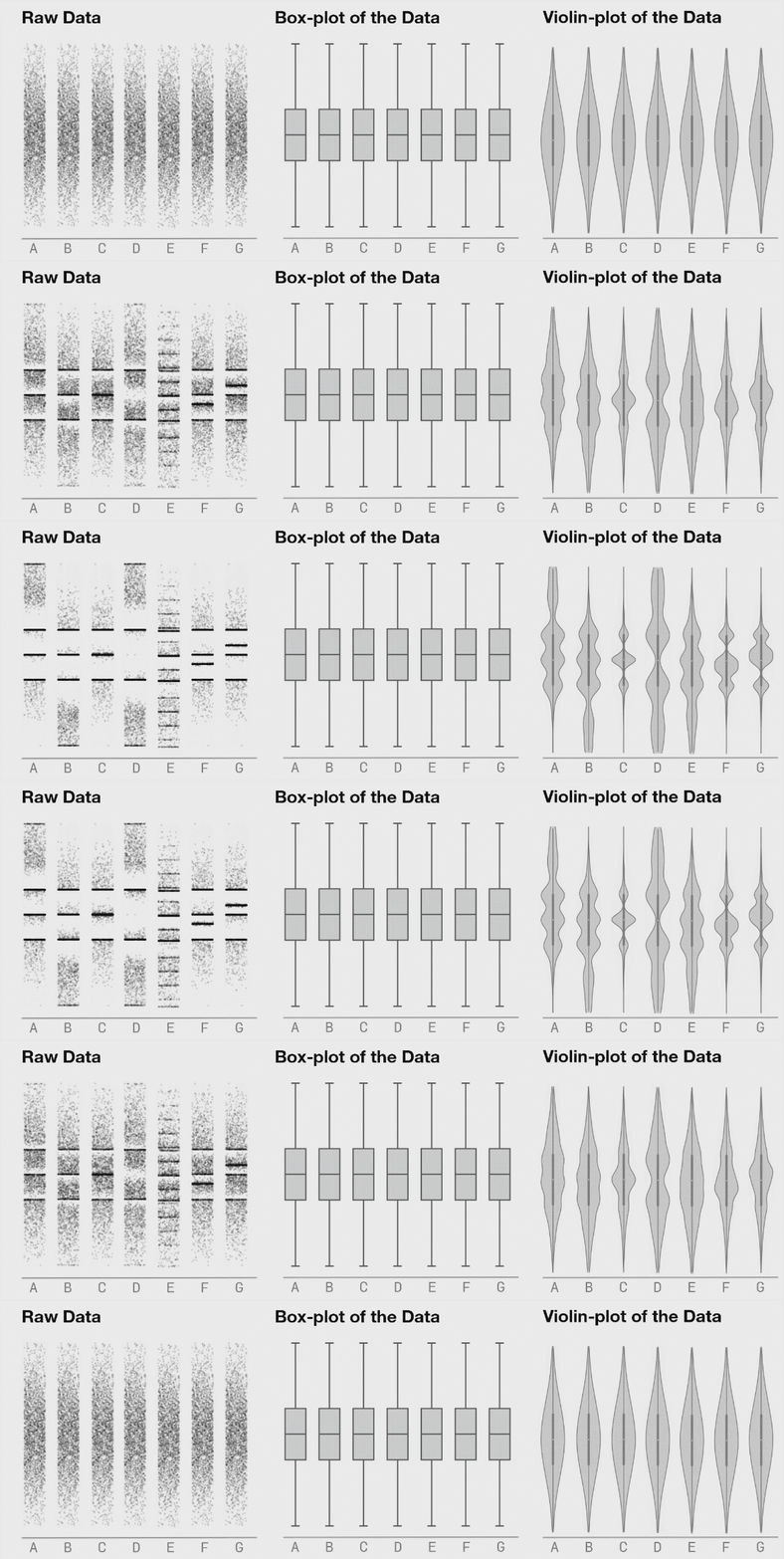
I find it’s important to actually “touch” the raw data even if only in a buffered, random sampling sort of way to get a feel for it. Sometimes with big datasets, looking through rows of data feels tedious and meaningless but I’ve found that I’ve often picked up on things I wouldn’t have without actually looking at the raw data. Raw data is often flawed, but there’s often some signal in it that tells a story hence it’s important not to overlook these through a lens of aggregate statistics.
The next step is to visualize the data multidimensionally in something like Tableau. Tableau works on very large datasets (it has an internal columnstore format called Hyper) and can dynamically disaggregate and drill down. Insights are usually obtained by looking at details, not aggregates.