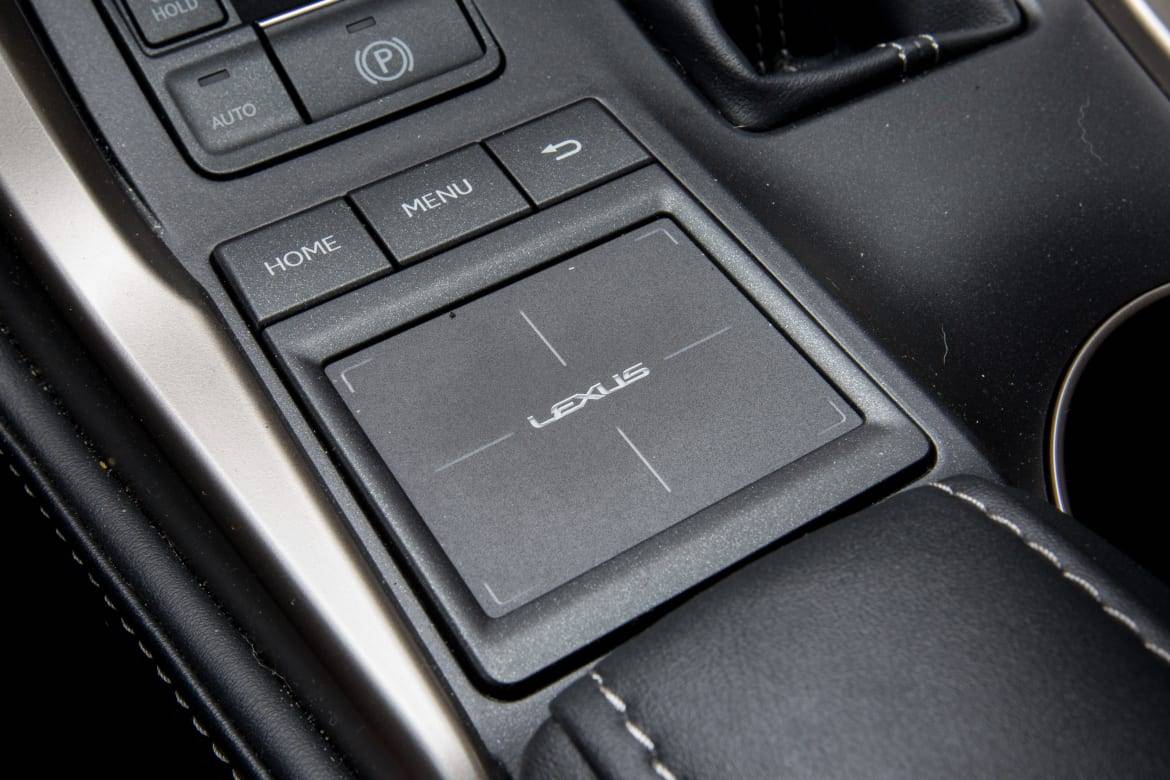
Is that a serious question? Vehicles simply didn't have have navigation prior to separate GPSs like Garmin. Once they were built into cars, they used the same touchscreen interfaces. The entertainment "system" (radio/CD) simply used a few buttons. The "navigation system" was a map that, if you were by yourself, was something you tried to follow without taking your eyes off the road too much
> Vehicles simply didn't have have navigation prior to separate GPSs like Garmin.
But we're not talking pre-Garmin here - the person I was replying to said recent Lexus didn't have them. They must have had navigation in a recent Lexus surely? So how did you input an address?
also lol at people downvoting me who don't drive a Lexus and think I'm wrong about my claim that they don't use touch screens. Maybe they had one model that kept a touch screen but the RX series didn't get one until I believe 2020. It had 4 years of not having one at least. That's by far their most popular car. I don't remember the ES or GX that I test drove having them either until recently...
I guess I'm surprised that such things existed. I never saw one, but then I still don't have a built-in touchscreen system. I just use a phone. I guess I assumed that any built-in nav touch screen was controlled by touch but maybe not.
There is a delightfully awful feature in audis where you can draw letters on a sort of touchpad and it works out what they are correctly a good 10% of the time. It's a cool tech I guess, but a really quite awful idea for cars, both in terms of UX and keeping concentration on the road.
Voice interface (of the "pull the lever to speak" variety), physical buttons (e.g. T9) , physical dials (e.g. rotate to select key then press to confirm), drawing letters on a touchpad (seen it), etc.
The voice entry on my MB can be frustrating sometimes, mostly when telling it street names, but the entry knob it has is easy to use. It dials clockwise and counterclockwise, works as a four way joystick, and presses down as a button.