Hacker News new | ask | show | jobs
by mastrsushi 2629 days ago
All I got out of that link of tweets was a series of "Look at all the ways big evil Google steered us off the internet". I'm not doubting any if those claims are true. At the same time, I don't think any of those malicious motives were strong enough.

That post came off as more of a whistle blowing speech from an oppressed developer. Nothing written was solid enough to make me think "Ohhh that's how Google killed Mozilla"

Just as Firefox destroyed IE, Chrome generally outperforms Firefox. If you dont believe me, read any benchmark out there. If you're too cynical, run them both yourself.

The GUI features Google introduced were very important. Draggable, swappable tabs that can be pulled out into separate windows, address bars with integrated search engines, built in PDF viewers. 10 years later these features sound like ridiculous remarks, but they were prominent selling points for many average users.

Not to mention, Google had an ever growing sense of brand identity. Especially during this time range of the YouTube aquisition, and rise of Android OS. Whether it's now or a decade ago, what is the first thing that comes to mind when the average user sees the name Mozilla? Does this demographic even know what Mozilla is? I stress average user because to us there is of course JavaScript and Netscapes heritage. Which is unfortunate to see Rome collapse this way, but so did IBM.

7 comments

> The GUI features Google introduced were very important.

I don't trust my memory, so I'm checking with Firefox 3.0.1[0], released in July 16, 2008[1], definitely before the first release of Chrome. I can't be bothered to also test early Chrome and multiple old versions of Firefox, so the fact that a feature isn't in Firefox 3.0.1 doesn't mean that it came first in Chrome.

> Draggable, swappable tabs

Firefox 3.0.1 had these.

> that can be pulled out into separate windows,

Not quite — you could drag tabs between existing windows, but apparently not out into a separate window.

> address bars with integrated search engines,

If you entered a keyword, rather than a URL into the URL bar, Firefox would search for it in Google. (In addition, there was obviously the dedicated search bar.)

> built in PDF viewers.

Firefox 3.0.1 didn't have one. According to Wikipedia[1], the PDF-viewer arrived officially only in Firefox 19 (February 19, 2013). It was installable as an add-on earlier, but almost certainly not before Chrome's in-built viewer. OTOH Konqueror (KDE's browser) had an embedded PDF-viewer before either — at least as early as August 2008[2] — not that that's relevant for mainstream use, or for a comparison of Firefox and Chrome.

Overall, only 1, possibly 1.5 of the 3 features came earlier in Chrome. 1.5 were definitely already in Firefox when Chrome launched.

[0] I couldn't find the binary for 3.0.0, which was my first choice.

[1] https://en.wikipedia.org/wiki/Firefox_version_history

[2] https://en.wikipedia.org/w/index.php?title=Konqueror&oldid=2...

Chrome's rip / tear tab support was unmatched when it came out. IIRC Firefox would reload the page, and was generally quite slow.

The search features were brand spanking new too. Firefox had a search bar, but the behavior of Chrome is what later prompted Mozilla to create the omnibar function.

The PDF and Flash built in were major features at the time because they avoided needing to install awful and exploitable third party components.

Firefox may have had _similar_ features to Chrome, but they were poorly implemented and unpolished compared to what Chrome had from the beginning.

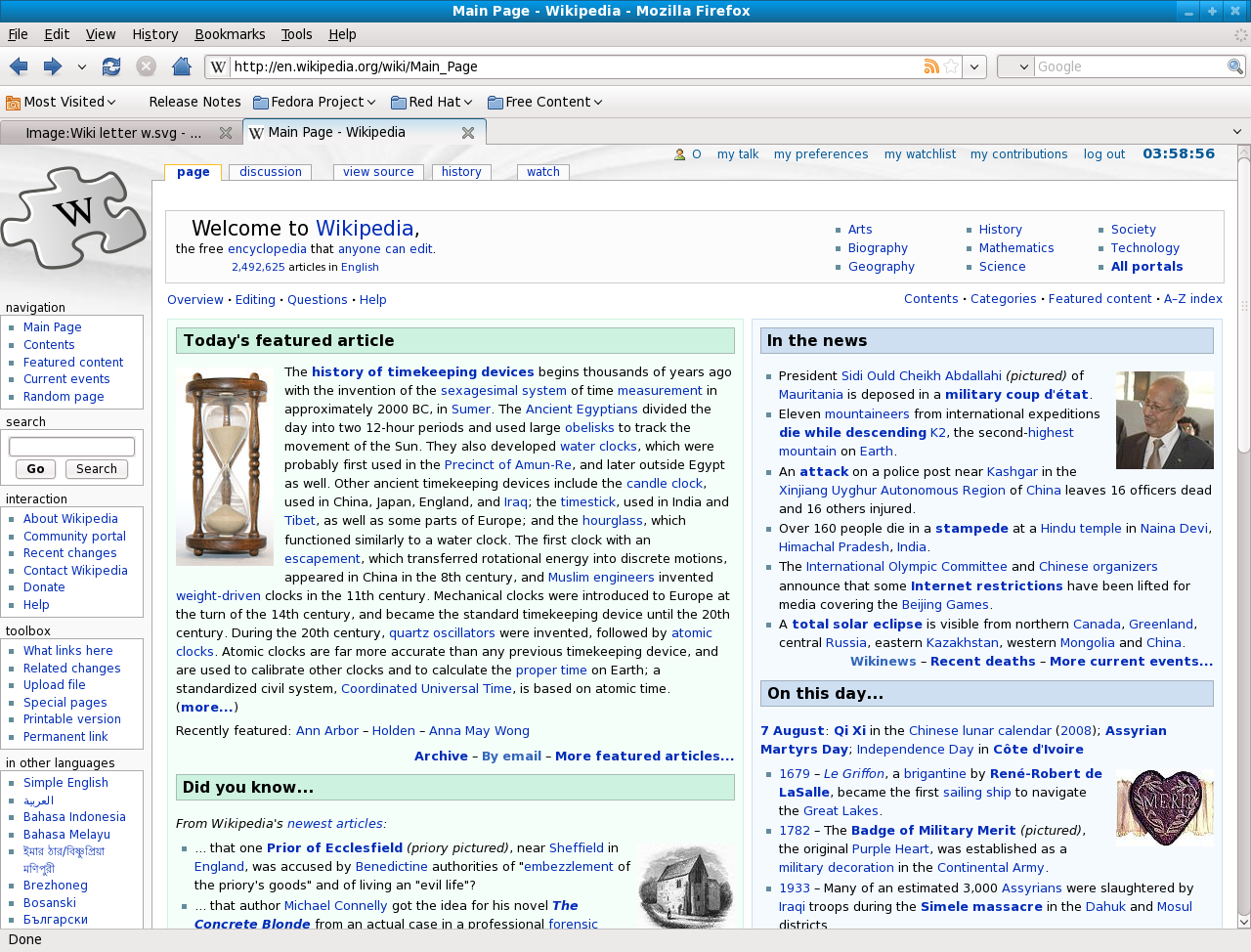
Here's a screenshot of Firefox 3.0.1, for example: https://upload.wikimedia.org/wikipedia/commons/3/30/Mozilla_...

By contrast, here's Chrome 1.0: http://img.brothersoft.com/top/screenshots/g/Google-Chrome-1...

Aside from the sheer cleanness of the UI (Wow, tabs on top?) Chrome's implementation of draggable tabs was better (the tab itself moved when dragged, not just an icon representing the tab), as was the Omnibox (it was way better at guessing when you wanted a search vs a URL; even to this day Chrome's site search features are better than Firefox).

Just looking at that old Firefox screenshot vs modern day FF it's obvious how many UI features were borrowed from Chrome.

I think the original comic that Google used to announce Chrome explains pretty well what made it different from other browsers of the day: https://www.google.com/googlebooks/chrome/small_00.html Just think about how many of those features eventually became standard in modern-day browsers and it becomes pretty clear how far Chrome was ahead of its time. (Skip to the section on "Search and User Experience" for the bit most relevant to this discussion thread.)

> Chrome generally outperforms Firefox.

I don't agree. Chrome is pretty fast at executing JavaScript, but it is hundreds of times slower at executing DOM instructions compared to Firefox. It is also the slowest modern browser, by very far, at executing CSS animation.

It is ridiculous that JS benchmarks are accepted as "browser benchmarks". They are probably so popular with tech journalists because they are easy to run. How do you properly measure page load time (of real pages over the internet) anyway?
I found benchmarks to be a red herring. For me, the most significant factor seems to be an adblocker. Without one, most sites are barely usable.
You can block ads in Firefox without using addon. There is an setting for that.

https://support.mozilla.org/en-US/kb/content-blocking

I only skimmed this page but I don't see it mention ads only trackers? Honestly, FF should just integrate something like ublock but this won't happen for reasons.

Anyway, the performance impacts alone are so huge, imo adblocking should be enabled by default for every user focused browser not supported by ad money. Simply a superior browsing experience.

Ads are considered tracker. I have enabled this setting and I don't see any ads. See "content blocking" https://support.mozilla.org/en-US/kb/content-blocking#w_how-...
> How do you properly measure page load time (of real pages over the internet) anyway?

I usually use webpagetest.org, which lets you run page loads in instrumented browsers.

Nice, that one should be better known.
And Safari has seemed to be best at DOM manip for something like 5 years...
Part of Firefox's slowness is intentional on their part. They (as of last time I opened it) still refuse to silently auto-update the browser, and instead insist on telling you about it and making you watch.

So my experience opening Firefox always involves it saying "wait. Before we get to what you wanted to do, I'm going to spend a minute downloading a new version. OK, now I'm going to install it. Almost there. Now here are a bunch of browser tabs full of information about the things we changed. If you still want to do what you wanted to do after reading those, you can open a new tab. Because we filled the starting one with a message saying we updated Firefox, in case you hadn't noticed."

That means I never use Firefox unless I absolutely need to, to test that a new responsive layout works on them or after implementing a semi-cutting edge bit of the html spec. Which, of course means that they're guaranteed to have updated the thing at least once since I used it last, which means I get the whole two-minute sit and spin to load again.

Try the same usage pattern in chrome, and what happens is that Chrome loads up in zero point seven seconds and lets you get on with your life. It may then start updating in the background but you as the end user never need to hear about it.

It's nutty that Firefox still does this, 15 years after everybody else got it right.

Nice story, but Firefox about:preferences has an option like, "Use a background service to install updates".

I never checked it, so I guess it is on by default.

> about:preferences has an option like, "Use a background service to install updates".

But even if it's checked, it seems the Firefox managers/decision makers still think that it improves the users awareness on the Firefox brand that they spend your time on these (quoted from jasonkester's post):

"wait. Before we get to what you wanted to do, I'm going to spend a minute downloading a new version. OK, now I'm going to install it. Almost there. Now here are a bunch of browser tabs full of information about the things we changed. If you still want to do what you wanted to do after reading those, you can open a new tab. Because we filled the starting one with a message saying we updated Firefox, in case you hadn't noticed."

vs.:

"what happens is that Chrome loads up in zero point seven seconds and lets you get on with your life. It may then start updating in the background but you as the end user never need to hear about it."

Note: Nevertheless I personally avoid Chrome as much as I can because I really believe Google has too much power. Monocultures, political power and all that. For me is Chrome in the position IE was before, even if currently a lot of web developers prefer it.

Good news: Full background update functionality is in the works.

(I work on the team that owns install/update at Mozilla, though I don’t work on it myself.)

Will that also help with the 10% or so users that are not on up-to-date versions?

It looks like the user base is still a bit fractionated.

meanwhile chrome already has it and it "just works". do you guys understand that most people aren't developers who can reconcile with the phrase "it's in the works and is coming"

firefox team on avg seems to me to focus on random things the average user doesn't care about. firefox sync doesn't "just work" so chrome sync is better. firefox doesn't play youtube videos as smoothly as chrome does(i don't care that you need to implement some stuff to get youtube to work smoother, youtube working smoothly is a primary feature for most people - you lose users)

i simply don't understand why the focus is the way it is at firefox. your focus is on the open web while the focus at chrome seems to be acquiring and keeping users happy. then firefox team complain about how chrome has the lions share of the market and is killing the open web...

I'm using Firefox since version circa 1.5 and I think some of your arguments regarding "very important features Google introduced." are slightly off:

> Draggable, swappable tabs

I cannot recall Firefox lacked such feature. You can even swap tabs without mouse (ctrl+shift+pgUp/Down) what is not possible in Chrome AFAIK. And you have slightly greater control over order and appearance of tabs in Firefox.

> [..] that can be pulled out into separate windows,

Pulling tabs from / to Chrome windows is FMPoW UX disaster against proven patterns, at least in Windows platform [1]

> [..] address bars with integrated search engines,

AFaIR Mozilla experimented with "Awesomebar" way before Google Chrome Omnibar appeared. Things like accelerator searches and keyword bookmarks were there since its dawn. It was just "ease of use and lack of control" that Chrome introduced. [2]

> [..] built in PDF viewer[s].

Frankly, I don't have data who had integrated plugin-less PDF viewer first. Yes, it might have been considerable advantage.

[1] usually you can dragNdrop anything between any two windows using the "delayed hover on taskbar" mechanism: e.g. with Firefox you 1) drag the item (tab) from the source window (dragging cursor / icon appears), 2) hover on taskbar item of target window (window appears), and 3) drop the tab among other tabs in target window.

In Chrome you must 1) choose (focus) the target window first, 2) switch to source window, 3) drag the tab (source window disappears completely, revealing target window under some weird temporal tab/window that sticks to target or could be dropped to create own new window) and 4) drop tab among other tabs in the target window.

[2] as expressed in other comments, some users preferes adress bar to primarily consume just URLS and for search use isolated input. Vanilla Firefox Quantum can be set like this today, and you can have your search bar hidden in overflow menu but still one keyboard shortcut away.

> Frankly, I don't have data who had integrated plugin-less PDF viewer first. Yes, it might have been considerable advantage.

Also Firefox's PDF viewer was slow and buggy, while Chrome's (I think based on Foxit Reader) was awesome from the start.

I think Chrome's PDF viewer is terrible. The desktop Safari one is my favourite.
Google had an ever growing amount of Chrome advertising and bundling.

You think a browser becomes #1 by word of mouth advertising? They used almost every trick they could to make people switch.

I'm wondering why you felt the need to comment on the topic, if you don't even know such basic things.

We had built in PDF viewers in IE long before Chrome. In fact, it was even better because it was an OLE component, so IE could embed Adobe PDF, not the cut-rate alternative Chrome has. (Edge is even worse, it’s PDF viewer can’t even search large documents properly.) We have massively regressed on that front over the last 20 years.
Embedding Adobe PDF was possible in Chrome and Firefox too. It was a terrible idea because generally you do not want full-blown Acrobat handling untrusted files from the web; for many years PDF + Flash were by far the top exploit vectors for malware.

Chrome's embedded PDF reader didnt support all of the extraneous crap Adobe did, but that's a feature. It was also sandboxed, which IE's implementation was not for many years.

> Chrome's embedded PDF reader didnt support all of the extraneous crap Adobe did, but that's a feature. It was also sandboxed, which IE's implementation was not for many years.

It also doesn’t work very well. There are many PDF files, particularly those with OCR text, where search doesn’t work in Chrome but works fine in Acrobat. (It’s also slow to index files for searching, and lacks the UI to distinguish between a search failing because the file hasn’t been indexed and search failing because the text doesn’t exist.)

We regressed in terms of content features but have made enormous improvements in speed, reliability, and safety. Clicking on a PDF used to mean waiting a long time for Acrobat to load, clicking through various nags about updating because they were years late to the automatic-update party, and closing whatever things their marketing department were currently promoting.
The IE PDF reader setup you're describing is extraordinarily dangerous.
> address bars with integrated search engines,

That is the worst thing to happen to Web browsers that I can remember. When I type an address into that bar, I expect the browser to attempt to contact the server I specify. I do not expect it to decide that what I typed was a search term and send me off to Google.

Firefox had actual quick searches in the address bar years before. That is where you prefix what you type with something that unambiguously says where you want to search (e.g. I've had Wikipedia set up for many years now, I type "wp <search term>"). Having a separate search box, as Firefox always had as far as I can remember, has its virtues too as the box stays around between page loads.

Searching in the address bar does nothing but serve Google by making people forget about urls and having all Web access routed through them.

Back when IE was king and there were separate search/address bars, everyone I knew either went to search engine websites or used the search bar. Only those in my tech-literate circle occasionally typed in full domain names when they knew exactly what website they want to go to. The web was marketed as a place to "find anything", and the address bar didn't do that for the regular user.
True, and a big reason why Google effectively removed the address bar. People are now too dumb to type addresses? Let's them fall back to our search engine even more often than they originally did.

Now when I'm typing an URL, I must make sure it has a valid syntax, because otherwise I'm redirected to the search engine right away. Kind of annoying, since one reason I don't go through the search engine is to avoid being tracked.

(Less of a problem now that I use DuckDuckGo by default, though.)

> People are now too dumb to type addresses?

This is unwarranted condescension. Many URLs are long and non-obvious — do remember that people usually want specific pages rather than a top-level homepage — and there's a thriving industry registering domains which are one typo away from something legitimate and loading them up with ads & malware. For the average person, it's safer and faster just to let Google figure it out.

> Now when I'm typing an URL, I must make sure it has a valid syntax, because otherwise I'm redirected to the search engine right away.

I don't know about Chrome but Firefox shows the status while you're typing so you can tell when you've entered something such as a space which will cause it to be treated as a search query instead.

> For the average person, it's safer and faster just to let Google figure it out.

Of course. Only a genius like me can use the address bar's auto completion. I know: even my programmers colleagues at work reach for the search bar, I must be a unique snowflake.

Seriously though, the difference isn't that big, barely a speed bump. But that speed bump is enough to cause people to go around it, and use Google even when reaching for something as simple as news.ycombinator.com!

I think it's less a matter of capability, and more a misunderstanding of the costs. Giving your search terms away doesn't seem like such a bad deal, considering the search engine is free to use. We just tend to forget that we pay with our data, and that data is valuable because it will later be used to sell us things we would otherwise not have bought.

But such a cost is so indirect and so removed from its actual cause that we tend to just ignore it. I know I often do.

I agree that there's a downside to having search as a fallback to locations but try to be a bit more empathetic for the people who might type something like “support.apple.com” as “supportapple.com” and end up somewhere sketchy.

If they've previously hit the site before, autocompletion will work but lots of people hear about sites in contexts which don't give them a direct clickable link on the computer they want to use and they're a lot more likely to have a negative outcome from that than Google's data mining.

I still keep my search and address bar separate, mainly because the search bar is static across tabs, whereas the address bar loses information whenever I click away. I like a bit of both styles, though I generally use the search bar.
You can still do that in Firefox. It's in the settings.
> The GUI features Google introduced were very important. Draggable, swappable tabs that can be pulled out into separate windows

Meanwhile all the extensions for better tabs are still broken because the tab bar still exists across the top. They had a more capable browser then they killed it. I doubt these issue are visible in their telemetry.

> address bars with integrated search engines

The original mozilla suite had this, no idea why it was separated in Firefox.

> The original mozilla suite had this, no idea why it was separated in Firefox.

Privacy.

Mozilla thought it was a good idea to avoid sending every keystroke you type to Google.

Turns out people don't care or complain loudly that it doesn't work like in Chrome so now it is combined by default AFAIK, but there is a fallback for people like me (and many other HNers).

As for why consider what happens when you type <somethingyouwouldprefergoogledidnotknow>.com

Until the .com this looks like a search.

Examples:

- internal websites with revealing URLs

- support websites for things yoou don't want ads for (mental conditions etc)

- etc

I used to be in the nothing to hide, nothing to fear camp but 2 decades of Internet use have changed my mind (even if I still think I have nothing to hide for police or family.)

> Mozilla thought it was a good idea to avoid sending every keystroke you type to Google.

It's not like that's the only choice. They could have local auto complete and only send the search request to google when you hit enter.

> It's not like that's the only choice. They could have local auto complete and only send the search request to google when you hit enter.

... and that's what it used to do IIRC.

Today you'll also have to turn off "Show search suggestions in address bar results" to get back to that behaviour it seems.