This is a bit misleading. When you maximize Chrome's window the space above the tabs disappears, making Chrome's footprint smaller than that of Firefox.
Though I still wonder why Chrome's menu bar enlarges when the window is not maximized.
I wondered the same thing a while ago and I would think this is to ease dragging the window with the mouse, which you may want to do easily when the window is not maximized.
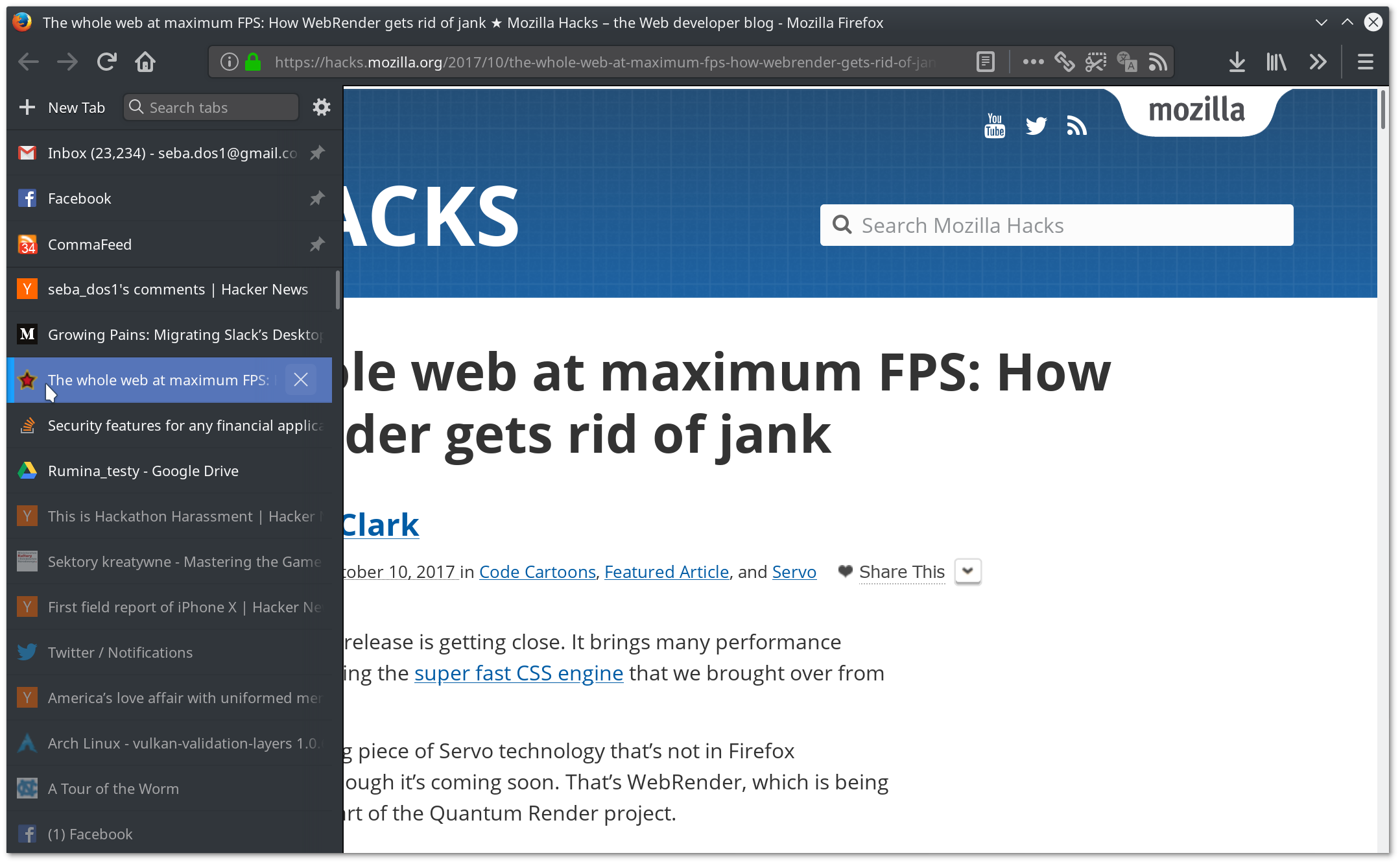
I'd really like Firefox on Linux to hide the window title bar (at least when maximized) and put the close / maximize / reduce buttons in the tab bar (or make it an option). The tab bar does already allow one to move the window, at least on KDE. Then, Firefox could adopt the same kind of behavior as Chrome for this.
There is a Firefox legacy extension that does just this. Hide Caption Bar Plus. It might not work with this new Firefox as he APIs to control the UI are not exposed as they once were. I use it all the time on my laptops
Last mont Fedora had a release in which you could use CSD to merge the title and the tab bars. You only had to set a variable(maybe widget.allow-client-side-decoration?) in about:config to true. They took that option away because some bugs but it may arrive for the next firefox release.
Thanks for the tip. I didn't know maximus. Actually, kwin does allow writing rules that do exactly that. However, this removes window management buttons, which I don't use often but do like to have. Extensions did that but are not compatible anymore ans never really had an integrated look. I recognize this is mostly feelings though
> When you maximize Chrome's window the space above the tabs disappears, making Chrome's footprint smaller than that of Firefox.
Firefox does the same thing. You can also choose whether you want "drag space" or not on non-maximized windows, or even an old-fashioned title bar. It's all in the customize option (where you can also switch to the compact theme).
FF takes up less UI space than Chrome, when the compact theme is used.
Maximized browsers on wide screen monitors aren't very usable though, you end up with loads of pointless whitespace. The browser works best with a roughly square viewport on 1080p, or tending towards portrait on 1440p.
Oh, absolutely. It seemed that I would have to say goodbye to Tab Center with 57 and was very unhappy with it, but thankfully it turned out that I was able to make it even better than before. userChrome.css rocks :)
I've been running the side-bar version of tab center with this userChrome.css fix but the best I can say about it is that it's "alright". The window close/max/min buttons are just not positioned very well on macOS.
Also, if you hide the sidebar header I think you run the risk of accidentally opening the bookmarks sidebar and being unable to get back to your tabs.
It's probably a subjective proportion thing. Pure metrics aren't necessary what people "measure", maybe the border above tabs is not seen as wasted space. Same for perf, Firefox might be faster in tests, but chrome has an overall feel of speed is "better".
Certainly not the case as far as opening new tabs goes on my machine, an 1.9Ghz with 4Gb RAM. Firefox opens the new tab instantly while Chrome has a noticeable delay. The same with closing tabs, especially heavy ones. Also Chrome takes just a little bit longer to start than the latest Firefox, although I didn't actually measure this.
I think the general perception that Chrome is fast is more a group-think at this point, fostered by a few years of sub-par Firefox performance combined with aggressive Google marketing. There's no real difference since the last few versions of Firefox vs. Chrome.
Trust me, I use "old" core 2 machines, right now on a 1st gen i5 and I regularly cringe at firefox, whenever I run chrome, something lifts off my mind.
I don't charge firefox, it was resetted non long ago, ublock origin and containers (I removed youtube extensions and the likes). Still twitter hungs enough for me to feel annoyed.
I'm not a speed addict, I even love slowness when done right [1], but I rate firefox nightly a little below chrome (stable or canary) at that point.
[1] I use an HP48 calculator, the thing was slower in terms of UI than all its competition but it was such a nice ux design you rarely care about it.
Did you try firefox quantum? I am also using an "old" machine, first gen i7 mobile processor. Firefox (pre-quantum) was slow for me on windows so I switched to Chrome. But firefox quantum was equally fast if not faster.
Now, I am using firefox 56 on OpenBSD, and it is really really smooth.


Though I still wonder why Chrome's menu bar enlarges when the window is not maximized.
Edit: A screenshot: https://i.imgur.com/yabXSEz.png