Hacker News new | ask | show | jobs
by barrkel 3148 days ago
Maximized browsers on wide screen monitors aren't very usable though, you end up with loads of pointless whitespace. The browser works best with a roughly square viewport on 1080p, or tending towards portrait on 1440p.
1 comments

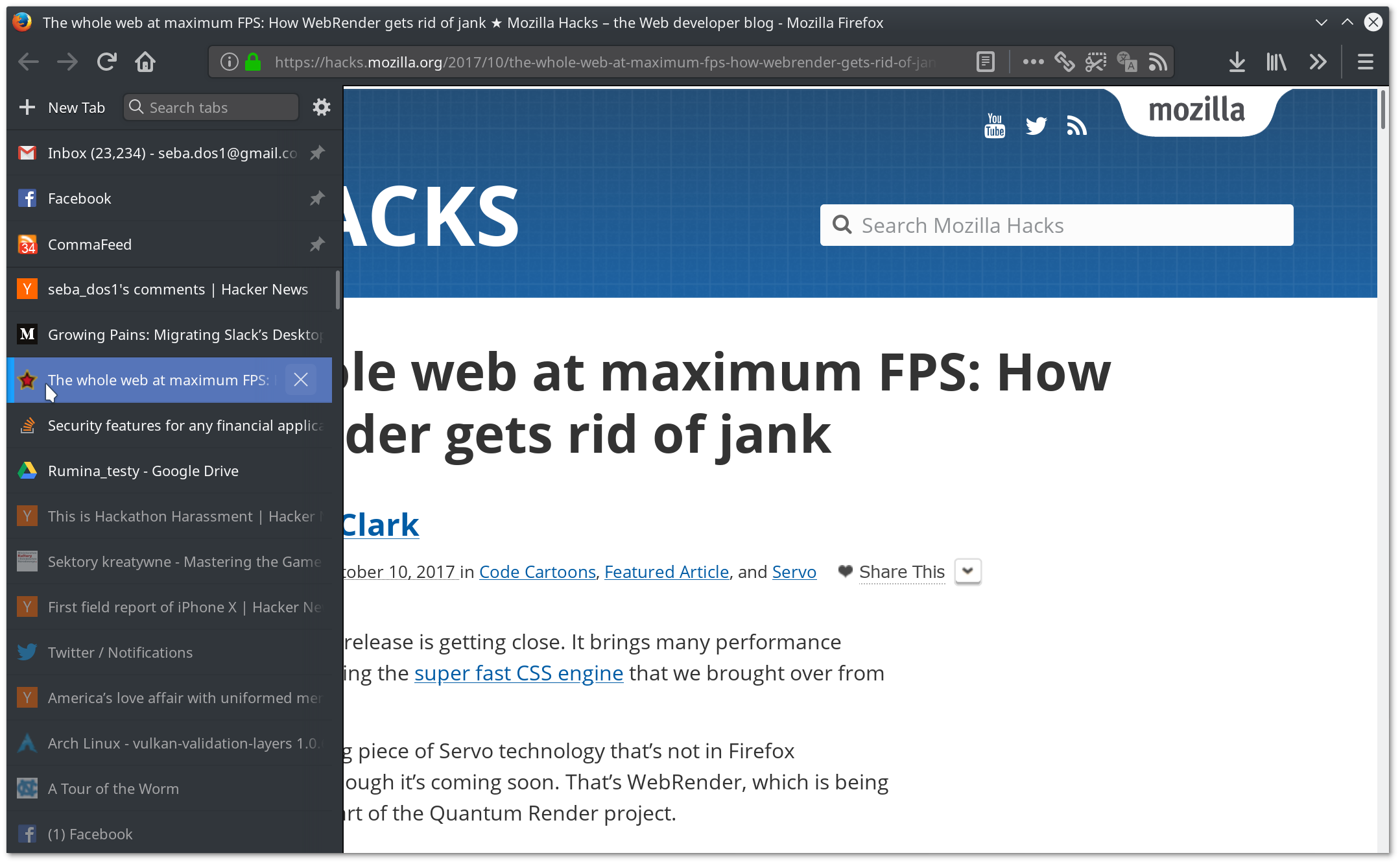
Good reason to use Firefox then, and its ability to have side tabs:

https://imgur.com/a/L9plD

Oh, absolutely. It seemed that I would have to say goodbye to Tab Center with 57 and was very unhappy with it, but thankfully it turned out that I was able to make it even better than before. userChrome.css rocks :)

https://dosowisko.net/Screenshot_20171030_203716.png https://dosowisko.net/Screenshot_20171030_203804.png

how did you get there? I installed treestyle on ff57 and top tabs are still there, in addition to vertical tabs
1. Navigate to your profile folder [1].

2. cd chrome or create the directory if it isn't there

3. Inside chrome, open userChrome.css or create it if it isn't there

4. Paste the following:

  @namespace url("http://www.mozilla.org/keymaster/gatekeeper/there.is.only.xul");
  
  /* to hide the native tabs */
  #TabsToolbar {
      visibility: collapse;
  }
  
  /* to hide the sidebar header */
  #sidebar-header {
      visibility: collapse;
  }

5. Restart Firefox

---

1. http://kb.mozillazine.org/Profile_folder_-_Firefox#Navigatin...

I've been running the side-bar version of tab center with this userChrome.css fix but the best I can say about it is that it's "alright". The window close/max/min buttons are just not positioned very well on macOS.

Also, if you hide the sidebar header I think you run the risk of accidentally opening the bookmarks sidebar and being unable to get back to your tabs.