The 1984 BYTE magazine review said it was "clever, put together well, and performs some extraordinary feats" but "extremely frustrating to learn and operate efficiently."
For context, the author said this as a side-note to his distainful comments about being expected to use a "mouse". He goes on to say "It's very frustrating to miss the mark with the mouse's selector and destroy what has taken a good bit of time and effort to achieve, or to continually run the mouse headlong into the keyboard and risk ruining the keyboard or the mouse module itself."
(I'm currently using a mouse which has been operating in close proximity to a keyboard for some years now, so I can attest that at least his latter complaint hasn't weathered the test of time.)
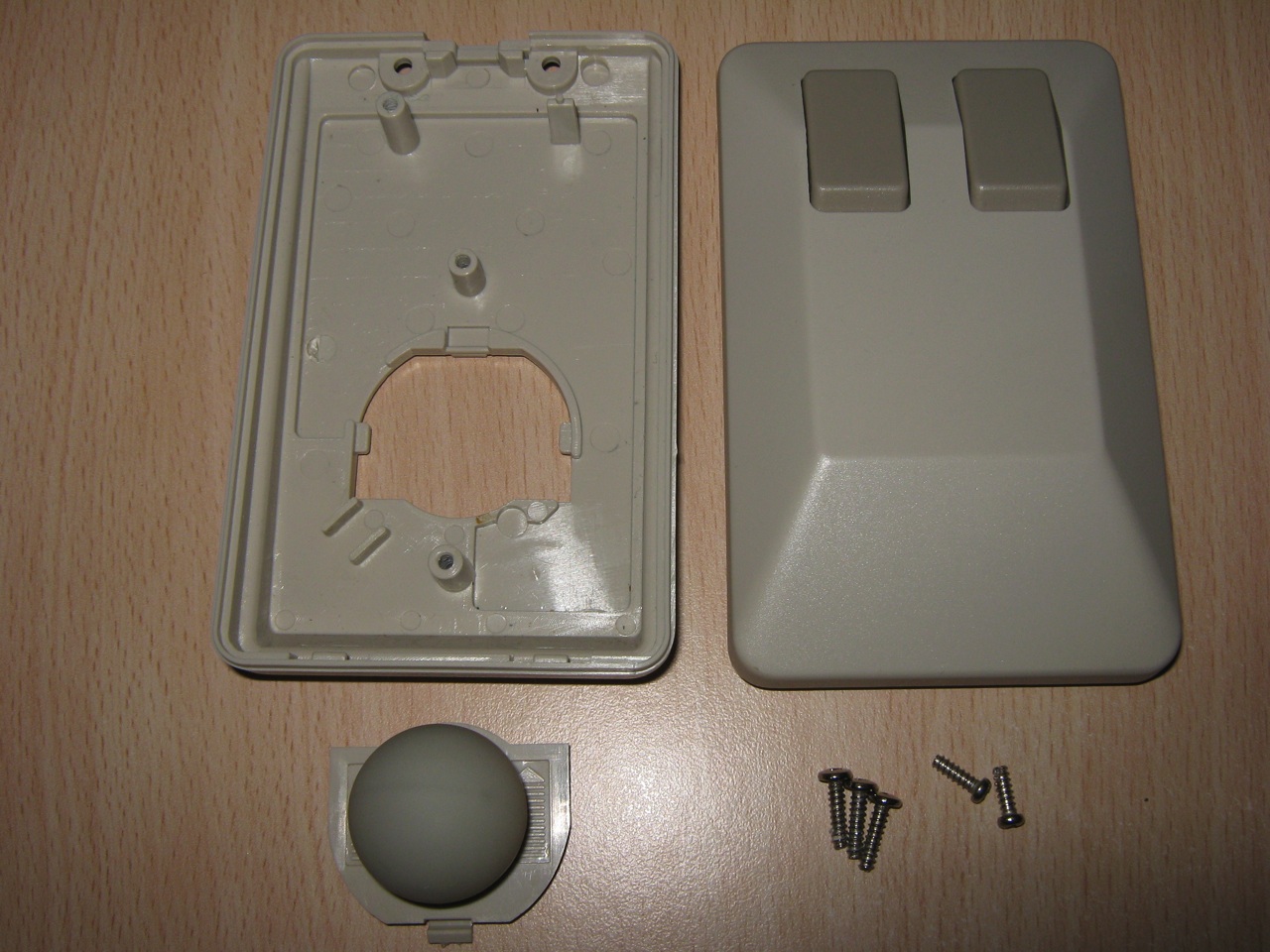
Don't forget that mice during this era were of generally low quality and were "ball mice" which would frequently become clogged with dirt. They were a nightmare to use.
I have only experience with Amiga mice, but if they were good enough for me as a kid to play Civilization and Sim City, then mouse technology should have been good enough for using MS Word.
I still have a ball mouse, I think it's the first I bought way back in 2000 or some such and it's fine to use provided it's kept clean and used on a good surface.
Something Word does, for better or worse, is encourage lazy behaviour which produces hard to maintain documents. This is fine if you have a one page letter or a one off simple text document. However if you are trying to manage something sizeable then it can be hellish to make document wide changes. It's like the php of document editors, easy to start and forgiving, but hard to do correctly.
Compare this to, for example, in design, and you'll see why Word is hated by the print industry.
In both Word and InDesign, it's up to the user to create styles and use them. The only difference is that InDesign users are a little more knowledgeable and are more likely to stick to best practices. I have seen large InDesign documents with everything manually formatted, no styles whatsoever.
I think to actually operation Word efficiently you have to learn the object model which underlies documents. You don't necessary have to be able to program in it, but if you understand how the various objects are contained and composed together then the UI makes a lot more sense and it's usually easy to figure out how to get the desired effect on the page.
Of course it may not be practical for casual users to learn the object model.
While Word is still widely used today, I expect it to gradually fade away as people produce fewer documents for the printed page. Per-capital paper consumption in the USA has been slowly declining since 2008.
Word is significantly harder to use efficiently than lets say Atom+Asciidoctor. Also Word version control is a living hell, in contrast with format like asciidoc one could use standalone tools like Mercurial and that is both powerful and easy to use.
> Have you tried teaching version control to non-programmers?
I had with various success, in the end it all comes down to how open minded those people are. I wish version control would be more prevalent in academia and research where it's really needed for transparency reasons, I wish more groups would also use csv, tsv ,JSON files + Python data wrangling tools instead of Excel.
I have various non-programmers (project managers, CEOs) checking files in and out of Subversion using TortoiseSVN on Windows and that works acceptably. About once a month they get stuck and need help but they use TortoiseSVN daily so that's still acceptable.
Microsoft SharePoint does basic version control and is fairly well integrated with Word. It's limited in that it basically just tracks revisions and doesn't support branching, but it's simple enough that most casual users can learn it easily.
It still makes creating a ToC and index slow, painful and somewhat unpredictable. 20 years ago it was straightforward and utterly reliable in Wordperfect.
I think the per-capita paper consumption declines due to decline of newspapers and paper advertising, not due to decline of documents prepared with word processors and printed on paper (even though I do see that "paperless office" is more of a reality now than it was before when there was a lot of talk about it).
I get annoyed learning every new version of word. Change for change sake while annoying 1+ Billion people requires some serious sadists to be working for Microsoft.
The ribbon has been present since Office 2010 (or was it 2007?). I'm of the opinion that it was a great UX improvement, especially if you weren't used to 2003's UI. I don't recall many significant changes to options and features since the introduction of the ribbon, so it has made transitioning to newer versions much easier.
Some people linked the notion of user evolution pace. Evolving a system faster than their user is asking for troubles. Even if the ribbon was a beautiful idea, well executed by Microsoft; it imposed a massive relearning phase.
I guess they had to make such a huge change eventually. I'm sure they weighed the benefits of improved UX for new users against the learning required for existing users. In any case, they had (and still have) a near-complete monopoly on office productivity software, so they wouldn't lose much either way. Worst case scenario is going back to the older UI if the backlash was too much.
I've always felt that the ribbon is much less scannable than the menus in previous versions of Word. I've learned to deal with it like everybody else, but I still don't think it's an improvement.
The ribbon has it's upsides and downsides. I would argue it would have been much better if you could place it on the side not just the top due to a decade of wide screen laptops. Office needed larger icons and lost a lot of functionality. But, they clearly needed larger Icons.
My problem is more when the UI is changed without any benefits.
The ribbon was the UI change that got the most people upset, but in retrospect, I feel it was complaint for complaint's sake. Once you learned to use it, I'd argue the ribbon is a vastly superior UI. While it is less customizable, and very obscure features can be harder to find, the most common features are better arranged, better presented, and more usable. There are some changes I dislike in newer versions of Office since, but I wonder how I'll feel about them down the line too.
I like the ribbon pretty well, although it was clearly designed in the days of 4:3 displays. Would be nice to have an option to put it on the side instead.
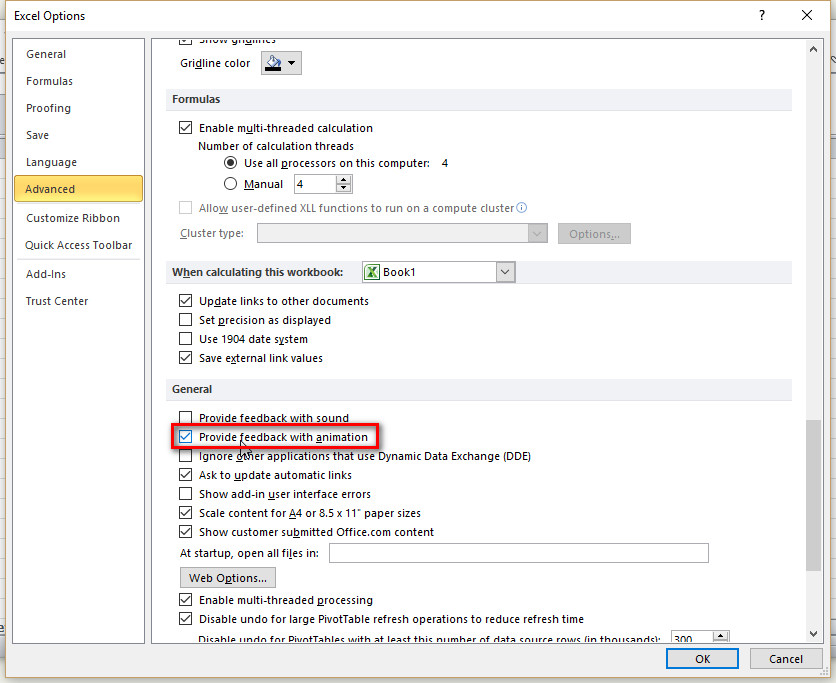
The one thing I really dislike in Office 2013/2016 is the animated cursor. In Word it's just a distraction, but in Excel it is ludicrous: when I click on a cell, I'm looking at that cell, I'm not thinking about the cell the cursor used to be on at all, but for some reason Excel wants to draw my attention back to the previous cell just so I can watch the cursor box move. This is not something to benefit the user, it's a designer screaming "Look at me!"
Fortunately, there is a way to turn off these Office animations and a lot of other animations too. Open the Ease of Access Center in the Windows control panel and select "Make the computer easier to see". There's an option there to "Turn off all unnecessary animations".
This stops the animated cursor and some other animations in Office, and it also turns off the goofy Start menu animation. To my eyes it is a nice improvement.
> although it was clearly designed in the days of 4:3 displays. Would be nice to have an option to put it on the side instead.
I just double-click a menu item to collapse the entire bar, which ends up using the same space as an old school File menu would. Then I tap `Alt` to bring up the shortcut letters and tap them to activate features. It's incredibly fast and essentially modal. Gives me a good Vimy feel.
Office 2013 and newer also has a full-screen mode which hides all the menus and lots of chrome, giving you mostly data. It's the only way to use Outlook and Excel with maximum screen efficiency.
> I like the ribbon pretty well, although it was clearly designed in the days of 4:3 displays.
This. The only reason I fire up any Office app these days is if something I'm doing has gone horribly wrong (as in, causing an Office app to be the best tool for the job) but if the ribbon was down the side of the screen instead of the top, I wouldn't be nearly so mad at it.
Ribbon is brilliant. When nicely designed and really needed (in certain applications and only them!) it is the most important GUI evolution of the last years.
I liked the ribbon once they added the search box, at which point you could mostly ignore the confusing and inconsistent layout of options and just treat the thing as a giant garish version of Emacs.
I do appreciate Office maintaining support for all its legacy keyboard shortcuts in Word and Excel. Literally run Office in a Windows VM on my Mac for those shortcuts...
I've been using Mac for 6?+ years, and _still_ hit key combinations from Windows' Excel. It's getting better as Microsoft seems to marginally care about Mac with Office 365, but only barely, as it does improve with each update. It still feels a decade behind Excel for Windows.
Three'd. I do recall that being the pinnacle of word-processor efficiency for me. 5 was when the Windows-UI started invading, it became massively slower, and wouldn't run off a floppy, thus couldn't be used in my school's Mac lab.
After I got out of school, I switched to BBEdit, and Pagemaker if I needed formatting. And now vim is my world. Libreoffice gets to annoy me if I need paginated formatting, but that happens less and less.
More or less my experience: Word 4 was snappy on my SE/30, had all the features you ever needed, and then some, and the interface didn't get in the way of anything.
Now 95% of my tube time is in Emacs, and most things are written in LaTeX. Though occasionally I still need Word, and I've been happy with Office for Mac (2016?) so far. (I really want to like LibreOffice, but...)
(I'm currently using a mouse which has been operating in close proximity to a keyboard for some years now, so I can attest that at least his latter complaint hasn't weathered the test of time.)