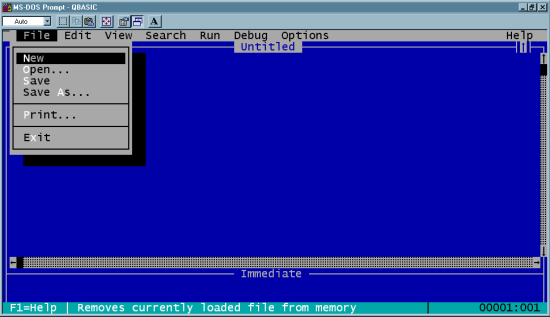
| Another old example. WordStar: Used "X" to Exit to system in its main menu (https://www.flickr.com/photos/markgregory/6946218793/?rb=1) - I do not know the revision shown in the screen shot. According to Wikipedia (http://en.wikipedia.org/wiki/WordStar) WordStar was released in 1978. Which moves the date back to at least 1978 to use X for exit. However, there is possibly a very simple explanation that the blog posting overlooked. In text menu's, such as WordStar's, which were quite common for a lot of software from that era, using the word "Exit" to mean "leave this program/application" was also common. When one goes looking for a single character memonic for "Exit" to build in as a keystroke to activate the "Exit" command from the menu, one has four choices: [e] [x] [i] [t] Since [x] is an uncommon letter, while e, i, t, are more common, and therefore more likely to be used for triggering other commands in the menu(s), choosing [x] to mean exit meant that the same character could likely be used as a universal "leave this menu" command key across all the menus. Which would then lead to the common _F_ile->E_x_it command accelerators in drop down style menus (whether in a GUI or in a text menuing system). [x] was unlikely to have been used for the keyboard accelerator for other entries in the "file" menu, so picking e[x]it was a safe choice. It is not a far reach from _F_ile->E_x_it using [x] as its accelerator key to labeling the title bar button that performs the same function with an X as well, to take advantage of whatever familiarity users might have with the drop down menu accelerators |
First, it's properly ^K X, as the ^K prefix subcommands block/file actions, as written by Rob Barnaby into all the WordStar versions starting with CP/M.
Second, ^KX as 'exit' means to save the latest revisions out to file before quitting, while ^KQ, 'quit', means to abandon the revisions. You might get a confirmation dialog and a chance to change your mind before you're dumped back to the commandline.
Current-convention iconic close-window behavior more closely emulates the latter.