It is also a rugged phone. So if you want to make a fair comparison with an iPhone, you have to put the iPhone in a case, resulting in a similar weight and thickness.
The distinction, though, is that you get to make that choice as the consumer. You can carry the phone with no case, or you can put a very rugged case on it, or something in between.
Yeah the first thing everyone does with their new iPhones is put them in a case - at that point thinness doesn't matter, Id argue Apple counts on it, as their phones are awkward to hold otherwise.
Replaceable covers used to serve the same purpose.
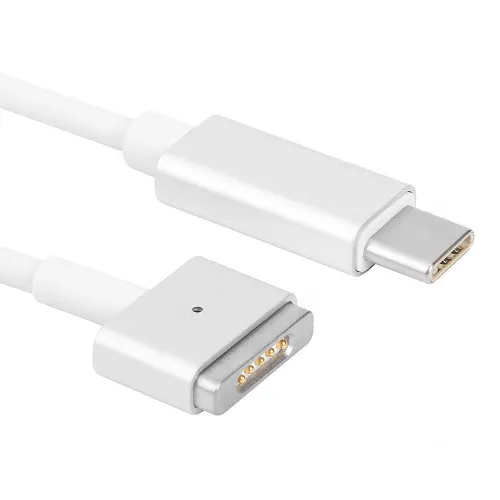
Indeed. I've had my XCover 6 for 3½ years now. I've dropped it many times, on hard surfaces (like outdoor concrete/brick). I've undoubtedly been fortunate. the plastic has gouges in it. there's (small) scratches on the screen (some from my keys), but the screen is not cracked. When it is dropped the back and battery pop off, which I think helps dissipate the forces. BTW, for anyone trying to extend their phone life, I strongly recommend those magnetic USB connectors. Reduces wear and tear on the USB port, and is also kinda convenient for quick disconnect.
> I strongly recommend those magnetic USB connectors
Note that these connectors are in violation of USB standard and potentially harmful as they expose the pins in an unintended way. For instance, notice that all the connection on the USB port are not all the same length, it is a form of protection, to make sure the power lines are well connected before the data lines make contact. With magnetic USB connectors, you lose that feature, in addition to potential issues with ESD, short circuits, etc...
I have a friend who swears by them and never had a problem, but still, that's good to know.
> notice that all the connection on the USB port are not all the same length, it is a form of protection
This was noticeable on USB-A connectors when you look closely where the two outside pins were slightly longer than the two inside pins: the Make-First, Break-Last (MFBL) principle. You can also see the same thing on SATA edge connector pins.
Take care googling for photos because many are CAD mockups misinform (because they are drawn pretty incorrectly and show no physical length differences).
USB-C does have longer pins for the ground, and the CC (configuration channel) connects last. A USB-C host doesn't deliver power until it is negotiated using the CC pins.
So USB-C via a "magsafe" connector is safe.
But maybe look for the two outermost pins to be longer.
You mention ESD which could be riskier since charged fingers or worse could touch contacts directly. However the lip around the contacts is usually grounded so any spark should be grounded first. I would also assume modern electronics are well protected against ESD (nobody wants occasional undiagnosable failures leading to refunds). Sure that stuff from earlier this century wasn't so well protected. YMMV if you are a sparky person in a sparky environs: weigh the downside costs of different approaches appropriately.
At least the USB-C ones I purchase are not flush - I never found those to be reliable. It's a male prong that looks pretty much identical in wiring to the male prong on the phone, that connects to a female one plugged into the socket. That plus a bit of a collar to help hold it in place. So I don't see why there would be any difference in grounding, it's the same connection...
(that plus the comments from the more knowledgeable person below)
Eventually they start wearing out, and I just replace them. I've had no issues with high voltages (45W+ charging on phone and steamdeck) and with peripherals (hub for example).
You want to get everything grounded before the data wires connect. But that's more about the shroud than the pins as far as I understand it, and a magnetic connector could ensure grounding if it was designed to do so. And for charging purposes you could skip the data wires entirely.