Kinda because it's harder to make a good SVG editor, and also a clean SVG is substantially harder to export and thus SVG is only seen as an authoring format.
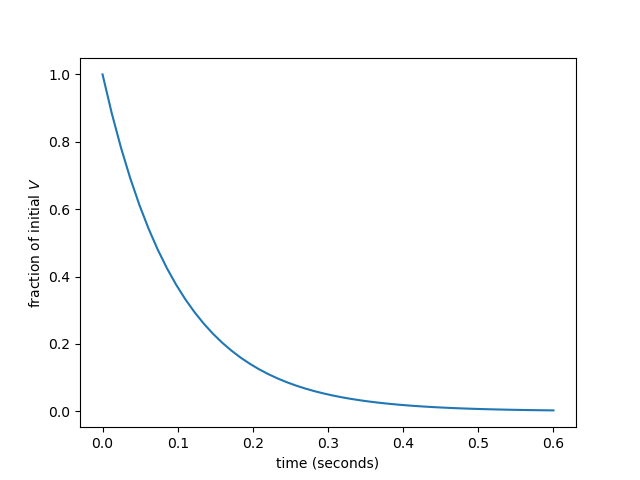
i was appalled to discover yesterday that when i did a simple plot in matplotlib the resulting svg was mostly letterforms for deja vu sans expressed as svg paths
Try encoding it the obvious way as text instead and view your SVG file on different renderers, and you will often find that they messed up the fonts/text layout.
This is a defensive practice to ensure that your plot will look the way you intended.
yes, i understand why it's done, and i agree that svg doesn't offer a better alternative. that's because the only fonts svg guarantees the existence of are Serif, Sans-Serif, Monospace, Cursive, and Fantasy, none of which have guaranteed metrics. the reason i was surprised and appalled is that both of adobe's previous standards in the line from which svg descends (postscript and pdf) avoid that problem by guaranteeing the availability of certain core fonts with (in practice, though not in theory) well-defined standard metrics, and it makes svg a much worse standard for small images that include text
(with optipng the png shrinks to 16k but you could definitely optimize the other formats too; matplotlib fills all of them with ridiculous amounts of bloat. but the embedded font is most of it, and it's only necessary in svg)
like, you really have to fuck your vector file format up for it to make a simple line plot format larger in it than as an antialiased png
or for it to make it three times larger than a fairly shitty eps or pdf
i like svg a lot (it's replaced postscript for me as the language i use for easy 2-d vector graphics) but it has some really serious deficiencies. this one is news to me; the other one i've run into is that there's no defined real-world scale, so i can't send an svg to a laser-cutting shop and ask them to cut it out at 1× or 2× scale. i have to use pdf or eps or dxf for that
I took the time many years ago to learn how to effectively draw with bezier curves. It was not time well spent. A good tool in my tool belt for the moment, but it was very much a use it or lose it skill. I tried to do something recently and it was like starting from square one, so I just used raster. Unless someone is doing this stuff professionally everyday, or they are really into it as a hobby, it’s not worth it.
I assume this is simply a software problem that could be solved with a better UI, but who knows if that will ever be solved.
On the other hand the people doing this professionally everyday are producing mostly vector graphics, just in Illustrator rather than Inkscape. They still export as png or jpeg, the vector versions only go to print (in formats like eps or pdf, not svg)
I work with Illustrator on a daily basis. Drawing everything with the pen tool is about as effective as opening up a 300dpi canvas in Photoshop and placing every pixel by hand with the pencil tool. There’s a bunch of tools for creating and editing paths at a higher level than thinking about every control point, just as Photoshop has a bunch of tools for creating and editing huge numbers of pixels in very complex ways.
It is useful for me to know how to think about individual control points, but it is rare for me to need to do this.
Things have probably improved, and/or dedicated vector apps have better options I haven’t invested time it. Learning curves abound…
I did this in Photoshop so I could improve my selections and make them smooth. This was also back around 2006 if I had to guess. At the time, when I looked up what to do, all I found was learning how to use the control points, so that’s what I did.
What would be a keyword to look for to find the more modern way, if I’m not looking to go down a rabbit hole or learning all the possible options to find those bits?
I fell down deep into the rabbit hole of Beziers in the Rhinoceros modelling app. There is something special about clean higher order curvature continuity across shapes. It's simply beautiful.
That said, I have big issues with learning any other tool. So much of the app interface learning was required to be able to freely draw... I really do see, why the bitmap simplicity wins over in "I just need to have it done; needs to be published by x" cases