Hacker News new | ask | show | jobs
by rgoulter 888 days ago
The most common misconception I see about QMK keyboards (especially keyboards which stray far from the traditional form, like in OP's) is about small keyboards.

The most common kind of small keyboards are just like laptop keyboards, and try and fit a keyboard into a smaller space (and the omitted keys get relegated to being behind Fn key). These tend to retain the impractically big spacebar of a typical keyboard, out of familiarity.

Whereas, many non-traditional keyboards ditch the big spacebar, and instead give the thumbs two or three keys to use each. This allows bringing the full functionality of the keyboard within easy reach of the hands on home row (similar to how Vimmers would rather use hjkl than the cursor keys). It also allows reducing usage of the pinky fingers.

I've seen OP post some neat code which works with QMK firmware. (The orbital mouse looks interesting). But stuff like "Caps Word", etc. are also neat.

5 comments

When I first saw a ferris I thought they were a nerdy joke. I ended up buying one though due to severe RSI and wanting a programmable keyboard so I could reduce how far I was reaching for symbols etc.

I'm now a convert to programmables. My glove80 is more ergonomic, but I use equivalent keymaps on both and they're a game changer. It feels so clunky now if I use my laptop keyboard to actually have to reach for symbols, numbers, etc.

Home row modifiers, number, symbol, nav layers, colemak & qwerty... Just awesome. They've helped my RSI no end.

I’m still quite new to my glove80 and I’m still a bit slow on the modifier keys. I was looking for something a little more aesthetic in the beginning but everything else is amazing about it. I look forward to unpacking it from it’s case everyday. I did not know you could feel that way about a keyboard. :)

Great ergonomics and a great experience. They have an active discord and the two founders are active as well.

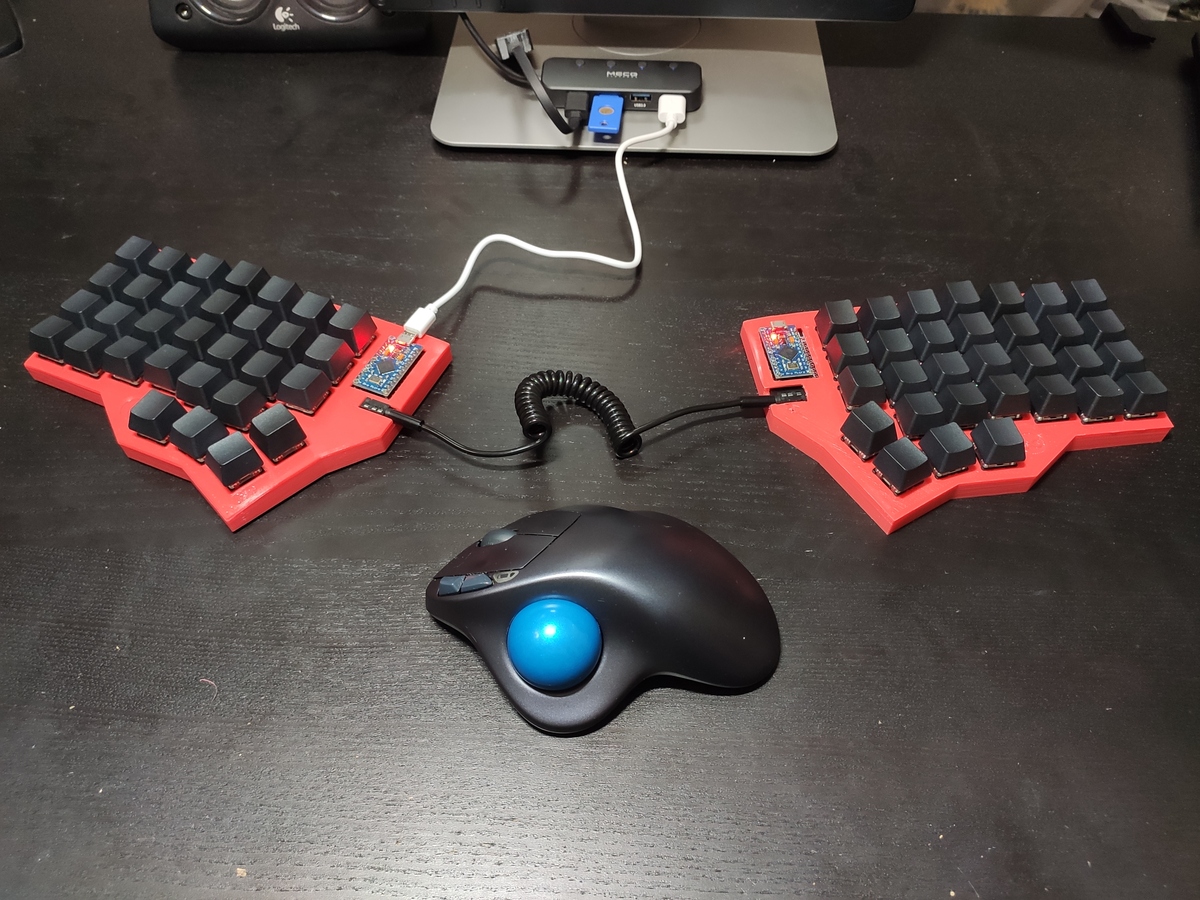
I made one with four thumb keys and I love it:

https://www.stavros.io/posts/george-i-made-a-keyboard/finish...

I should write up how I did it, it's now years I've been sitting on that post.

I didn't make my own but I have a UHK v2 with a similar setup, this photo isn't my own (so don't ask me about the mapping choice of the keys shown) but it's identical to this:

https://kagi.com/proxy/uhk60v2-gmk-oblivion-scaled.jpeg?c=4N...

How'd you pick UHK over the moonlander and ergodox?
Price ridiculously wasn't something I considered, once that out of the way it was mostly aesthetics, customisation, reliability and repairability.

I preferred how chucky the UHK was vs the ErgoDox kits. Also preferred the hot swappable mods you can take in and out of the UHK were pretty compelling too. These are all listed here: https://ultimatehackingkeyboard.com/shop

Though admitedly, I haven't swapped them out once since I settled on what works for me.

The UHK has a strong community behind it's parts, and speaking from sone one who can and does spill even the best unspillable coffee cups.

The risk of me breaking the UHK is a lot closer to an unacceptable number than zero. And being able to swap out coffee broken parts is easy with UHK.

Erodox and ZSA easily could have been too but I couldn't find as strong of a compelling argument as with the UHK. It was more likely a coffee rinse of the Ergofox or ZSA keyboards would mean buying a new one which meant the upfront cost of the UHK was in some part, insurance against my own clumsiness.

The customisable and awesome software that came with UHK was very high up there too but I got the impression those features were almost as prominent in the competition too.

after having tried various splits, including the ergodox and the kinesis - I'm gonna hold out for something like (1) so I can adjust the dam thumb clusters. My thumbs are too short otherwise. It doesn't use via/qmk by default, but VIA can be installed. Only other thing I'd like is it to have curved wells like a dactyl(2) (but the dactyl's don't have adjustable thumb clusters sigh )

1 https://www.zsa.io/moonlander/ 2 https://bastardkb.com/product/charybdis-prebuilt-preorder-2/

Have you looked at all at the ZSA Voyager and if so, what were your thoughts? I realise it cuts down on the number of thumb buttons compared to the Moonlander but I saw quite a few Moonlander users who have used both saying they'd opt for the Voyager[0] or have got both and prefer the Voyager. Many people seem to have issues with the Moonlander's thumb cluster especially with smaller hands.

[0] https://www.reddit.com/r/ErgoMechKeyboards/comments/17ee1tr/...

I actually haven't tried either of them yet... but the Voyager thumb cluster isn't adjustable, so I figured I'd like the moonlander better ?

btw - I'd _really_ rather have a dactyl (especially one with a track ball) but there don't seem to be any with adjustable thumb cluster, and I'm worried they'd be too big for my thumbs...

Most dactyl designs are parametric, meaning you measure your hands and the design is automatically created to adjust your hands.
yeah - there's even some ocaml code for generating 'custom fit' dactyls. Problem in, the shells take hours to print and it a very finicky 'fitting' process. I stopped after like 3 'test' dactyl shells.
I see, not sure how far you're willing to pursue this but you _might_ find help on Reddit or Discord. I would be very surprised if you are the first person with short thumbs to want a Dactyl. Someone might have paved the way with a hand similar to yours.

Some subreddits that I know: r/ErgoMechKeyboards r/MechanicalKeyboards r/olkb

Also I know about these on Discord: SliceMK KBDFans BastardKB SplitKB QMK

Thanks! I generally make the rounds every 6 months or so... But I've been building keebs for a few years now, and I gotta cut back :-P The biggest issue is it takes forever to print a shell to 'test fit' it. It would actually be cool if you could print the shells upside down so you don't have to print the whole thing to see how it feels.

Oh! looks like there's a OpenSCAD parametric dactyl now (1) I think this was the clojure one I was playing with before: (2)

1: https://github.com/pseudoku/Dactyl-It-Yourself-Editor

2: https://github.com/l4u/dactyl-manuform-mini-keyboard

I hadn't seen the first one, nice! Well, the only way to cut back is to make the end-game kb, which will also be a Dactyl for me but I think I’ll buy it from either ohkeycaps[1] or cyboard[2]. cyboard also does measure-to-build[3], it might entice you if you decide to buy it ready-made instead of building yourself.

[1] https://ohkeycaps.com/products/built-to-order-dactyl-manufor...

[2] https://www.cyboard.digital/

[3] https://www.cyboard.digital/product-page/imprint

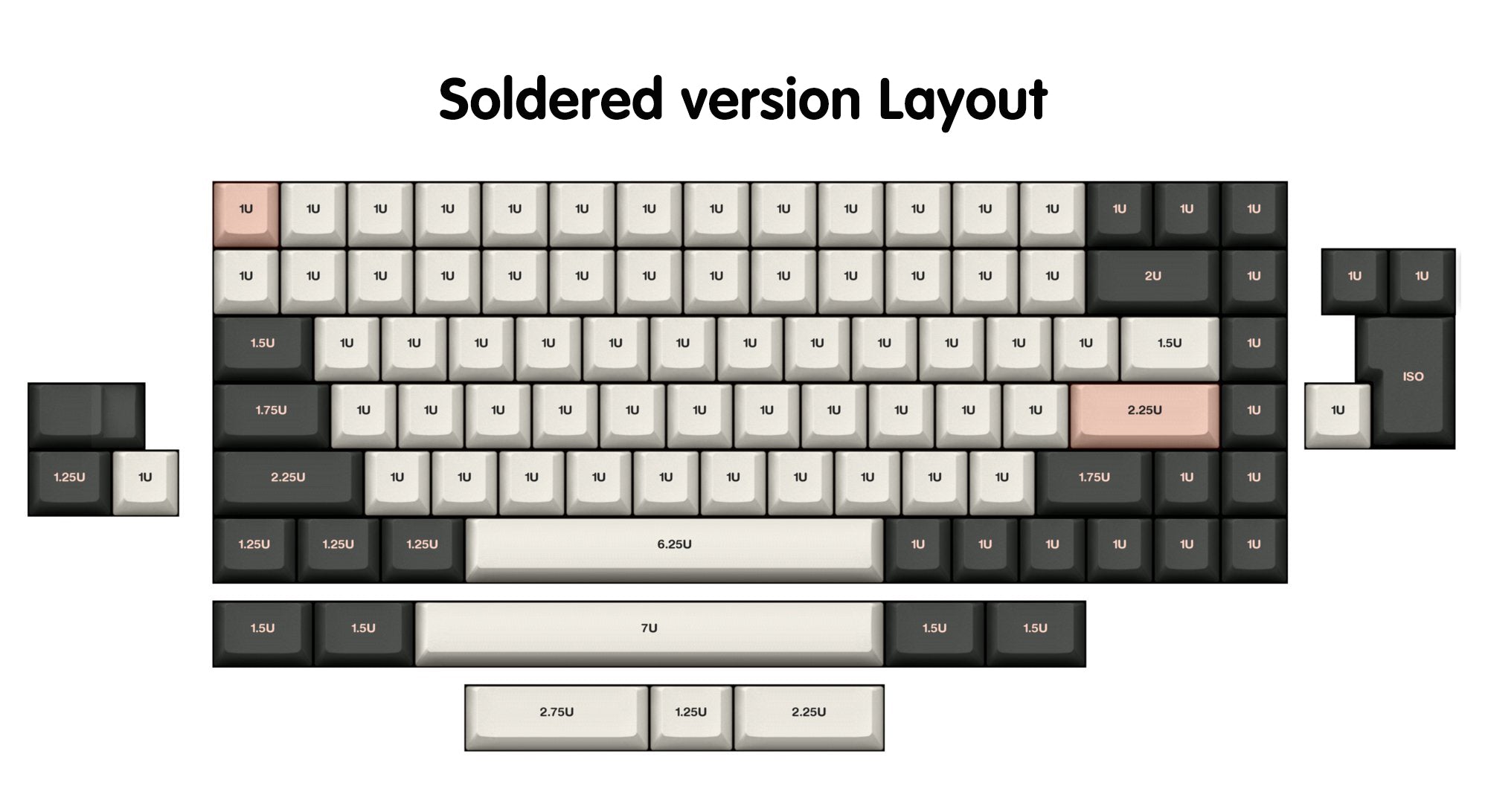
100% agree with having more keys accessible via the thumb, I used to have the KBD75 (with spacebar 3 way splits, so I have shift and ctrl right under the thumb) but they discontinued it.

https://cdn.shopify.com/s/files/1/1473/3902/files/75_v2_c821...

I recently learned that there are these from system76

https://system76.com/accessories/launch

What's the misconception, then?
I frequently see comments saying things along the lines of "I'm a programmer, and so my keyboard needs the Function keys", "why do these keyboards not have F1-F12 keys", etc.

That seems to have the "laptop-style keyboard" model in mind: where pressing keys like F5 is cumbersome on a laptop keyboard since it involves holding a Fn key with the pinky finger.

Whereas, with small keyboards like the Ferris (that one of the other replies mentioned).. the keyboard can be so small because it doesn't need to be any bigger. People see "34 keys" and think "104 keys - 70 keys".. whereas the more significant detail is the Ferris allows each thumb to use two keys each. -- With these 40%-and-smaller keyboards, the Fn keys can be put on the thumb keys, and this makes it as easy to type F5 as it is to type an uppercase 'A'.

Similarly: although 40%-and-smaller keyboards will be more complicated to use than a typical keyboard, people discount the cost of moving the hand. With your hands rested on home row, in order to use nav keys, your hands will either have to move from home row, or you'll need to hold down some kind of Fn modifier. -- I see "move hand and hit the key" stated as "just hit the key".