|
|
|
|
|
|
by java-man
972 days ago
|
|
|
Thank you for your response! It looks like you are mostly dealing with the browser, right? Things might have changed since you wrote it in 2017: I see Chrome on macOS do the "right thing" when typing Arabic, the punctuation gets inserted to the left of Arabic. I am using codepen RTL TextArea example which has <div dir="rtl"><textarea /></div>
The browser seems to use "logical" navigation in this case, that is, if I place the caret in the middle of digits (1234567) and press RIGTH key the caret moves left.Do you use any software specifically designed for Arabic market? |
|
|
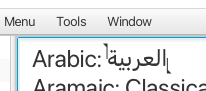
In terms of text editing no not really, most folks I know are either using Word, Pages, or Google Docs.
Usually the caret going the opposite direction is because of bidi characters. It would behave properly if you used Eastern Arabic / Indo-Arabic numerals, e.g. ١٢٣٤٥٦٧٨٩ because those count as RTL.
If you need to have on line that has both RTL, bidi, and LTR, that's when I find everything goes to hell no matter what software I am using.