Hacker News new | ask | show | jobs
by cetu86 1011 days ago
Great idea. I'd suggest turning the clock 180°. Since we are used to having the clock wrap around on the top not the bottom. There is a saying (at least here in Germany) it's "5 to 12" meaning it's time to act now, which is what your clock is trying to symbolize. That would work better if the "12" was in its usual (top) position.
5 comments

The clock does wrap around at the top, but the problem comes about when the smallest hand gets to the bottom (the value 0x80). Flipping it would be confusing as that would make the 0x00000000 position be at the bottom.

The 2038 problem comes about because of overflow in a 32bit signed int, so the top byte (smallest clock hand in this case) effectively only has 7 bits instead of 8, when it goes above 0x7F is when the int is interpreted as negative.

The easiest 'fix', if it's even necessary, would be to make the smallest hand go all the way around in 128 ticks instead of 256. But really this micro blog post could just use an explanation of that to aid the visualization.

The problem with doubling the speed of the small hand is that it would subtly imply that unix time will wrap around to 0, Jan 1st 1970, which is a common misconception and of course not true - it wraps to somewhere in 1901.

I've considered annotating the left side of the dial with the negative numbers also, e.g. ff (-01), etc., which would make it clearer that there's a discontinuity at 80, but it's also a lot of visual mess and on balance I prefer the cleaner look.

I hope that anyone wondering "why 0x80" will be curious enough to go read the linked wikipedia article, which goes into much more detail.

Here's a version with negative numbers added to an inner ring: https://retr0.id/stuff/2038/v2.html
Or draw the left half of the clock face differently to make it clear there's something different about that region.

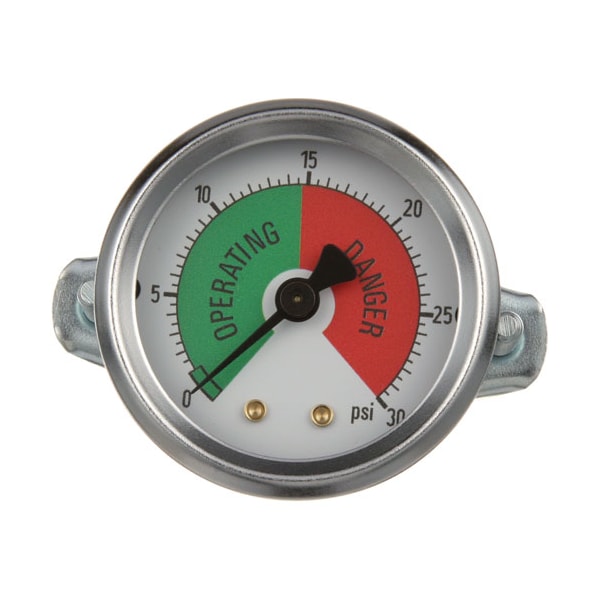
Some gauges do something like this. Tachometers often have RPM bands marked in yellow and red. And here are two pressure gauges that do it in different ways:

https://www.zoro.com/static/cms/product/large/Allpoints%20Fo...

https://www.enerpac.com/ccstore/v1/images/?source=/file/v501...

The clock does wrap at the top though, mostly. If you watch the green/teal hand do a full rotation, the moment it hits the top, the number on the dark-purple hand will increment by 1. Same goes for every other pair of hands.

The problem is just that signed integers don't wrap at 0, they wrap at whatever their min/max point is - which, hopefully, my clock helps convey, along with the accompanying text. I think flipping it 180 degrees would make it less consistent overall. Maybe I'll add some more words to the blog post, heh

Something I could do is add 0x8000_0000 to the number that I'm displaying. Then the final wrap point is at 0, when the small hand points up. I'll have a think about this, and I may well do it, but it slightly goes against my goal of visualizing the signed 32-bit integer representation of unix time - I'd be visualizing a different number! (as an unsigned int)
Wrap around on the top only makes sense with a 12 hour clock. I found a cheap 24 hour analog clock and my biggest problem with it is that I feel midnight should be at the bottom and noon should be at the top. I want to print a new back graphic for it every time I look at it.

Having pondered the unix clock for a bit. it does not correspond to a day in any axis, which is fair enough, but it also means I have no real feel for whether the top or bottom should be the cycle point, I would say bottom to match other gauges.

I wonder about having a second ring of ticks on the outside, coloured to match the hand representing the position of the most significant byte, that has 0x80 at the top.

This preserves the idea that all hands pointing to the top = midnight.