> The "look and feel" of the program usually gives it away more or less immediately.
If you are talking about the base controls, then maybe. But there are .Net cross-platform frameworks such as Avalonia that can get you a modern loooking UI with theming.
Probably, if that app uses WPF, which is "self-drawn" GUI library. However, if .Net app uses WinForms, that API is just a wrapper over standard Win32 controls and it looks like any other old school Win app.
You're right, but there are a few subtle differences here and there that often make Windows Forms recognizable.
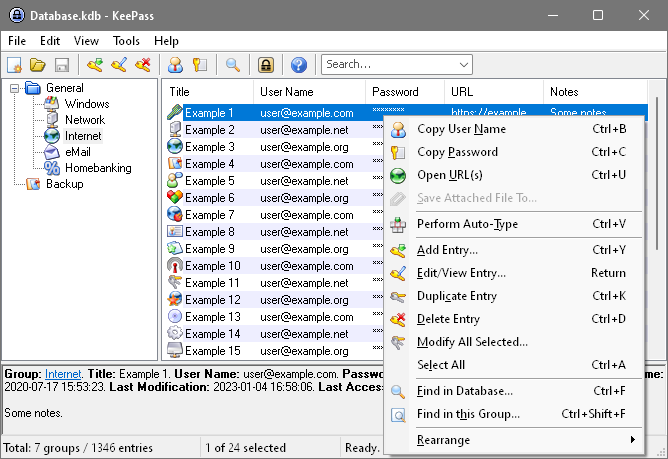
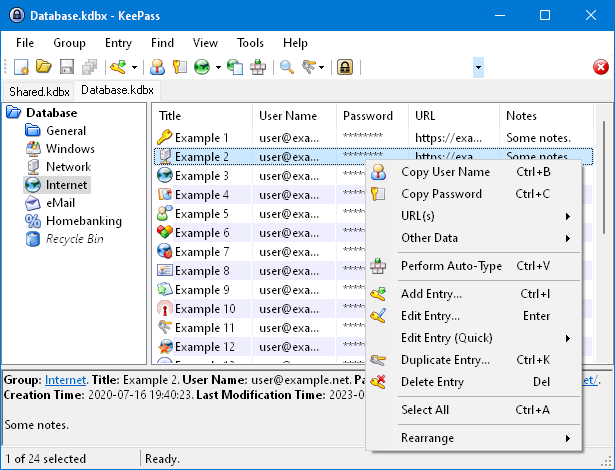
The best example I got off the top of my head is KeePass v1 [0] and KeePass v2 [1]. v1 is written in C++ with native controls, and v2 uses Windows Forms.
If you look at the menu bar and the toolbar, you'll see a difference. Most notably the drag handle on the left, and the search box on the right, in v2. The difference is often a bit easier to spot on Windows 7.
If you are talking about the base controls, then maybe. But there are .Net cross-platform frameworks such as Avalonia that can get you a modern loooking UI with theming.
https://github.com/irihitech/Semi.Avalonia
https://github.com/AvaloniaUI/Citrus.Avalonia
etc.