Hacker News new | ask | show | jobs
by awinter-py 1341 days ago
I have low-motion set on my android device and support for it is let's say highly variable

I also have no idea why the system bothers with most of the animations -- the material 'hero animation' where there are two different animations with sequential curves is awful https://docs.flutter.dev/development/ui/animations/hero-anim.... The 'stretch at end of scroll' feature was making people sick if you believe reddit https://www.reddit.com/r/GooglePixel/comments/qcadhq/the_ove...

These also take upwards of a second, which is a lot of time when I'm trying to get somewhere. I suspect they're being emulated on the CPU on older hardware, contributing to jank and battery issues

Some apps respond to low motion mode by replacing smooth motion with high-frequency flicker, which seems like exactly the wrong thing to do. I kind of wonder if this is the OS battling some framework like Lottie

Fancy 'different parts of the layout have different scrolling rules' in e.g. android google maps are deranged and make everything worse

Rip it all out and focus your energy on making usable software for people maybe?

1 comments

The over-scroll stretch animation in Android 12 makes me sick so I had to disable animations completely, as there is no option to just disable that.

This does have the effect of making Firefox buggy and not showing the content at the top of a page before you scroll down and up again. Which only works on sites you can scroll on.

I'm happy about the scroll-stretching since it's at least something that happens when scrolling reaches the end rather than just abruptly stopping. My mind head would expect the list to keep scrolling but it just wouldn't without any physical metaphor for why it wouldn't. iOS does this much more nicely.
My mind head would expect the list to keep scrolling but it just wouldn't without any physical metaphor for why it wouldn't.

What? If I'm sliding physical objects around, I normally expect them to just stop abruptly if they hit something.

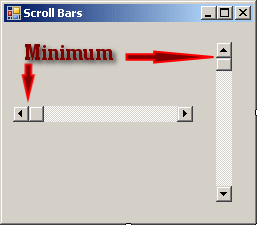
...and indeed, that's what scrolling in UIs also did for a very long time, accompanied by a very clear indication in the scrollbar that you've reached the end:

http://www.functionx.com/vs2010/forms/scrollbar2.gif

The "designers" happened, and all of a sudden scrollbars turned into these horribly thin and imprecise roundish blobs that are far worse for indicating where exactly you are, and in particular, whether you've reached the end.

I have yet to see something physical that doesn't need to somehow dissipate its energy to come to a halt. If it's rigid and the hurdle is rigid it brakes, bounces back or damages the hurdle. If it's soft it bounces back or squeezes (stretches) and if the hurdle is soft it bounces back or overshoots.
Ever snapped magnets together where one was attached to something much heavier?

and frankly, any personal opinion doesn't matter in this case - it's a non issue. Just give us options to customize it to our preferences, and don't try to force others to follow The One True Way.

ideal scrolling 'hard brake' physics are copper block magnet drop[1], computed in modern devices on the GPU using the spinach NMR library[2]

1. https://www.youtube.com/watch?v=jbUWpJkhZpI

2. https://spindynamics.org/group/?page_id=12

I prefer the old animation with a grey curve from the button, and I dont really see why it needed to change
Yup, an end-of-scroll feedback has always been there and it worked fine.