|
|
|
|
|
|
by gruez
1475 days ago
|
|
|
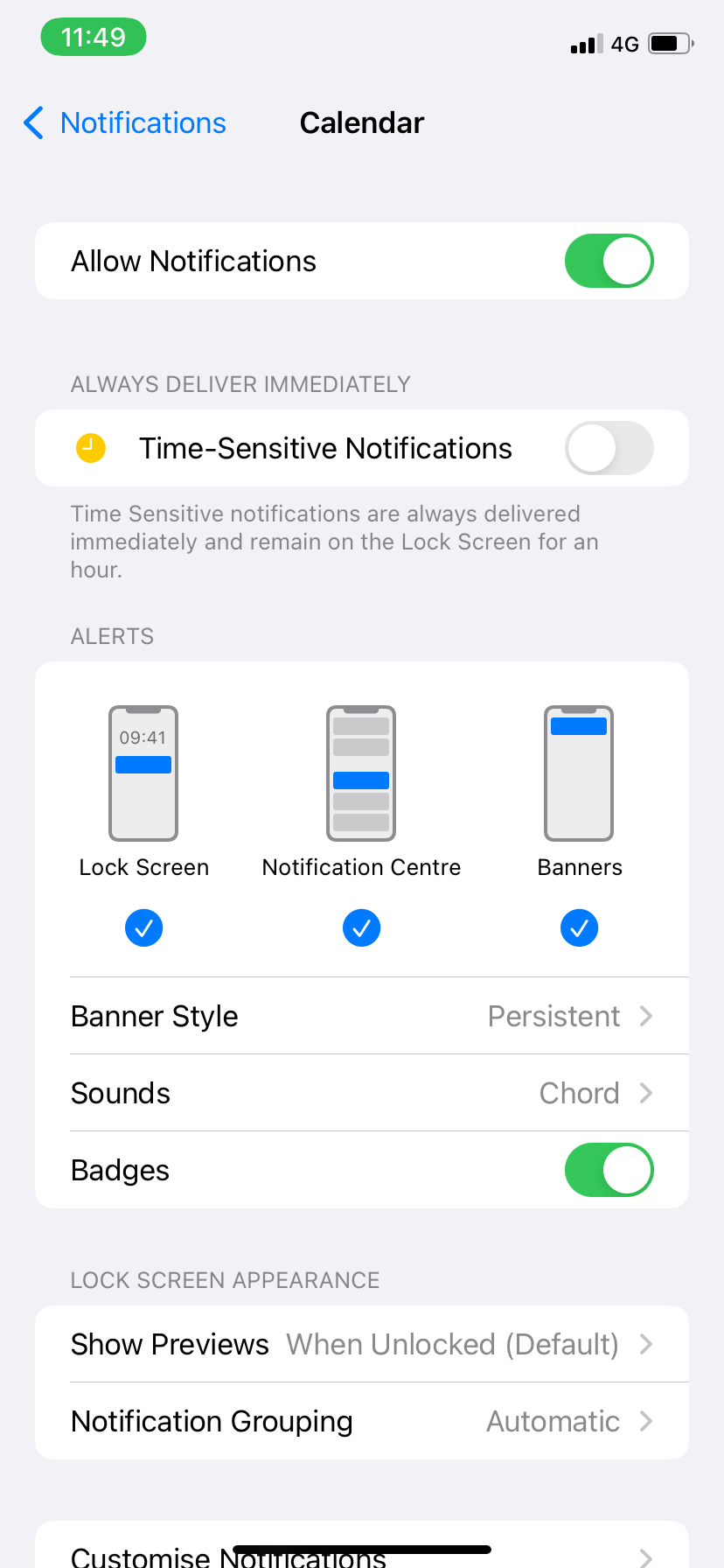
That setting doesn't do what you think it does. As per the tooltip[1], all that does is cause notifications from uber to be delivered regardless of focus settings (eg. if you have work focus on and uber sends you a notification it will show up immediately rather than being hidden/delayed). You'll still get other notifications if you don't have focus on. [1] random image result: https://static1.makeuseofimages.com/wordpress/wp-content/upl...? |
|
|
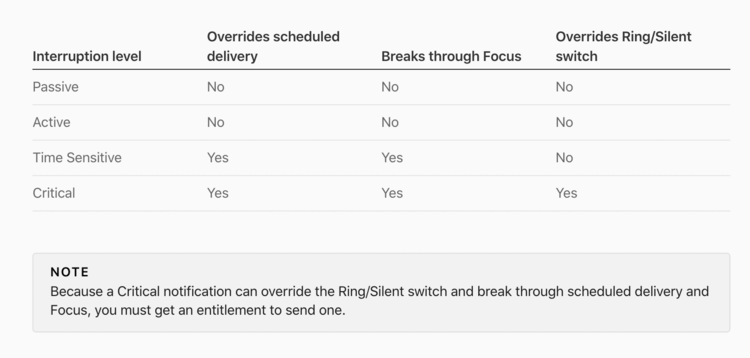
https://developer.apple.com/design/human-interface-guideline...
I would think that if you disable the three notifications at the bottom and enable “time sensitive notifications”, if Uber is a well behaved app, it should only notify you for things that are time sensitive. I won’t know for sure for awhile.
https://www.plotprojects.com/blog/ios-15-push-notifications-...
> Apple has provided developers with the freedom to categorize the outgoing notifications from their apps, with guidance from a new notification classification scale. Developers can decide on the appropriate interruption level for their app notifications, however Apple has warned that users can completely turn off app notifications if they feel a high level of urgency is being used unnecessarily.