You can also save your drawings using the option that embeds the drawio diagram source into the rendered svg or png file, and check that single file into git.
Then (a) no need for an automation to generate the image; (b) any image or svg is directly editable.
This is possibly one of Diagrams's killer features, especially in the days of proprietary cloud document hosting that (poorly) attempts to hide the "file" abstraction. You can plunk your diagram directly into the doc without worrying if you'll be able to keep track of the source if you need to edit it later.
Do an 'Open from' > 'URL...' and paste in http://shagie.net/wp-content/uploads/2015/05/Untitled-Diagra... (an example diagram I made several years ago) - its a png itself and you can open that up as a png, but I also exported it with the drawing embedded.
So when you open that up in the app, you'll get the drawing - not the raster version.
Also consider that I created that png 7 years ago - other drawing document formats have been less stable over that timeframe. I'm quite impressed with it.

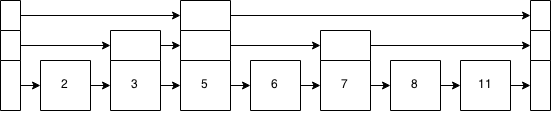
Then (a) no need for an automation to generate the image; (b) any image or svg is directly editable.