Hacker News new | ask | show | jobs
by keyb0ardninja 1710 days ago
You can do this right now on android. If you're using chrome/chromium based browser, just visit vscode.dev and then select add to home screen from the browser menu. A similar option exists in firefox on android too, I believe.

Once you open the shortcut created from the previous step, it will open the webapp without the browser's UI.

2 comments

Nice, this works on iPad with Safari as well. At the very least, simple key binds work. Thanks!
How did you get Chrome not to hijack right-clicks?
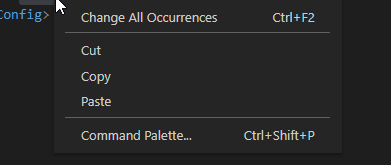
Do you mean vscode.dev itself hijacking right-clicks to display its context menu[0]? If so, there's this great extension I use to enable it on the myriad of websites that use it for non-alt-context-menu usage[1].

0: https://i.judge.sh/thirsty/Flutter/chrome_w3SVLELGag.png

1: https://chrome.google.com/webstore/detail/enable-right-click...

Umm... no. I want vscode.dev's context menu.
I didn't play around with it much. It might have the issues you're facing.