|
|
|
|
|
|
by kstrauser
1821 days ago
|
|
|
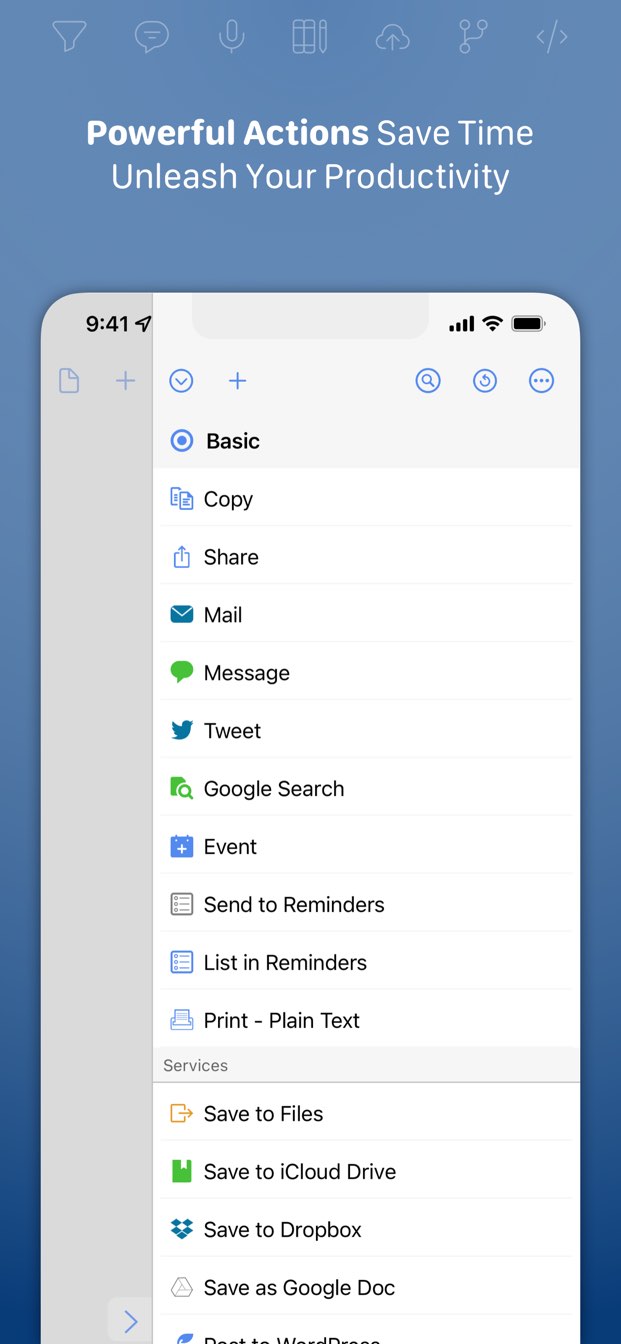
It’s in the action sidebar (like https://getdrafts.com/assets/img/custom/screenshots/ss-03.jp...). You can type some information into a new draft, then run the “Append to Today’s Journal” action. It’ll find (or create) a new draft with a name like “Journal for 2021-06-26” and append the next of your current draft onto it. At the end of the day, go to today’s “Journal for …” draft (or run the “Go to Today’s Journal” action to jump straight to it). Then run “Process journal actions” and it’ll process each line of today’s journal draft, then archive the draft. Each of those actions has a keyboard shortcut so you can run them pretty quickly if you have an external keyboard. |
|
|
Format is:
* Do laundry
Ok, fantastical worked. Drafts opened fantastical. It did not ask to open omnifocus.
—————-
Oh, got it, thanks! I had to click manage in actions then enable your set, now it shows easily and the actions are straightforward.
It’s very hard to tell whether this will be a thing I fiddle with for a couple days and then set aside, or if it changes everything. But this has definite potential to be one of those things that changes everything. (My notes are a mess of notes and todos and never knew how to process well.)
Thanks for making this and for writing up the comments about it!
As your reward you get a feature request haha. If you’re ever adding to this, I would love Reminders support.