Hacker News new | ask | show | jobs
by onnnon 1956 days ago
It's interesting to see the focus on these desktop management features. I've been a long time macOS user and have never found "Launchpad", "Mission Control / Expose", or "multiple Desktops" useful in practice. I just use multiple monitors with everything I need on them in the same workspace. Do you guys actually use these features? I find the contextual switching distracting.
9 comments

>I just use multiple monitors with everything I need on them in the same workspace.

Well, many of us use a single monitor or a laptop to get work done. Thus multiple workspaces make more sense.

Virual workspaces have been in Unix/Linux/X-Windows since the 90s (or even before) anyway.

>Do you guys actually use these features? I find the contextual switching distracting.

Yep.

Why would it be more distracting than looking to another monitor (and thus having to physically turn your gaze/neck as opposed to a single keyboard shortcut)?

For me, the purpose of multiple desktops is to reduce distration. Instead of many things visible to you all the time (in one or more monitors) and competing for your attention, you can have several things open, but only focus to one at a time, separate them by work, or program type, or workflow step, etc.

I have three monitors, and recently started using multiple desktops. I can hit Meta+{1,2,3,4} to go between them or Meta+Tab on KDE. It's amazing.

If my main desktop has tons of windows open, and the panel is crowded as heck with browser, file manager, text editor, and terminal windows (all of which can occupy all of your monitors when you're doing a given thing because there's that many of them), it's overwhelming. It's like browser tabs piling up out of control, except the tabs are also windows you have to maximize and minimize. Dedicating multiple desktop to multiple task (main, tinkering, work, etc.) is so much better.

I’ve been using Macs full time for almost a decade now.

I never use Launchpad, but Mission Control is the main way I switch between applications. I find it convenient that it’s bound (not sure if by default) to the “four fingers towards the screen” gesture on the trackpad.

I use multiple desktops constantly, it’s the main way I organize my work. I also find them convenient to switch between since they’re mapped to the sideways flick four fingers gesture. I guess using virtual desktops is something I was doing before I started using Macs anyway.

I keep most of my apps full screen which I guess fits this workflow better. Before I used Macs I was using tiling window managers on Linux such as AwesomeWM and XMonad, so I had some resistance to using full screen a lot, but somehow I adapted. My terminal is still tiled and it’s what matters the most.

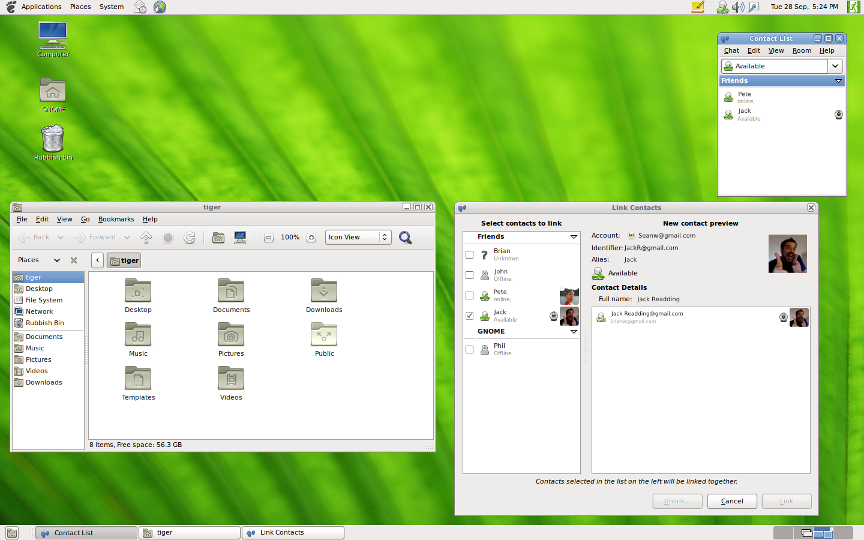
It's funny, because as a MacOS user I pretty much never use multiple desktops, although I used it a lot in GNOME 2, because of how obvious it was that there was something in another desktop[1]. I think it really help multiple desktops feel more "grounded in space", like another monitor.

In MacOS, other desktops feel like a background thing that it's easy to forget (kind of like having a process running on another `screen` session).

1: The widget in the bottom right corner https://help.gnome.org/misc/release-notes/2.32/figures/gnome...

That does seem useful to have some sort of UI to see your open desktops.
I used MacOS for years, out of your list the only feature I ever really used was "multiple desktops". I would group apps roughly by function (email and messaging was on one desktop, the code editor was on another). I definitely wasn't pushing the boundaries and never used more than three desktops.

In my opinion, your skepticism about the general appeal of these features seems reasonable. I would expect the average laptop owner uses these rarely if ever. People who spend a lot of time with their machine may use only one or two, I bet. Spotlight in particular seems to be eating Launchpad's lunch.

I don’t personally use Launchpad but I can definitely imagine it’s useful for some. While it obviously took its design from iOS, it’s also a throwback to At Ease[1], which I definitely saw used widely when it was available.

And I no longer use Mission Control/Expose, but I certainly did find it useful on smaller screens (I now use a comically large 43” 4k@1x).

Same with multiple desktops, and I’ve seen it used on nearly every screenshare I’ve been on this past year.

My workflow now is probably more fussy than it could be, but I pretty much just use cmd-~ and cmd-` now.

Edit to add: I think it also depends quite a bit on input device. Seeing others mention trackpad gestures, I remember finding Mission Control/multiple desktops much more useful when I primarily used my MBP on my lap.

1: https://en.m.wikipedia.org/wiki/At_Ease

Screen sharing does seem like a very good use-case for multiple desktops.
I just meant, I see a lot of coworkers switching desktops in general, which I see on screen shares because we’re all remote.
Ah, gotcha.
When on MacOS I really enjoy full screen apps with multi-finger virtual desktop switch. My workflow usually limited to one full screen browser and one full screen terminal window (with tmux inside).
Not using Launchpad nor multiple desktops (like you, I find two monitors are enough), but exposé mapped on hot corners is very useful, to either switch to an invisible app, or access the desktop. A quick mouse move to the top-right (with mouse acceleration, you don't need the movement to be long, just fast), and there you go.
KDE user, but I do the same thing in any WM. I use multiple desktops more than I use the task switcher bar. I find a spatial arrangement of related windows much more practical to maintain. Multiple monitors don't scale beyond 2 or 3.