| OK, so I'm going to be a grumpy old man ... My eyesight isn't great, so I use the "Zoom" function on Firefox to increase the font size. But the text now doesn't wrap, and I'm constantly scrolling from side-to-side to be able to read the text. It's tedious in the extreme. Screen shot here: https://www.solipsys.co.uk/images/daScript.png Magnification, line truncation, and scroll bar indicated. * Why doesn't the text wrap to the window size? No idea. * Why is it written like this? No idea. Annoying, irritating, and so unnecessary. |
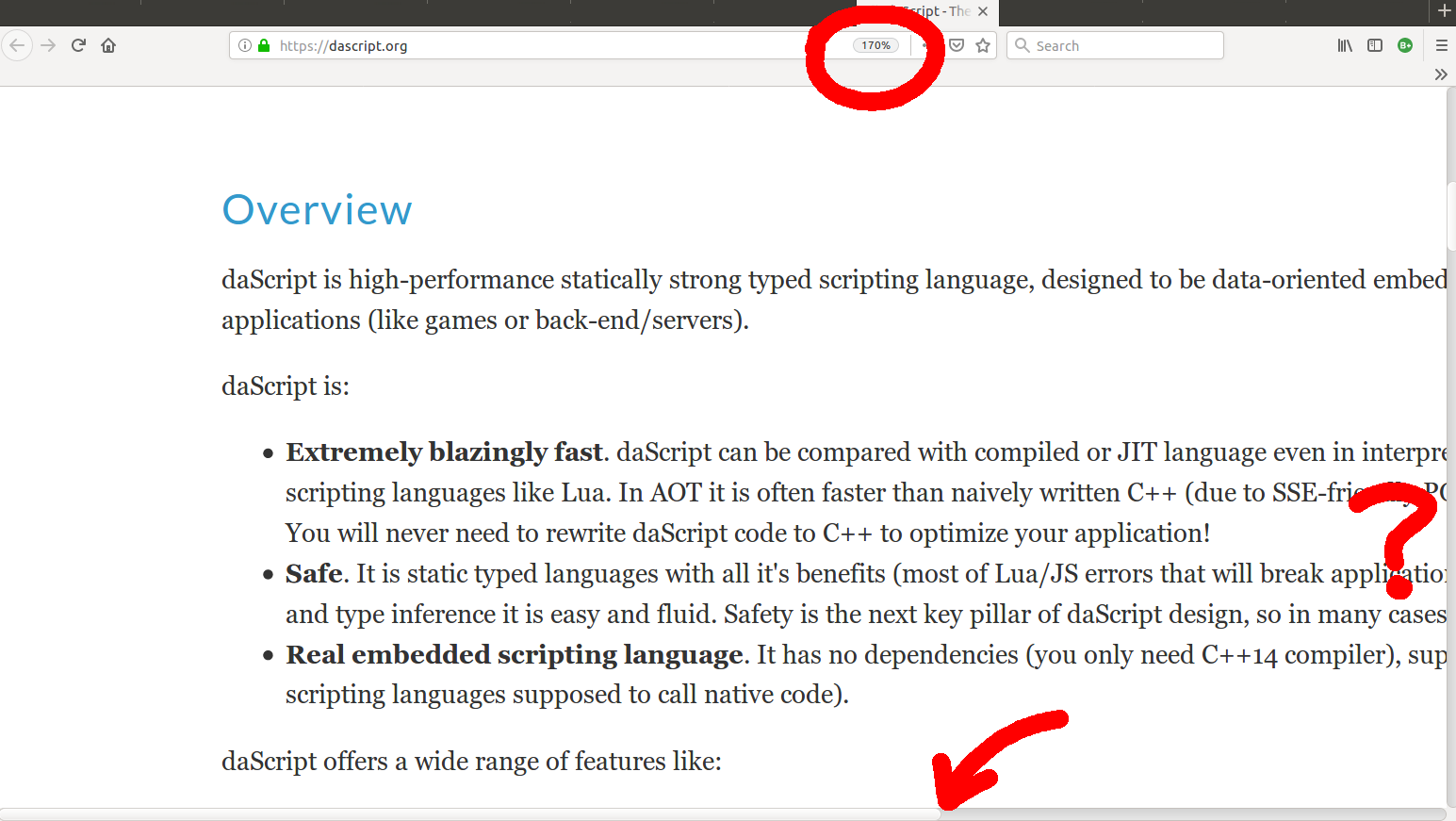
Ironically, the site is made using tables for layout! Like, the really old technique where the left and right margins of the content are actually td's with a bunch of  's inside.
I'm really surprised that someone would make a site this way nowadays. It is a lot more work than necessary and the end results are not great (as you can see here).
PS: Running this in your console will get to a mostly workable state (not great, but better):
[...document.querySelectorAll('*')].map(e => {e.style.width = 'auto';})
Edit: I did my good deed of the day by opening a PR that modernizes the site's markup and CSS, fixing the issues too:
https://github.com/GaijinEntertainment/daScript/pull/70