|
We’re kinda getting distracted from the original topic, but I’ll bite anyway. File uploads are just fine without JavaScript. Sure, some users will fail to notice the throbber and status bar text that indicate that the browser is sending the request and hit the submit button again. Unfortunate, but hardly destructive. And then if the form doesn’t validate? Yes, you should partially save the form. You typically have to do something like that when you implement all your validation in JavaScript anyway, because client-side validation is typically imperfect, and there are extra possibilities of failure on the server. The robust way of doing uploads in APIs of this style has always been to upload a blob, and then pass its ID to the form, so that you still have it if something goes wrong. Select with zillions of choices: that’s a terrible case for a select anyway; I’d be inclined to leave it as a text box and enhance from that. Purely out of interest (not because I would recommend it), I just ran an <input list=x><datalist id=x> with 10,000 options and it performed quite tolerably in Firefox. (When I type something that matches all 10,000 options it takes as much as a few hundred milliseconds to start displaying options, but it seems to load the options to present progressively, otherwise it’d have blocked for much longer than just a few hundred milliseconds.) But that means you’ve got to transfer all the options up-front, which might be otherwise unnecessary. Anyway, again you could implement it otherwise and I can even see how a full autocomplete (just, y’know, manual autocomplete) could work without JavaScript, using an iframe and formtarget=_parent. You’ve roused my interest, I’m going to put this on my list of fun technical demonstrations to make just because I can. I have a SSR/CSR hybrid framework in mind to make which will handle these sorts of things properly, using client-side scripting where beneficial and available but working as close to perfectly as possible without it. But I certainly wouldn’t recommend anyone go to the effort of trying to make something like this work without framework support; that’s a recipe for pain. In the short to medium term, this is a case where it’s quite reasonable to require JavaScript, because the framework tooling to handle it otherwise and do it well with both server-side and client-side rendering just doesn’t exist. In my comment I was not saying that JavaScript shouldn’t be used, but that in general you should make things so that they work in the absence of JavaScript, even if imperfectly. My remark on Web Components shortcomings wasn’t about passing JSON—which you can do in an attribute without difficulty, no need for a text/json script in general—it was at the fact that you need to do something like that, because all you have for representing things is DOM nodes. The shortcoming is that you can’t pass data structures and objects by identity to your component like you might with components in systems like React, Vue, Angular or Svelte. Instead, you have to serialise and deserialise constantly, which is wasteful, or else dodge out of its declarative nature and use properties instead of attributes, which is rather contrary to the design and concept of Web Components (and would broadly be anathema to Declarative Shadow DOM, contrasted to the likes of Svelte SSR + rehydration can if necessary relink things where object identity and exact data structures are valuable). I think you understand what I meant by “framework”. React is a framework: it requires that you write your code in such-and-such a way, upon which it offers such-and-such functionality. Web Components is a framework. StencilJS targets the Web Components framework, and by virtue of extra runtime code it provides or must generate, it’s kind of a framework itself. |
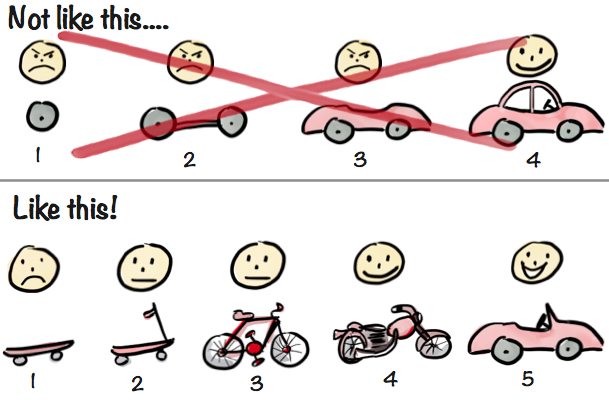
Aside from an SEO perspective, I don't understand why this is still such a popular perspective. JavaScript is so ubiquitous that turning it off is akin to removing the wheels from a car and expecting it to drive. Perhaps some cars will, but would you really want to take a trip in it?
To your point, I tried disabling JS on Amazon recently and I was able to make a purchase, but the website felt broken, the product preview carousel didn't work, and I definitely didn't want to use it like that again. IMO, you can't disable JavaScript in 2020 and have a good web experience.