Hacker News new | ask | show | jobs
by Wowfunhappy 2239 days ago
> The shadow around the address bar field is reduced in width when a new tab is opened;

I mean, at least they're trying, I guess. Still seems to me like lipstick on a pig.

I'm still trying to figure out what UX problem the expanding bar was intended to address.

11 comments

Honestly after getting used to it I like the change. Why? Because before it was often not easy to see if the input focus was on the address bar or somewhere else, and often I'd start typing and the input land somewhere I didn't expect. Now at least it's very clear, although I agree they could have done it better.
...am I seeing the same thing as others?

I'm using up-to-date Firefox, but I toggled the about:config flag to get the old address bar, figuring I may as well use it while I can. Here is what the address bar looks like for me:

Focused: https://i.ibb.co/TWDw9WL/Screen-Shot-2020-05-05-at-5-30-57-P...

Unfocused: https://i.ibb.co/QHd0SBm/Screen-Shot-2020-05-05-at-5-31-01-P...

Do you not see the blue focus outline? It's pretty thick!

It’s not that thick, especially if you have a big screen and a busy website in the browser window
Huh, interesting. I wonder if they could have just made the line thicker then.
On windows they had a drop shadow effect outside the address bar which is less pronounced now.
Oh, that's intentional? I had no idea what was going on and am just now realizing I haven't had a weird bug or something this whole time.

edit: just remembered because it happened again. I'm not sure if it's related but I often find now that when I type "n" the bar doesn't autocomplete "ews.ycombinator.com" with the rest of the text highlighted anymore. It still goes there if I hit enter, though.

It looks broken, doesn't it?! It's because the spacing doesn't match anything else in the UI. Graphic design usually follows a grid system.

I'm just so perplexed by the whole thing.

I noticed this after upgrading my OS and thought something horrible had happened. Turned out to be true but it was intentional by Mozilla. If it's not broke, break it I guess.
In the last update (75) I had this bizarre problem that any amazon.co.uk links in my history weren't showing up in the "most used links" that the url bar is usually populated with if you click the down arrow (or in this update where the down arrow used to be)

I have a browser profile that is used almost exclusively for amazon content as well. The most visited links in that profile are amazon.co.uk and prime video but the only "most frequent" links it would show were on twitch and the occasional youtube page I visited to find trailers for amazon hosted videos.

When I went to about:config and toggled the four "update1" bools to false, amazon came back in my "most frequent" links.

Pretty strange, eh?

Edit: so I just installed 76, and switched the four "browser.urlbar.update1" bools that enable this back to "true", and again, any amazon.co.uk links are removed from the list I get when clicking on the empty urlbar.

I don't really care about the ugly styling, but since this is a navigation feature I use extensively, I'm turning the whole thing off again. Hope they fix (or document) this before the choice disappears!

Wow that's sad. Firefox's URL bar completion behaviour was one of its biggest advantages over Chrome. I wonder what the logic behind changing it is, and if it will lose that edge.
Well, not strictly the completion - it's the behaviour when you click on the urlbar before typing anything.

Normally (in my setup) it shows a list of "most visited" urls.

The new behaviour is to still show this list but omit any amazon.co.uk (and maybe other, I have no idea) urls.

Completion works as expected as far as I know.

The new searchbar uses the top sites from the new tab page, which is a different algorithm from the one used for the old list (which I don't understand either). However, the one upside to this is that you can edit the top sites from the new tab page, and the edits will show up in the searchbar dropdown.
Thanks for adding this information.

My "new tab page" is always set to just blank page and has been for years. I dislike all the fancy new page stuff and just set it to blank page on initial install.

The sites that show up in the urlbar dropdown are frequently visited ones, same as the ones that show up when I turn the "update1" stuff off, or the ones prior to ff 75, just not sites containing amazon.co.uk.

So while I don't doubt your information, it doesn't make sense to me as an explanation. Maybe not having any sites in a new tab page is some kind of corner case that exposes a bug. It's weird that amazon is specifically affected though!

File a bug.
I probably should, but I'd half expect to be told that this is intended behaviour due to some "clever" feature that knows better than I do how I want to use my browser.
Is it really such an issue? It really doesn't bother me at all.
The pop out address bar didn't bother me either, because I don't use the bookmarks toolbar.

My GF hates it because it partially obscures the bookmarks toolbar on any new tab. So her everyday usage is impacted where she opens firefox and clicks a bookmark. She hated it so much she looked through reddit threads and modified her about:config to make it go away, which is really saying something.

I disabled it in the first 15 minutes.

I just hope they don't remove the disable recipe.

(about:config browser.urlbar.update1 -> false)

Ah Goddamnit. That "megabar" is going to drive me away from Firefox. (And into the arms of Vivaldi, or something like that...)
The first time I saw it, I thought it was a UI bug. Is it supposed to expand, cartoonishly, beyond the confines of the existing bar, when you select it for input? It feels like an element designed as a helper for people with limited wrist/hand mobility (who need a larger target area) or poor eyesight.

I guess I'll head back to SeaMonkey now. The UI hasn't changed in a decade but at least the UI hasn't changed in a decade.

> Is it supposed to expand, cartoonishly, beyond the confines of the existing bar, when you select it for input?

Yes.

Yeah as somebody that uses the bookmarks bar, this is just maddening. First I go to about:config on my personal profile, great. But I have a work profile, and once again I have to turn it off. Dev Edition gets the update, gotta turn it off there. Login to desktop at work. Repeat all 3 of those. Oh, work laptop also needs all 3 to get updated. Then I move to my MacBook, gotta turn it off again. Power up my old Dell XPS13, god damn it I have to turn it off again...
Ah!!! And they changed it again! Now it's a setting called browser.urlbar.update2.expandTextOnFocus. This is seriously obnoxious.

Edit: Actually, nothing works on Dev Edition anymore. No matter what I toggle, the stupid location bar expands when you click on it.

I like it!
Seconded. I prefer it to the old design. But we seem to be the minority.
I mean, anything related to aesthetics is going to have some difference of opinion. Mozilla appears to have concluded it's the people who dislike the address bar who are a verbal minority, or they wouldn't have gone with it.

And who knows, maybe Mozilla is right—but I wonder if they've actually done large-scale feedback gathering. This isn't the sort of thing you can suss out just from looking at analytics.

Almost everyone I know uses Google instead of the address bar, gah.
That means they still use the address bar though, doesn't it? Either to type the search term, or to go to Google.com.
You'd think .. but no: Google is the default homepage, so they type in to the search field. It's mad.

Some have Bing as their homepage, if you've ever done IT training you might know the next line. They do it differently, they type "Google", click a link to go to Google, then type "BBC" (say), and click on the link for "bbc.co.uk". It's insane.

It's just the HN effect; complain about the most minute details. Firefox simply wanted it to be more obvious that the address bar is in focus the moment you open a new tab.
Reddit was pretty annoyed too. I actually did a little real-life poll (I admittedly might care about minute details too much!), and everyone was either indifferent or negative. Indifference was more common, but, is that really a good outcome?

> Firefox simply wanted it to be more obvious that the address bar is in focus the moment you open a new tab.

Is that it? Because I'm still trying to figure this out! I'm just really surprised that this was a problem for a substantial number of users—the address bar already had a very prominent focus state with its thick blue outline.

Indifference shouldn't be surprising for a minute detail. I didn't even know about the feature until I saw this thread (clicking address bar expands it), since I normally immediately start typing once I open a new tab.

I'd even argue that indifference should be the goal when making design changes; make subtle changes over time instead of the complete overhauls that are common today.

I totally agree, but only if there's also either (A) some people who actually like the change or (B) the change is addressing a specific UX problem.

If everyone is indifferent, why did you change anything?

I'm shocked that was the goal but I also couldn't grok the intent. The bar doesn't need to expand and look silly to make it obvious it's the selected input. We have perfectly adequate elements for that already. I assumed there were new features that they were trying to highlight in a non obvious way.
> the address bar already had a very prominent focus state with its thick blue outline.

Either I never noticed or that very prominent focus state was invisible in the theme I installed. So yes, it was definitely one of the most regular issues I had with Firefox and now it's fixed. Not in the most elegant way but it works for me.

>Indifference was more common, but, is that really a good outcome?

Indifference among people already using Firefox is a good outcome if it is viewed favorably by people new to Firefox, which is who I would guess these kinds of changes are aimed at.

If that was all it did, fine. It also does the suggestion list on focus rather than after you begin typing, obscuring the page. This makes click-and-copy to get the current URL a destructive action - you need to click outside of the address bar to see the page you were already on. The new "equivalent" is using the tiny ellipsis menu, a Fitt's Law fail.
Neither clicking on the URL nor hitting the keyboard shortcut to bring focus to the address bar is a destructive action. The URL is still in tact, and you're free to copy it immediately after either action.

Let me know if I've got the issue wrong.

Yes, I still don't like this. I've got used to it, but when I was testing it on Dev edition of FF, it was covering half of my bookmark toolbar, and I couldn't get over it. I wish they had a setting to toggle it, which I think a browser like Vivaldi would implement.
They should just put a toggle for it under the Customization page. I think that would be the simplest way to placate peope that dislike it. (Yes I know you can about:config to fix it, but a toggle makes more sense.)
As much as I think the change is stupid for everyone, I'd be placated well enough with just an about:config toggle.

But the problem with the current about:config flag is it's actually changing the entire code pathway, and is going to be removed in a couple months!

What do you change in about:config to change it? It's been driving me crazy since they implemented it.
browser.urlbar.update1 set to false will disable it, but that option is being removed in FireFox 77.
I can handle about:config, but if they take it away, that will be very frustrating.

For me, the bigger address bar is just as bad as an advertisement: it's trying to steal my attention, except in this case no one else is benefiting from doing so.

If they remove the option, I hope someone smarter than me can come-up with an add-on to fix it.

There's no "if" they take it away, it's already gone in Nightly builds.

Furthermore, Firefox extensions don't have the capability to mess with the address bar.

> that option is being removed in FireFox 77

Awful. As soon as it can't be turned off, that's the moment I'll finally stop using the browser.

It breaks absolutely "normal" expectations of a GUI.

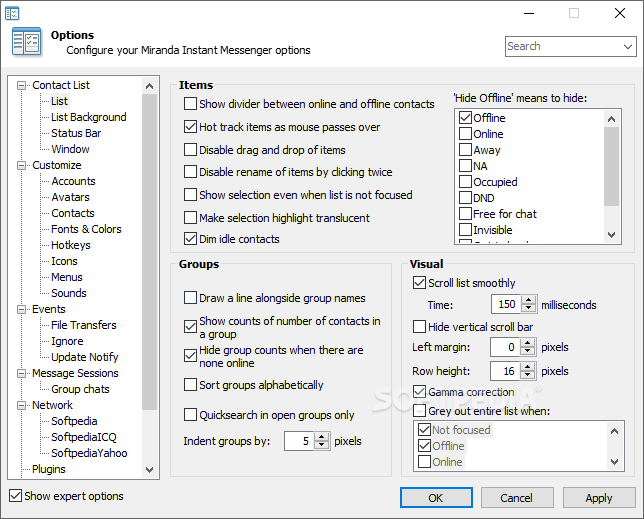
Ah yes the 90s/early 2000s way of designing desktop apps.

https://windows-cdn.softpedia.com/screenshots/miranda-im_12....

That seems insulting to the Firefox devs. Firefox's devs are clearly better than that. The Customization page is pretty bare, they can still add it there without looking like your image.
What a time. Now every option is either a) not available b) hidden somewhere where you need the Internet to find it (chrome://flags, about:config, registry ...) and c) probably removed in the next update because "people didn't use it anyway"

The picture you posted is a positive example. An example on how to customize the software you use.

it's not when a new tab is opened... it's when the field is in focus
> I'm still trying to figure out what UX problem the expanding bar was intended to address.

Possibly the same as removing navigation arrows from the context menu if text is selected, i.e. to annoy long time Firefox users like me?

Certain features should be compile time options, default off and then we could make a UX-designer edition with all the crazy stuff just line we have developer edition.

Then I and everyone else could continue you use the old ux that actually worked very well ;-)