Hacker News new | ask | show | jobs
by detrino 2316 days ago
Do you use Mac OS X?

When using Windows or Linux I don't find much benefit in text rendering on a 4k display.

But as Mac OS X has no sub pixel rendering or grid fitting text looks terrible without a high ppi display.

7 comments

I do use OSX, but I'm also on Linux Mint. Both are sharp and smooth as butter. I'm uncertain why your experience has been what it has with Linux. Could be drivers or something. I did have to set Mint to work for 4k60. It did not work out of the box properly. (HiDPI was off. Hardware vsync was off.) Mint has never had sub pixel rendering as far as I know. It looks crisp and great.
I think you misunderstand me. I am saying that on Linux text at normal PPI is pretty much as good (to me) as text at high PPI because it has sub pixel rendering and strong hinting that Mac OS X lacks,
When did that happen? Back in my day, OSX was the one with sub pixel rendering and Windows users would constantly complain that it looked fuzzy.
OSX has had sub pixel rendering disabled by default since Mojave. It also never had the strong hinting that you can find on Linux and Windows which makes text significantly sharper at the cost of differing from the shape as specified by the font.
They were paying to license Microsoft’s ClearType patents and decided not to pay anymore once retina displays had become near standard for lost Macs and subpixel rendering was no longer necessary
If true, it's a pity they were paying. Apple's SPR goes back to the Woz days, whereas ClearType didn't come around until XP, and wasn't a default until Vista.
This! MacOS (mbp15r) with seemingly any non-Apple external monitor, text looks just awful regardless of font or resolution settings.
I've had to use this fix for non-Apple monitors https://www.mathewinkson.com/2013/03/force-rgb-mode-in-mac-o...
I was thinking macos always had subpixel rendering, but maybe it does not? I am not running mojave

https://news.ycombinator.com/item?id=17476873

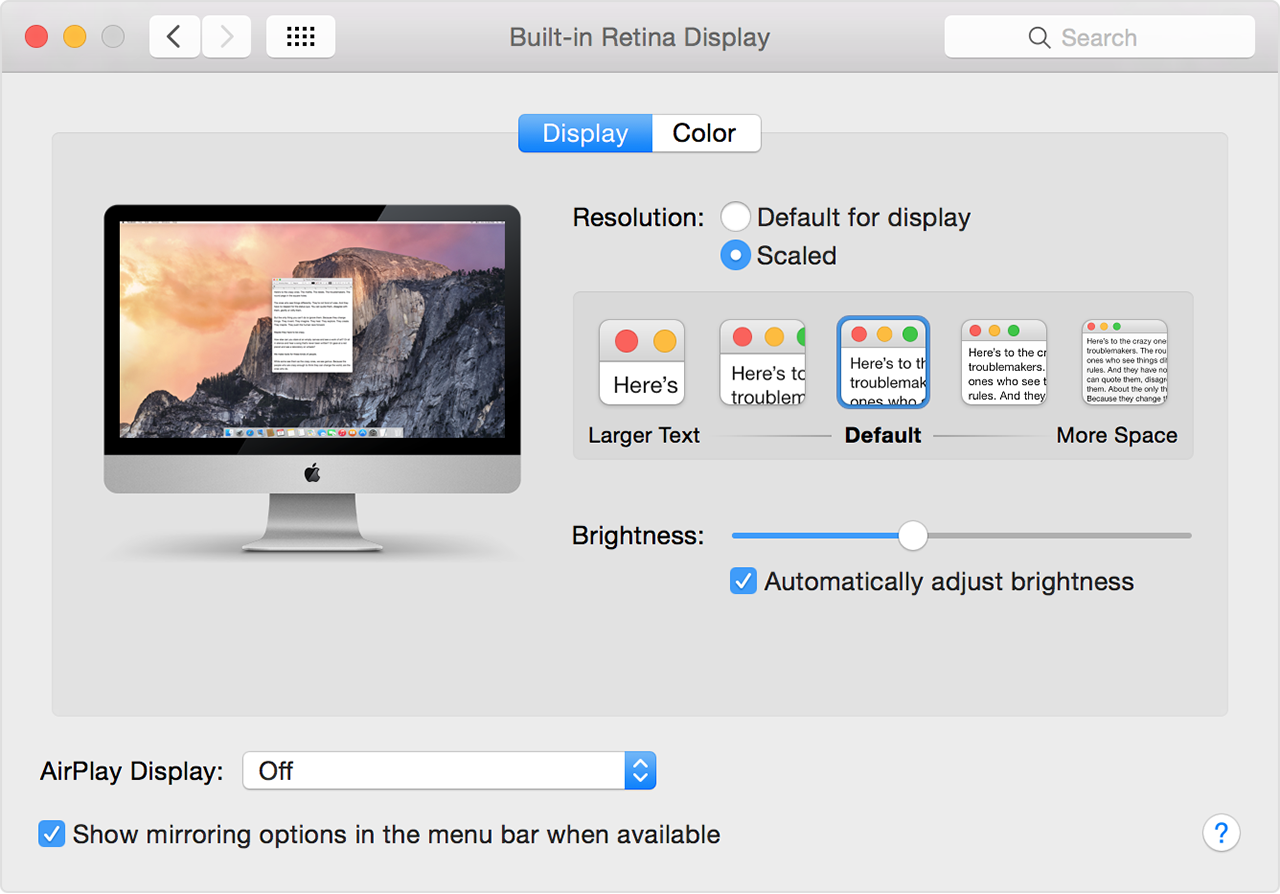
Also, apple has a tendency to support fancy features ONLY on its own hardware. I know apple retina displays allowed display scaling, but non-apple displays only let you set the absolute display resolution.

Not true. I get the same scaling options on my 4K monitor as I do on my Retina display.
I'm not running the latest os.

On my displays I could only get the list of resolutions for my monitor, even holding down alt with preferences.

Meanwhile apple displays showed this dialog:

https://support.apple.com/library/content/dam/edam/applecare...

Maybe the latest OS allows it?

Yeah, maybe it's the OS version. I'm running Catalina and I see the scaling options from that screenshot for my external non-Apple monitor.
I don't know what you're seeing but the retina scaling options don't appear on any non-Apple display I've ever used. (Unless I hack the kexts.)
You generally have to use the right equipment -- using mini displayport or thunderbolt 3 instead of HDMI, depending on the generation. It's definitely finicky (much like getting guaranteed 4k60 output, especially through a dock)
Ah, maybe that's the key, I almost exclusively use hdmi.
Works for me, I'm using two fairly new dell 4K screens, as far as I know it works on any hidpi display
It does for me on both LG and Dell monitors.
On windows with a 27in 4k I definitely see a difference much better then the past 2560x1440 or 2560x1600
macOS looks fine on a 32” 4K