|
|
|
|
|
|
by holy_city
2543 days ago
|
|
|
It's not non-intuitive. The most acclaimed UIs for audio software are littered with knobs, and they have to be. You're talking about dozens to hundreds of continuous parameters that need to be dialed in by hand in conjunction with the user's ears. It's also common practice to have a hotkey like ctrl to swap between coarse/fine tuning of the parameters, so you can dial it in without changing controls or letting go of the mouse - which is often done in real time during playback. In your first example, you've just made a knob that doesn't look like a knob. In your second example, you're confusing mouse position and gesture. Linear sliders map mouse position to state changes, rotaries map gesture. Another way of looking at it is that a rotary slider's state is decoupled from the input, and in doing so, is a much more responsive control. Not to mention, you have an infinite 2D area to traverse to change the knob value with respect to the widget itself, not a finite, defined path. And the huge reason that linear sliders (at least off the shelf ones) are impossible to use for audio UIs is that 99% of your user's time is spent adjusting from the previous position, not resetting it to a new one. That means any behavior where a click resets the position (like clicking just past the current position) is broken. Not just because it's trash UX for the application, but because in audio systems jumping parameter values can cause artifacts, and mitigating them is not without cost in performance and fidelity. |
|
|
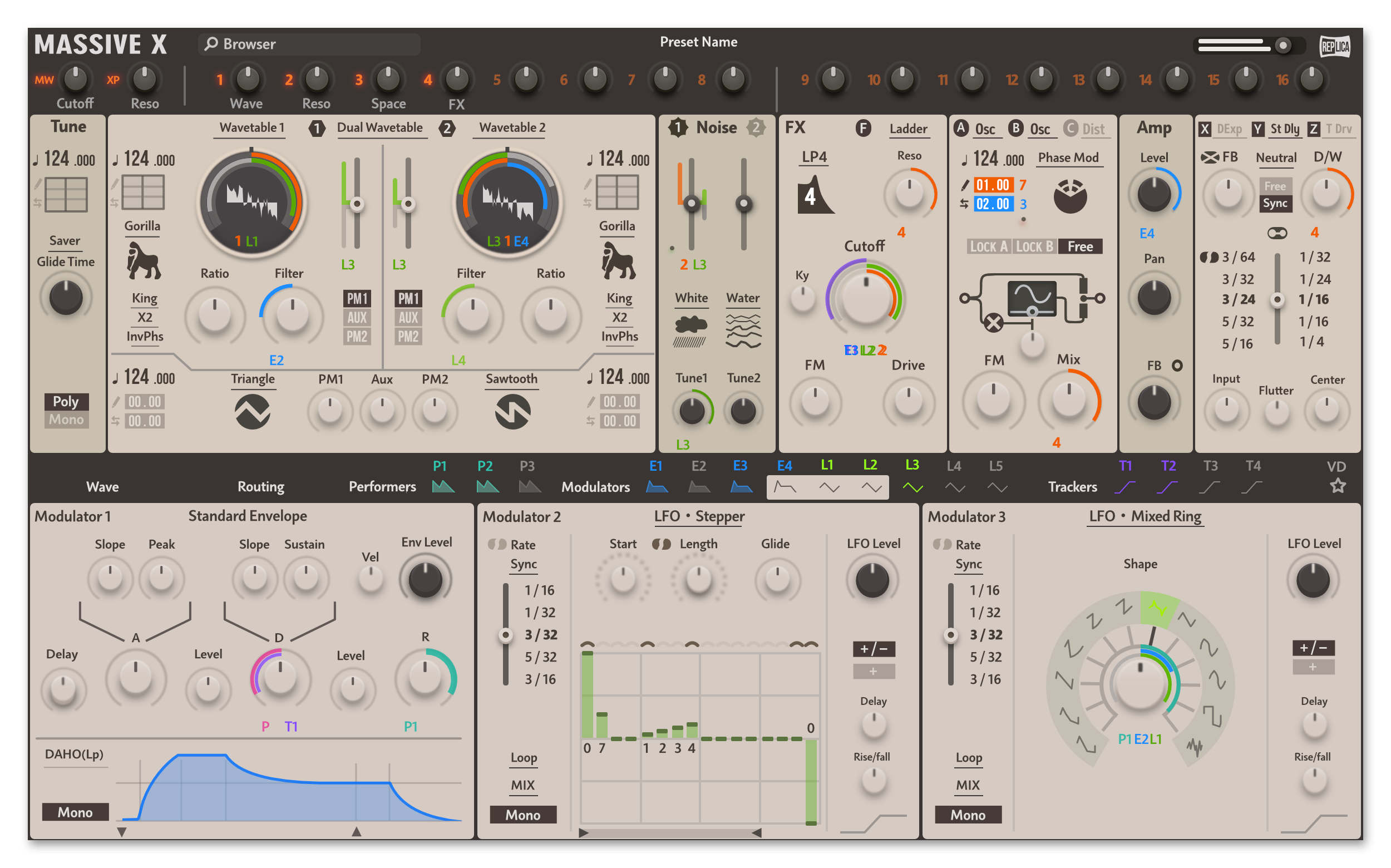
That doesn't make them intuitive, they're merely familiar to people already familiar with such audio software.
> hotkey like ctrl to swap between coarse/fine tuning of the parameters
Image editors and video editors have keys like that too, they're not related to knobs.
> In your first example, you've just made a knob that doesn't look like a knob
That's great! I preserved the functionality while making the action more apparent.
> a rotary slider's state is decoupled from the input
That's what I'm criticizing.
> Not to mention, you have an infinite 2D area to traverse to change the knob value with respect to the widget itself, not a finite, defined path.
The visual feedback of both sliders and knobs are both restricted to finite, defined paths. Whether the control of the input is restricted to that path depends on how it was designed. With some sliders, you can only move the control when the cursor remains without the bounds of the slider the iTunes volume control for example. With other sliders, once you've clicked on the control, the cursor can be outside the slider, I think this is the "infinite 2D area" you're talking about. The macOS menu bar volume and Sound Preferences sliders are examples of this latter behavior, I also found this example (you need to click the play button for the code to run).
https://editor.p5js.org/Joemckay/sketches/rk2edzTIb
> That means any behavior where a click resets the position (like clicking just past the current position) is broken
Yes, for what knobs are used for, you wouldn't want a slider control to jump to whatever point on its line was clicked on. This is another behavior that is found on some sliders (both iTunes and macOS Sound volume controls) but not others (the P5 example above).