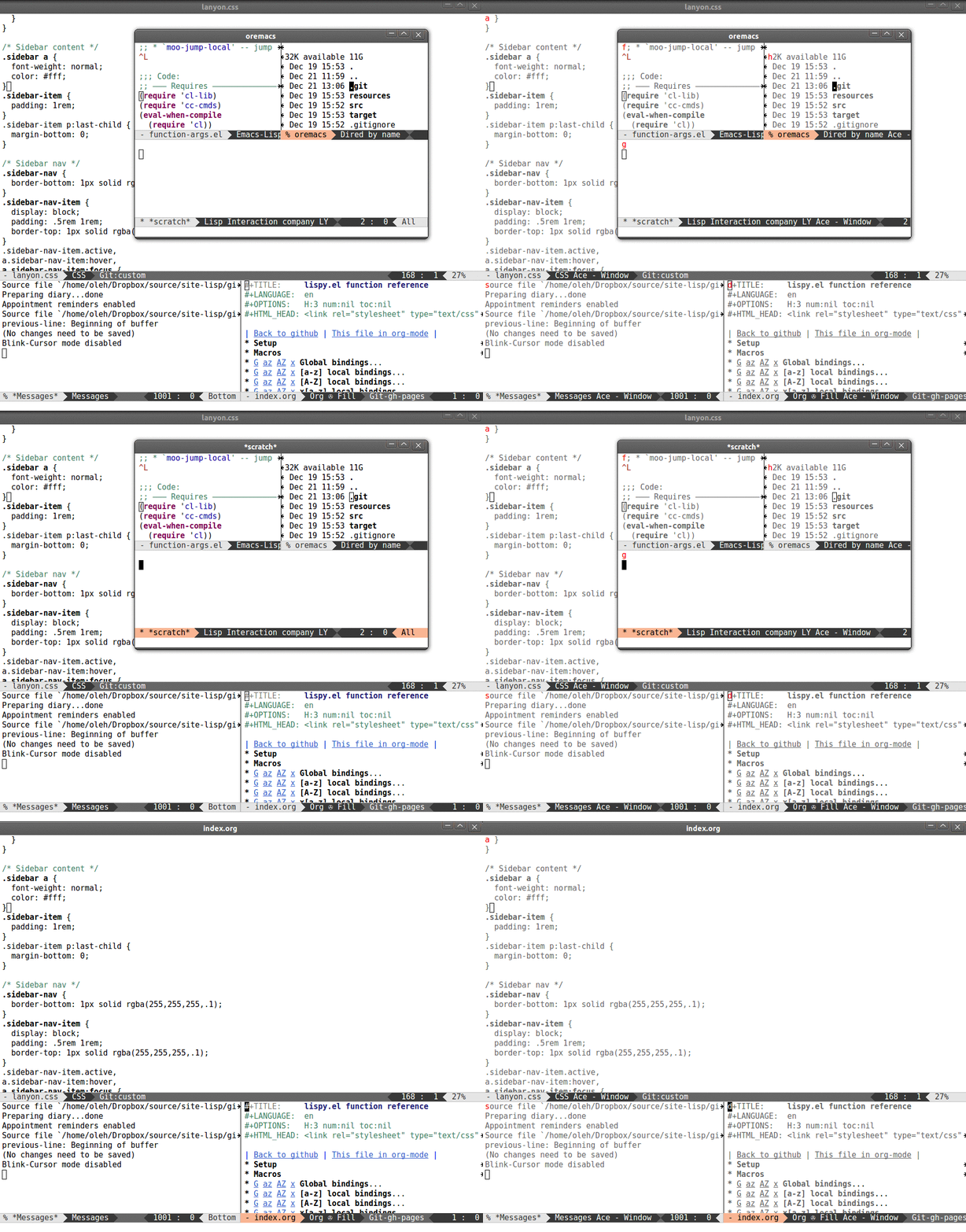
| The problem with the keyboard-only input style in Pharo is that it encourages opening lots and lots of windows. Arranging them by hand is tedious with a mouse, and with the keyboard, it would be unbearable I think. There is the infrastructure for custom key-bindings in place, although last time I checked it was being rewritten; I think that was finished around 6.0. What it would need, in my opinion, as someone who almost never touches a mouse myself: - either a tiling window manager or a set of fixed layouts for where windows should appear. I'm not sure how is the placement of new windows currently done, but it's rather dumb. - something like this: http://oremacs.com/download/ace-window.gif for switching focus between windows. Failing that, the ability to switch focus to the window on the left/right/top/bottom. switching between hordes of ungrouped windows in Ctrl+Tab is a nightmare. - easily overridable global key bindings. This was rather complicated last time I checked. Also, the key-binding model should be powerful enough to allow for chords (sequences of keys: Ctrl+X, then Ctrl+Y, etc.). - a mode which would go through all the widgets in the current window and display all available labels (over buttons and menus). Most of the labels contain a name of a function and a keyboard shortcut already. - there's a Shift+Enter shortcut which opens Spotter: you can type some characters and it will search the image for anything matching, including code, comments, external packages, and global menu items. It would be great if it was also context-sensitive so that you can invoke functions of the currently focused window through it too. - Emacs/Readline and Vim bindings provided in the base image would be very appreciated. That would be a good start, I think :) It's a lot of work, though, and there doesn't seem to be a will to pursue this in the community, unfortunately :( |