Hacker News new | ask | show | jobs
by qualsiasi 2723 days ago
I discovered this tool last week and suddenly fell in love with it. Is it possible to bind it to a hotkey like spotlight?

However if it where to fuzzy match like sublime’s super+p I would love it even more.

4 comments

Tools > Options > Keyboard > New Window Hotkey is what you're looking for :)
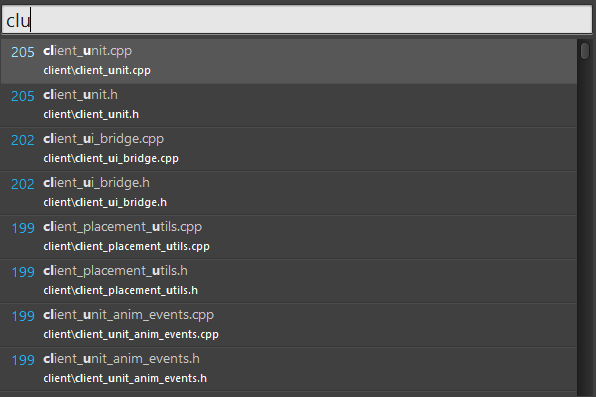
It's fuzzy alright: https://i.imgur.com/rYXDsgs.png – or did you mean something different?

You can hotkey it if you have a shortcut stored somewhere.

Right-click on the shortcut → Properties → Shortcut menu → Shotcut Key line

With fuzzy I mean that:

"foobar" may match a file named foosomethingbar.

Like this: https://cdn-images-1.medium.com/max/1600/1*VeGVAZsCVUYXrbI37...

You can use https://github.com/Wox-launcher/Wox as an interface for Everything which has configurable hotkeys
Options - Keyboard - Toggle Window hotkey.

I use Alt + / to search, get results, then again to close the window right back to whatever I was foing