Hacker News new | ask | show | jobs
by citruspi 2941 days ago
Not the original commenter, but I've experienced

> At 100% zoom level, the type is not rendered with crisp edges. It looks as if someone had applied a mild gaussian blur. Only once you zoom in, the outlines are sharp as they should be.

a number of times.

Running on a 12" (Retina) Macbook w/ macOS 10.13.4 and Preview 10.0 (944.5).
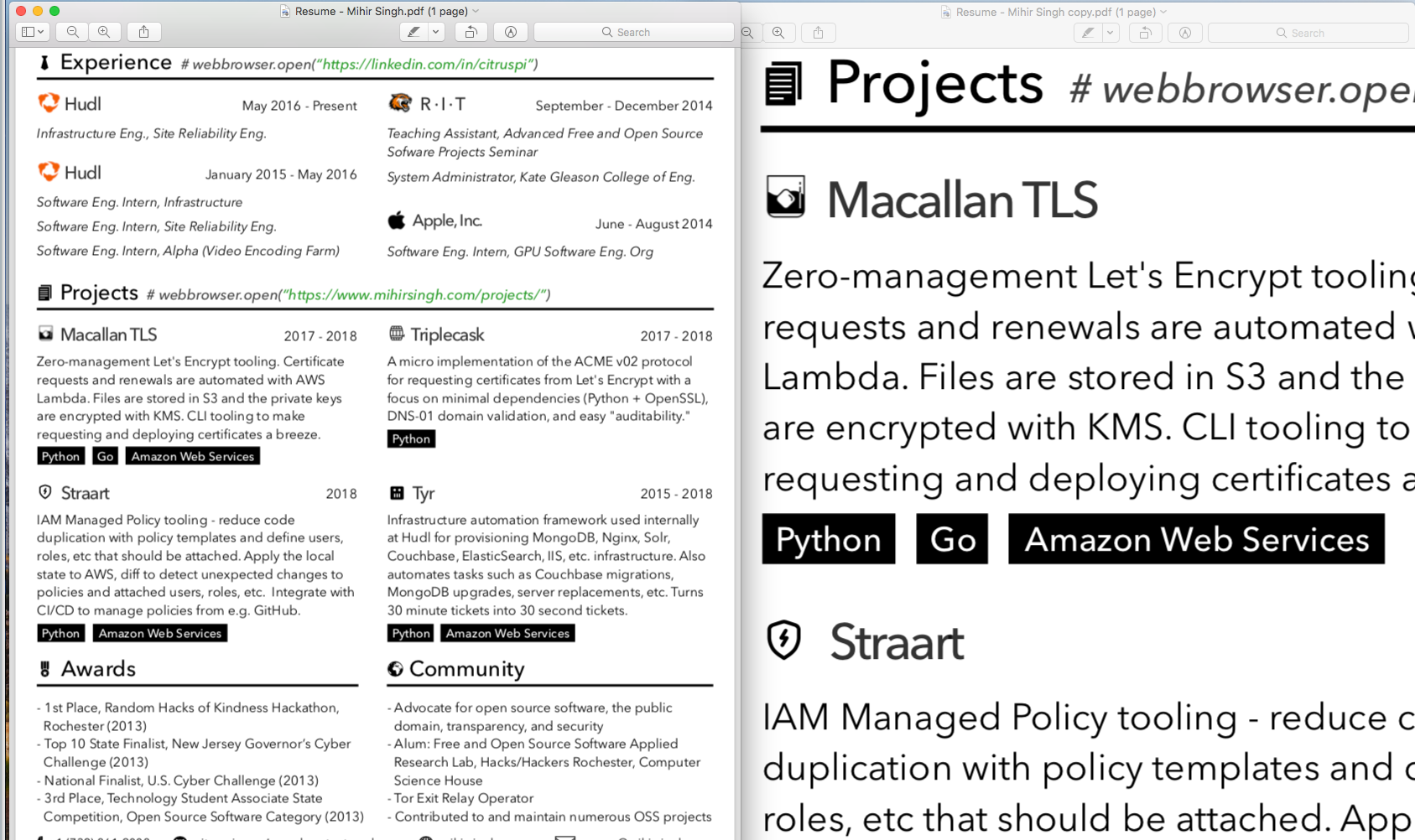
1) Here's a screenshot (100% on left, zoomed in on the right) - https://s3.amazonaws.com/citruspi-tmp/Screen+Shot+2018-06-01...

2) PDF being used - https://cdn.beastnet.works/bfc7d34daac8e7630541d49b591b1b62/...

It also happens within the PDF viewer in Safari - text and icons look a lot crisper when zoomed in.

1 comments

Same setup, 10.13.3, preview 10.0 (944.4). Unless I'm blind, no issue.

https://image.ibb.co/hXi53J/screenshot.png

15 inch MBP.