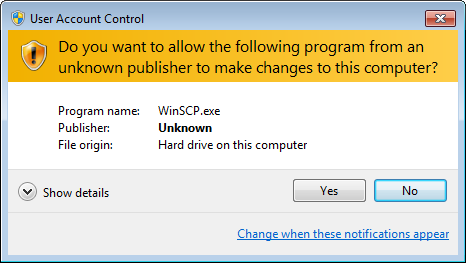
The first item in the ‘Tweaking Windows’ section is Disable User Account Control. Can someone share a clear explanation of what this means and the nature of the risks involved?
UAC limits software to user privileges, even if you're running an administrator account. If you're running an administrator account, you just click YES in a popup to grant elevated privileges when they're requested. If you're running a user account, you enter an administrator password. Disabling UAC lets anything you run use administrator privileges without alerting you. Similar to running a Linux box as root. It's a really stupid thing to disable.
It may be stupid depending on what you are doing, and how savvy a user you are.
The problem with UAC is that 90% of users have no idea when it would be necessay to click "no" when that dialog box shows up. For them, it's the box that always annoys you and you have to just click "yes" to make it go away.
I understand what it's supposed to do, but have had it disabled since it was released, and have saved hours of task interruption it in exchange for no other problems.
I strongly disagree with that caveat. As a savvy user, UAC behaves like a burglar alarm for me. I am not savvy enough to open a 7z, PDF, JPG or DOCX in a hex editor and determine whether it contains an exploit. Even if I were alone on the planet due to the ability to do so, I wouldn't have the time to do anything else. Because I have UAC enabled, if I open a zip file and get a UAC prompt I know that something is fishy.
There are known unknowns and your savvy is perfectly suitable for that; however, your savvy won't help at all for the unknown unknowns. Double-clicking an .exe isn't the only way to get pwnd.
> you have to just click "yes" to make it go away.
Exactly, UAC doesn't really work for non-savvy users. In which case, who is the target audience?
It’s also a popup that comes up several times every week or even day on windows. Really wish it was easier for apps on windows to run in user mode only and stick to it, but it seems like everything needs UAC on a regular basis for one reason or another.
Disabled the administrative confirmation popup e.g. [0]. Kinda like Windows' weaker version of sudo.
When UAC is disabled, anything can run as administrative, but without confirmation or any real sign that it is, so a bit of a risk. Though not quite on the level of running Mac or Linux as root (Windows has another higher level priority, System), it is close to it.
IIRC it also disables some security features of Edge, if you use that. It might also disable some security features in Office, which is a bit more of a concern.