|
|
|
|
|
|
by LindenRyuujin
3444 days ago
|
|
|
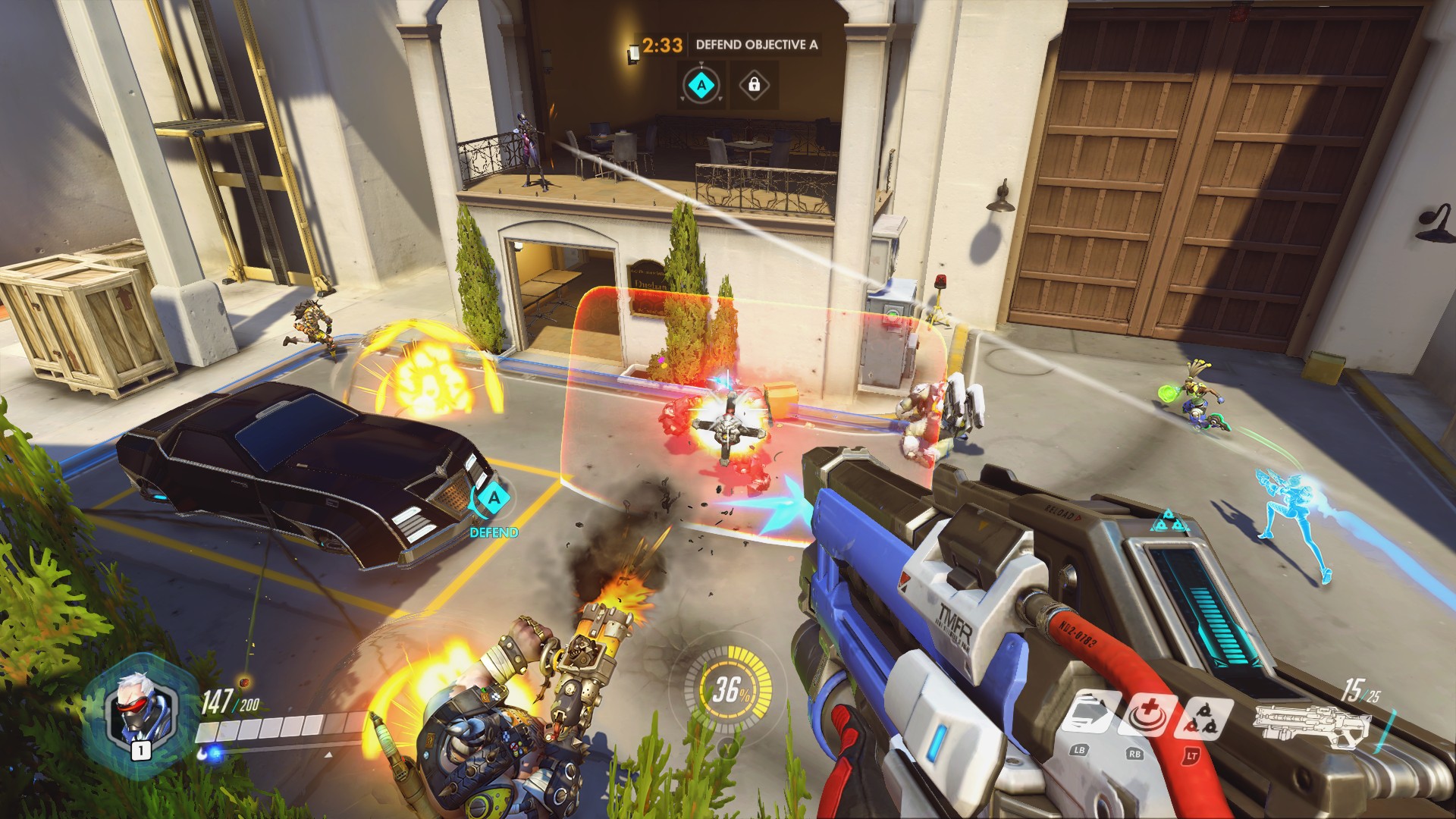
Silhouettes are a good start, but take these two images as an example: http://gameplaying.info/wp-content/uploads/2016/05/overwatch...
From this image I have no idea who is on what side in this battle. The sniper blends into her spot as she is a similar colour scheme to the metal work. Where will the car move next if it is being escorted? There is so much going on it takes a lot of knowledge to understand what is happening. http://i.imgur.com/l3pCIgk.jpg
Here on the other hand it is obvious what team everyone is part of. All character pop out as they are very different to the background (colour and shape wise). The track shows where the payload is going and where it will roll back. TF2 has great visual clarity, it gives you information clearly without having to explain it to you. Obviously for many the lack of visual clarity in Overwatch is not a problem - which is fine, but Blizzard made a choice which is not without cost. As for the a payload line, it definitely wasn't there in beta, it's possible they've added one, but this video from a few weeks ago suggests they have not.
https://www.youtube.com/watch?v=CiAitNchwYM |
|
|