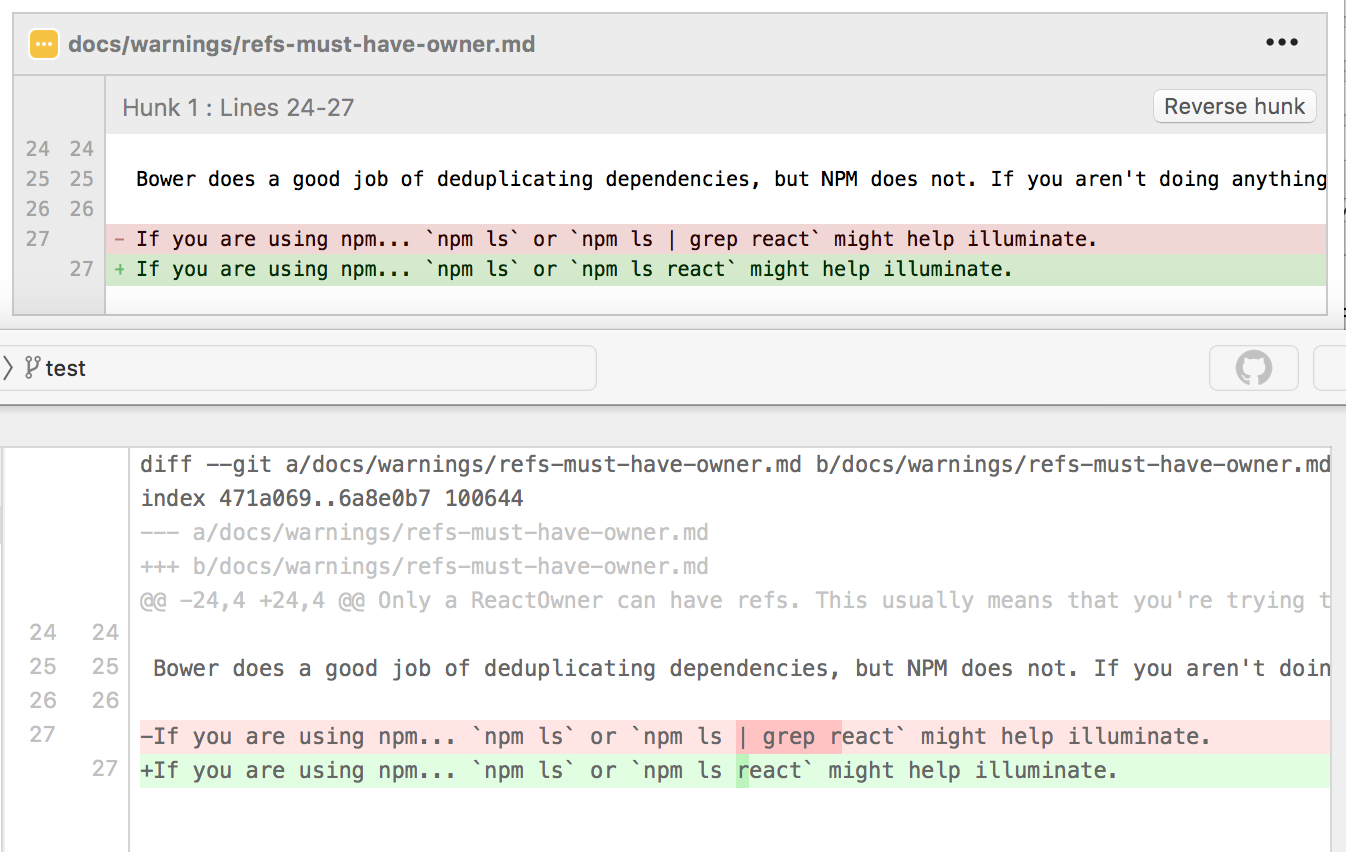
| I already got that question today. So, I'll just repost my answer: here are some differences from the top of the head: * Fork has tabbed interface * For each commit you can see not only changes, but also the whole repository as it was at the moment of commit * Diff viewer shows exact difference between two pieces of code. For example, here are both SourceTree and Fork showing the same commit: https://dl.dropboxusercontent.com/s/fn9mzjmyvhec2sa/2016-08-..., In ST (on the top) you need to figure out what has changed, in Fork (the bottom one) you see the difference clearly. * Repository browser shows you many details about your repositories in the similar way as Finder does * Commit list marks commits which do not belong to your commit tree with gray color |