Hacker News new | ask | show | jobs
by iheartmemcache 3841 days ago
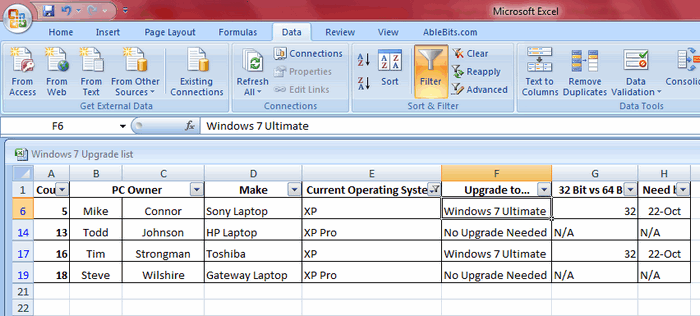
Excel-as-a-front-end hooks in so nicely and easily to SQL Server Standard via standard ODBC/ConnectionStrings. You get audit tables, integration with Active Directory, SSRS, concurrent modifications, the ability to dynamically perform queries (i.e. [1], if you enable a filter clause on your projection from one of those DropDownLists, it will send it out to SQL Server and then return the resultset), audit trails, permissions, and most importantly you can set all of those NON NULL, FK, restraints at the database level, and use SQL Server Reporting Studio (comes with Standard) to perform your reporting. Priced out per CPU you can get it for under 10k. I've done it legally for free too[3] in my early years, but if your client won't pay 10k for a RDBMS, you've got a tire-kicker who won't respect net/90 much less net/30. I've done literally dozens of times for every type of industry you can imagine and I can count on my left hand the number of times those clients needed to later supplement their infrastructure with an actual data-warehouse. (Also the newer Excel versions allow data constraints to a certain degree, so you can avoid that unnecessary transaction/lock acquisition in an anticipatory fashion.) Combine SSAS/SSRS, and the free downloads of PowerPivot and PowerBI and you have a _very_ robust, flexible system that can handle millions of rows easily.

[1]https://www.ablebits.com/_img-blog/find-duplicates-excel/sel... [2] https://www.microsoft.com/en-us/server-cloud/products/sql-se... [3] SQL Server Express + the Express version of the Business Intelligence Suite was free for production use up to 4 GB and 2(?) processors [things might have changed since then, SQL Server 2008]. A few hundred lines of SP's to dump stale data out and the client was golden.

1 comments

How much of this is manual effort vs. built-in? Every example I've seen that actually updates data in the database winds up with a pile of VBA.
I've done it one of two ways - via VBA and via VSTO Add-ins. My VBA version has been carefully crafted to emulate a pseudo-ORM based off INFORMATION_SCHEMA and all, making it pretty portable. It works fairly well because what usually ends up happening is say Partner Foo will have his read-write to his schema and it will all be segmented up via catalog views and other rules. There are the standard concurrency issues (you have to discuss with your client whether you want him to take a mutex on the result set, or potentially allow stale data) so it's fairly naive in that regard. The upside of it it's all self-contained (i.e., not a pile) and portable because you effectively get "reflection" with any sufficiently decent RDBMS impl. Maybe 10-15% of that VBA has to be tweaked based on their business requirements (defining behavior like if pri_row gets deleted in table foo by user bar, do you offer a prompt to cascade delete[1]?)

In some situations [such as a cascade delete], the business requirements need the Stakeholder or PM or TL or whomever to authorize certain events due to internal corporate governance policies. At that point, the VSTO add-in route is taken because usually there has to be integration with other governance/workflow software (one of the subsidiaries for Blue Cross/Blue Shield I worked with was notoriously bad re: pushing the buck and over-complicating workflows). Anyways, the MSVS sln I use with that is pretty much the opposite of a VBA pile.

[1] There's almost never any destructive DELETE's taken, rather a boolean active flag is toggled, and a new row is inserted with a more recent timestamp so you can '...order by timestamp desc limit 1'. That way if auditors come in, not only do they have the full audit log but we can reconstruct state at any given time.

Either way, a naive VBA implementation that doesn't appeal to system tables for all the schema info can easily be written (in a maintainable fashion, as maintainable as VBA goes at least) in under a week.

Thanks for taking the time to fill in some of the details!

This is the most detailed explanation I found regarding the VBA method: http://www.toadworld.com/platforms/sql-server/w/wiki/10392.e...

And the company you linked originally gives away a generic VSTO add-in: https://www.ablebits.com/excel-addins.php#sql-server

The part I was missing was when you said 'audit tables [and] audit trails' (etc.)... it sounds like this would all be build-it-yourself.