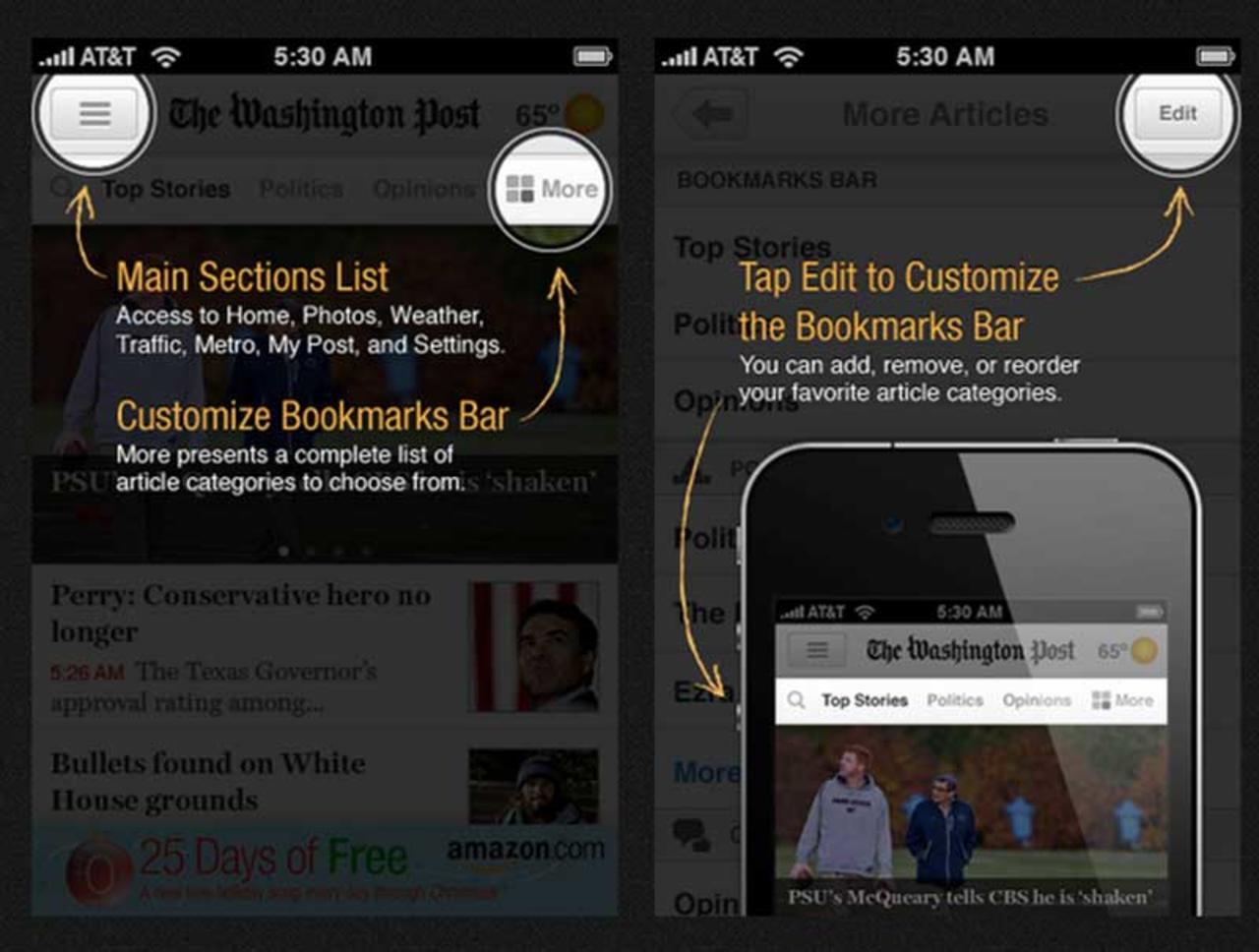
| Not a fan of screen overlay tooltips as in [1]. My first instinct as a user is to get them out of my way, and I do that every time, feeling guilty. And adding a "next" button and going through tooltips one-by-one doesn't make this any better, just more annoying. Actual games (such as GTA or Cut the Rope) do a great job with onboarding, and apps tend to take the simpler show-everything-in-the-beginning way. Two alternatives I've tried as an indie dev: - Gamification, where you ask the user to perform one task, such as "drag X to Y." Only after they performed the action move on to the next prompt, and perhaps not even immediately. - Utilizing badge counts or "bouncing" animations to indicate some action that needs to be performed. The benefit is that the user can try it on their own time, and you're not rushing them. The downside, though, is that some users may never actually click. On the flip side, these approaches can add complexity in both code and how you structure your UI. [1] http://s3.amazonaws.com/marquee-test-akiaisur2rgicbmpehea/R9... |
I hate "help" mechanisms that keep popping up in normal operation, because usually I know exactly what I'm doing in normal operation.