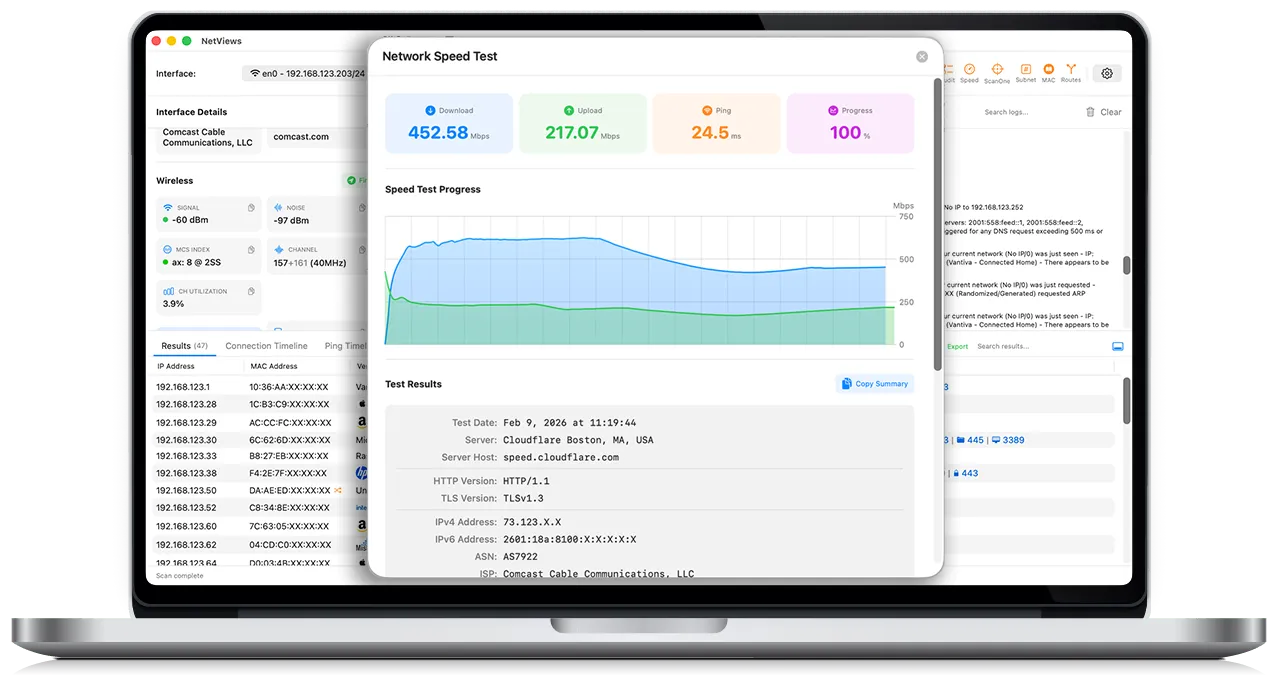
| Hi HN — I’m the developer of NetViews, a macOS utility I built because I wanted better visibility into what was actually happening on my wired and wireless networks. I live in the CLI, but for discovery and ongoing monitoring, I kept bouncing between tools, terminals, and mental context switches. I wanted something faster and more visual, without losing technical depth — so I built a GUI that brings my favorite diagnostics together in one place. About three months ago, I shared an early version here and got a ton of great feedback. I listened: a new name (it was PingStalker), a longer trial, and a lot of new features. Today I’m excited to share NetViews 2.3. NetViews started because I wanted to know if something on the network was scanning my machine. Once I had that, I wanted quick access to core details—external IP, Wi-Fi data, and local topology. Then I wanted more: fast, reliable scans using ARP tables and ICMP. As a Wi-Fi engineer, I couldn’t stop there. I kept adding ways to surface what’s actually going on behind the scenes. Discovery & Scanning:
* ARP, ICMP, mDNS, and DNS discovery to enumerate every device on your subnet (IP, MAC, vendor, open ports).
* Fast scans using ARP tables first, then ICMP, to avoid the usual “nmap wait”. Wireless Visibility:
* Detailed Wi-Fi connection performance and signal data.
* Visual and audible tools to quickly locate the access point you’re associated with. Monitoring & Timelines:
* Connection and ping timelines over 1, 2, 4, or 8 hours.
* Continuous “live ping” monitoring to visualize latency spikes, packet loss, and reconnects. Low-level Traffic (but only what matters):
* Live capture of DHCP, ARP, 802.1X, LLDP/CDP, ICMP, and off-subnet chatter.
* mDNS decoded into human-readable output (this took months of deep dives). Under the hood, it’s written in Swift. It uses low-level BSD sockets for ICMP and ARP, Apple’s Network framework for interface enumeration, and selectively wraps existing command-line tools where they’re still the best option. The focus has been on speed and low overhead. I’d love feedback from anyone who builds or uses network diagnostic tools:
- Does this fill a gap you’ve personally hit on macOS?
- Are there better approaches to scan speed or event visualization that you’ve used?
- What diagnostics do you still find yourself dropping to the CLI for? Details and screenshots: https://netviews.app
There’s a free trial and paid licenses; I’m funding development directly rather than ads or subscriptions. Licenses include free upgrades. Happy to answer any technical questions about the implementation, Swift APIs, or macOS permission model. |
Cool to see more network tools for macOS.
For anyone who does prefer a CLI-based approach, I maintain RustNet https://github.com/domcyrus/rustnet which is open source and cross-platform (Linux, macOS, Windows) with real-time connection monitoring, deep packet inspection, process identification, and a terminal UI. Obviously a different kind of tool than a polished GUI app like this, but if you live in the terminal or want something you can script and automate, it might be worth a look.
On the macOS network tools side, have you looked into PKTAP? I use it in RustNet to get process-level attribution for network connections. Might be worth exploring if you want to tie traffic back to specific processes.