The 2.8x faster CPU claim is based on the following fine print:
> Testing conducted by Apple in October 2020 using preproduction 13-inch MacBook Pro systems with Apple M1 chip, as well as production 1.7GHz quad-core Intel Core i7-based 13-inch MacBook Pro systems, all configured with 16GB RAM and 2TB SSD. Open source project built with prerelease Xcode 12.2 with Apple Clang 12.0.0, Ninja 1.10.0.git, and CMake 3.16.5. Performance tests are conducted using specific computer systems and reflect the approximate performance of MacBook Pro.
I can't find any 2020 model of the Macbook Pro with a 1.7Ghz i7 chip so I'm wondering if they are comparing it with an even older model. Would definitely wait for these to get in the hands of viewers before taking Apple at their word.
Edit: Looks like they are comparing with the Intel 8th-gen i7 version of the A2289 model which was released in May this year. There was a small deal made at the time when they released new Macbooks with both 8th-gen and 10th-gen models. Apparently there is not much difference between the 8th-gen and the 10th-gen chips in terms of CPU performance but it's still a bit disingenuous of Apple not to compare with the best of their previous models.
> it's still a bit disingenuous of Apple not to compare with the best of their previous models.
https://www.apple.com/newsroom/2020/11/apple-unleashes-m1/ Says: "“World’s fastest CPU core in low-power silicon”: Testing conducted by Apple in October 2020 using preproduction 13-inch MacBook Pro systems with Apple M1 chip and 16GB of RAM measuring peak single thread performance of workloads taken from select industry standard benchmarks, commercial applications, and open source applications. Comparison made against the highest-performing CPUs for notebooks, commercially available at the time of testing."
"highest-performing CPUs for notebooks, commercially available [in October 2020]" seems pretty good to me.
> Twice the performance though? Likely in very specific benchmarks.
Keep in mind that the general performance of a given chip, and the performance of that chip in a thermally-constrained form-factor like a laptop, are very different things. Just because the i7-8557u is a decent CPU in a testbench, doesn't mean it didn't thermal-throttle itself under sustained load inside an MBP.
The basic configuration still ships with 8GB of RAM. 16GB is $200 extra. I had an 8GB MacBook Pro in 2013. It wasn't enough then, it's absolutely inadequate now.
If you're not running VM's or opening hundreds of tabs in Chrome it's perfectly fine for everyday tasks.
I'm using my 2016 MBP with 8 GB and have never had a problem except when trying to run multiple VM's.
So 8 GB doesn't seem unreasonable as a minimum. You can upgrade if you need the extra, but a large number of buyers don't need it and prefer a cheaper base price.
It isn't there to purchase, it's maxed out at a measly 16GB. Plenty of workloads are RAM-intensive, but people who need more RAM are forced to spend $500 for a slower Intel CPU and GPU.
Seriously, it should be a crime to sell machines with 256GB SSD in 2020. All these starting prices look low, but those low end configurations will be a drag because of the RAM and storage decisions.
256 GB is an insult to everyone. And most people don't store all their data in cLoUd, just some minor, select stuff - that is why absolutely everyone has GBs of free storage from so many vendors. If most used the cloud heavily, those whole thing will collapse in an afternoon.
You don't get to speak for everyone. Especially if you are not aware of the many people who are just fine with working in even more "constrained" environments like Chromebooks.
Neither do you, special guy. For the many people that are just fine with a Choromebook, make a MacChromebook. But market BS like 256 GB as pro and put it a ridiculous price tag - that is just plain nonsense.
I'm not seeing the "16GB RAM + 512GB SSD: 1499" configuration on the Buy page. The $1499 one says it has 8GB RAM, and any ones with more RAM say they have Intel chips, not the M1.
If I'm missing it or if there's some other way to get that config, do tell, since that's the config I'm interested in!
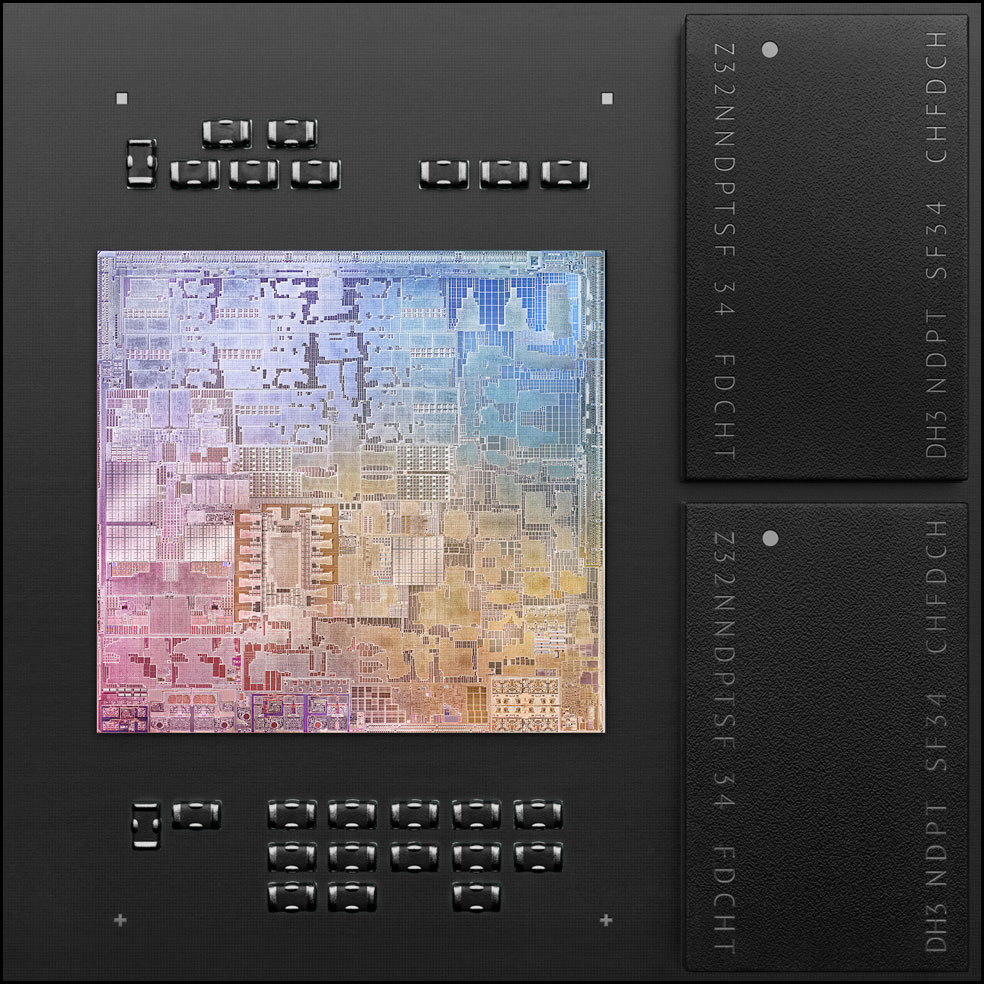
The Apple M1 is an Apple chip design. It uses the Big Little model and Apple designed the Big (Firestorm?) and the Little (Icestorm?). So it probably isn't related to ARM chip design.
I wonder how they're going to replace the MacBook Pro 16" which has 64GB BTO options. Even the Mac Mini had a 64GB option but it too is stuck at just 16GB max. Will they produce a massive package to accommodate it?
As someone dying to replace their 2017 15" Pro with something with a usable keyboard, I don't know if I'm convinced. Two fewer ports, a max of 16 GB of RAM, and no chassis redesign. Curious if anyone in a similar boat is planning on taking the plunge?
I'm actually impressed by an ARM chip having so much performance. Although I shouldn't be, my smartphone has the processing power of an XBox One - unthinkable even 4 years ago, at least for me.
Everything being on such a small package must leave room for a lot of battery cells.
A discrete GPU and more DRAM than can fit on the SoC package, neither of which the MBP13 now has access to.
I'm betting the M1 can't actually work with discrete GPUs (though it remains to be seen what happens if you plug an M1 Mac into an eGPU. What do Thunderbolt-supporting ARM devices generally do with an eGPU?)
Instead, discrete GPU support (and off-package [hierarchically-managed?] DRAM support) is waiting for the M1X-or-whatever, the next chip. Along with that chip, they'll refresh all the discrete-GPU product lines: the higher-end MBPs, the iMacs, and the Mac Pro.
(Personally, I'm betting that Apple will take this opportunity to get rid of truly discrete GPUs in their products, and instead partner with a graphics company like AMD to license IP cores to put in their higher-end SoCs. So you could see e.g. AMD's next-gen Vega with their Smart Access Memory tech, wired to Apple's SoC-internal UMA bus.)
If that's an issue for you (like it was for me), get one of the Macbook Air models released this year. No touchbar, has a great keyboard, and pro enough for most uses.
on M1 https://news.ycombinator.com/item?id=25049079
on Mac https://news.ycombinator.com/item?id=25049528