The Wikipedia page is in serious need of updating. For instance, it's cross-platform with multiple front ends now. clangen seems to be a reliable head developer as well too, so dev status is active.
The thing that really chaps my hide about the proliferation of these terminal based apps is that now I have all these terminal instances open.
For each cool app like this or terminal based chat apps or terminal slack that's another 2.4mb just for overhead! I'm looking at my process monitor right now and I have 250, 250mb, allocated to terminal apps. It's insane!
For people who aren't being sarcastic: tmux is great. It even allows you to ssh into your machine, do `tmux attach` at the command prompt, and get all your terminal programs right there, from anywhere in the world.
And when you're done with the ssh session, detach and log out, and everything stays running.
Some terminals (like urxvt) also support running as a daemon and spawning a new window just attaches to that terminal daemon. Faster and it saves you a megabyte or two over actually opening a whole new terminal.
Wouldn't a GUI app have much, much more overhead though? Right now, the _Dock_ on my laptop is taking ~250MB on its own. A simple app that allows me to control when my monitors sleep is another 100MB. Both of those are way more that a simple terminal instance of 2.4MB.
I'd like to add support for various streaming services in the future. There is already a preliminary API that allows plugins to add music to the data store, which can be paired with other plugins that control downloading and decoding of audio data. It should be technically possible with the current system, but I haven't had the time to implement any services yet.
I might be out of date, but it was possible to integrate for premium accounts. Free users couldn't use that, of course, because then they wouldn't get the ads.
So it can only play a handful of the most popular formats and it requires a metric ton of dependencies. Why are you not using ffmpeg? It can handle decoding, encoding, streaming, tagging, filtering and output without any external libraries.
This is a great question. Unfortunately I don't have a good answer, at least from a technical standpoint. ffmpeg is super stable, battle tested, and does just about everything.
I think there were a couple reasons we (myself and the original developers) didn't go with ffmpeg initially: (1) we really wanted to learn how to build a medium-sized C++ app from scratch. Passing everything through to ffmpeg sounded boring. (2) it was difficult to build ffmpeg on Windows in 2007, when we started work on the audio engine. (3) ffmpeg is LGPL/GPL licensed. We originally planned on statically linking everything into a single executable, and were worried the LGPL license would require us to change our license to LGPL. We really wanted BSD.
I don't think any of these are concerns anymore. To be honest, I've sat down a couple times to write an ffmpeg decoder plugin, but always get distracted by missing features and end up working on those instead.
All of that said, I think we should consider looking into ffmpeg again sometime soon, for exactly the reasons you've listed.
This is semi-unrelated, but would a more robust/portable playlist format be of interest to your project? I wrote a spec for one and am trying to work with projects to implement it in one:
I tried to write a beets implementation, I got rather far but it was cumbersome because beets is more of a library manager than a playlist manager. That meant it lacked playlist functionality, which meant I'd have to write my own playlist manager, which was quite a bit more work than just the import/export plugin :/
I installed it and the UI is absolutely amazing. Would love to make this my main music player.
I am having some issues though, the audio quality of the playback is suspect. I'm playing back an mp3 file and comparing it to cmus and iTunes play it fine, however musikcube has some weird audio artefacts (especially during heavy bass sections). I'm guessing(hoping?) it's some weird config, but this makes it unusable for me. I'm not an audiophile and I'm not being overly sensitive, there's some weird distortion that does not happen in cmus or iTunes.
I remember there were some glitches prevalent in early downloaded MP3 files, which fancy decoders were able to smooth out somehow. Been a few years though.
Very interested in this as I've tried every terminal music player under the sun. As others have mentioned, how does this differentiate itself from the main players .... mpd and cmus??
mpd and cmus are both awesome. I found mpd cumbersome to setup, and couldn't find a frontend I liked. cmus was closer to hitting the sweet spot, but I didn't find a remote control (or streaming) solution that worked the way I wanted it to. I also wanted something super lightweight that I could use in Windows without needing to install something like WSL or Cygwin.
In a nutshell: musikcube probably has fewer features than these alternatives, but packages everything together with a clean, straight forward user interface.
Do you know if musikcube has any intention of supporting the mpd protocol? I don't think it should be terribly hard to support, the protocol itself is fairly simple and stable. It would allow musikcube to integrate into tons of applications that already support mpd integration - I've even written a few of my own for my needs, the various libraries make it very easy to do. That integration is the main reason why I'm hesitant to move away from mpd even though musikcube looks appealing.
Looking at the video, I want to immediately (i.e., without switching to a mode) type "can" and have "Cannonball Adderley" highlighted at the bottom of the focused "artists" tab.
Not yet, unfortunately. This is on my list of things to do.
You can however, in most contexts, switch to the "category filter" view by pressing "f" without explicitly engaging command mode. This will switch the view, then focus the search field. So you can type "fcan" and get artist, album, and genre search results for "can". Not ideal, but does work and is still pretty quick.
Would be great if it could somehow drag & drop, or have a hack to load the currently selected track in another app such as Traktor. I know this is a weird feature to ask, but I'm looking for something keyboard based to efficiently organize & tag my collection for DJing. Simply bring down a terminal window and select the next song.
This looks fantastic, thanks for working on it! Especially the ability to act as a streaming server / client.
I have to ask though, when streaming protocols are fragmented already, why create a new one, and not use one of the existing / well supported ones, such as Subsonic?
I tried to find some external tooling to help with this, but was unsuccessful. In the end, I just built a (hidden) feature into the app that intercepts and displays the key presses in that little bar on the bottom before dispatching the events to the actual handlers.
Not sure what the general consensus is regarding connecting recent discussions but several lightweight players were recommended; most were platform-specific.
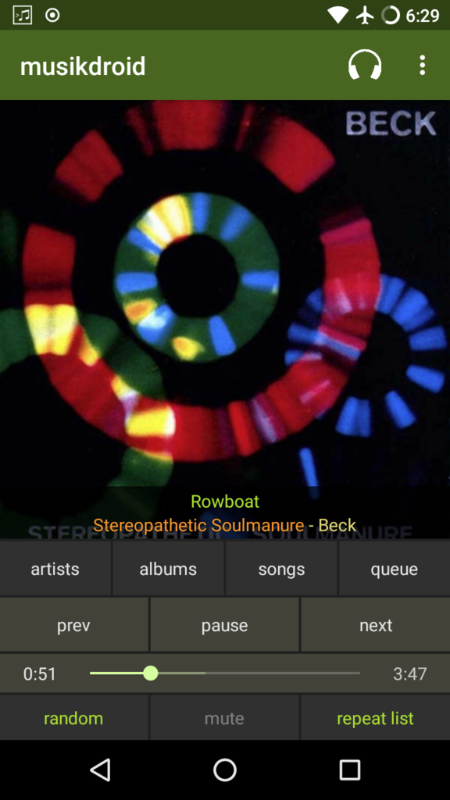
Not currently; the only client right now is a native Android app[1]. However, the server[2] uses vanilla HTTP (for audio) and WebSockets (for data and eventing), so it should be relatively straight forward to build a web frontend.
Even with a web frontend, I'm not clear on how I could get the audio from, say, youtube to go over the websocket instead of to the typical playback device. With something like Pulseaudio, I believe it's possible to stream to a remote host, but then musikcube would need a pulseaudio compatibility layer
Please could someone explain why it's necessary to use 24bit/192k - I thought due to Nyquist/Shannon theory that 192k was overkill. In fact, doesn't it create more ear strain listening to higher frequency sample rates?
DSP works better at a higher sample rates, for obvious reasons, so in a music studio higher is better. Music software will often apply 4x or more oversampling when run at 44.1k which is degrading in the time domain even if the result is better than no oversampling, so recording at high rates avoids that.
Using it as a consumer is pointless, you cant hear those frequencies at all. Adults typically cant even hear up to nyqust at 44.1k. If youre a big music fan youve probably ruined your ears so good luck hearing anything above like 15k tbh.
16 bit was a compromise to do with wanting to keep CDs from being the size of dinner plates, 24 bit is legitimately better, but you're not going to notice with typical music.
For playback, 16 bits / 44.1KHz is fine. No humans have ears that can reliably distinguish more than that.
For editing and production, more bits per sample and more samples per second make it possible to mix sources without reducing quality of the final output.
There is no advantage to that final output being 24/192, or
20/88.
There is no ear strain that comes from higher sample rates, though.
I was just about to reply that using only 44.1kHz means at higher frequencies, you're getting hardly any samples per cycle, and representing a high-frequency sine wave with something more like a square wave - ie not an accurate representation, and really harsh.
However! Xiph.org has a video demonstration using oscilloscopes, showing that high-frequencies at 20kHz still are perfectly represented even with just 44.1kHz recording. It's here if anyone is interested, switch the Chapter Selection on the video to the Stairsteps chapter:
I think you need to lookup Nyquist/Shannon as already alluded to in this post. Plus it's about the quality of the playback, not how loud it is. Having said that, after spending a weekend in a field in Cambridge, in front of a speaker, my hearing is now pretty shot :)
Is there a way to navigate the collections by folders on disk, not by artist/album/genre? I keep my music nicely sorted on disk and I really got used to it.
Gapless playback should more or less work out of the box for most file formats (flac, ogg, etc). For MP3 files it's still a bit hit-or-miss, and depends on what settings were used when encoding the files. This should improve over time.
I also reached my limit on iTunes after it started giving me an error message when I tried to play a song with wifi off.
I've been using Swinsian, and am really, really happy with it. I also want to try this out, but for something similar to iTunes without all the terrible, Swinsian is A+++++.
I'm definitely going to try this, but I've become fed up with most music players and decided to code my own wrapper around MPV.
I used mpd and cmus for years but the main problem I had with them is that when I changed the directory structure of my music files it would corrupt my playlists. There are a lot of different work arounds but eventually I decided that to build a playlist I wanted to copy the file into a playlist directory instead of just reference the file location in a text file.
Right now I use Ranger (a CLI file manager) as the "front end" to mpv. I run mpv on a unix socket so it can be controlled remotely and I can request things like artist, title, etc.. and use that info in desktop notifications and widgets (if I want). Most of the time I never even look at my music player so this works out really well, and I already have mpv installed for video so I'm finding another way to utilize a program I already have installed instead of using another one.
I want to say that I'm really excited for this, because of a very simple reason: I can comfortably browse by album, not just by artist, or at least that's what I'm reading on the project wiki. Most MPD clients do a bad job of letting me do that, and things like MOC don't appear to let me do it at all. As someone with most of her albums being authored by different artists, it looks useful.
I look forward to using it, and thanks for making it free/open source.
EDIT: oh, same developer, so all links are "legitimately" taken over for the new version, and the old version homepage is https://musikcube.com/old/